Bluetooth
®
SETTINGS
180
DISPLAYING THE “Bluetooth Settings (Bluetooth
Settings)” SCREEN IN A DIFFERENT WAY
XFrom the phone/message settings screen
1. Select .
2. Select
SETTINGS
(SETTINGS).
3. Select
Phone
(Phone).
4. Select
Connect Phone
(Connect Phone).
XFrom the status display
1. 6HOHFWVWDWXVGLVSOD\DUHDRQWKHVFUHHQĺ3
REGISTERING A Bluetooth DEVICE
Up to 5 Bluetooth devices can be registered.
Bluetooth compatible phones (HFP) and audio devices
(AVP) can be registered simultaneously.
This operation cannot be performed while driving.
1. Display the “Bluetooth Settings (Bluetooth Settings)”
VFUHHQĺ3
2. Select
Add
(Add).
XWhen another Bluetooth device is connected
Ɣ To disconnect the Bluetooth device, select
Yes
(Yes).
XWhen 5 Bluetooth devices have already been
registered
Ɣ A registered device needs to be replaced. Select
Yes
(Yes), and then select the device to be
replaced.
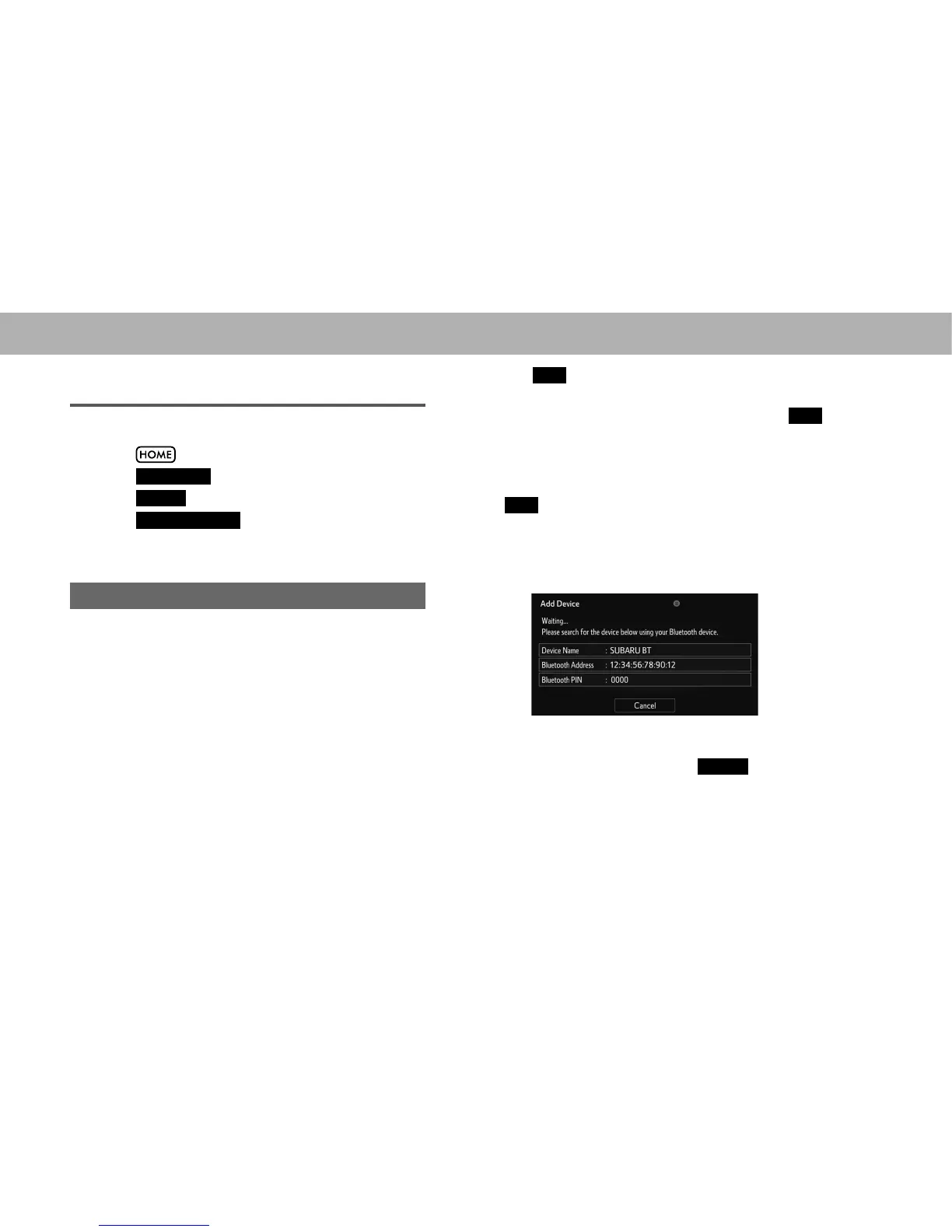
3. When this screen is displayed, search for the device
name displayed on this screen on the screen of your
Bluetooth device.
Ɣ For details about operating the Bluetooth device, see
the manual that comes with it.
Ɣ To cancel the registration, select
Cancel
(Cancel).















 To Next Page