ROUTE GUIDANCE
231
NAVIGATION SYSTEM
8
DELETING DESTINATIONS
1. 'LVSOD\WKH³(GLW5RXWH(GLW5RXWH´VFUHHQĺ3
2. Select .
3. Select
Delete
'HOHWH ZKHQ WKH FRQ¿UPDWLRQ VFUHHQ
appears.
SETTING ROUTE PREFERENCES
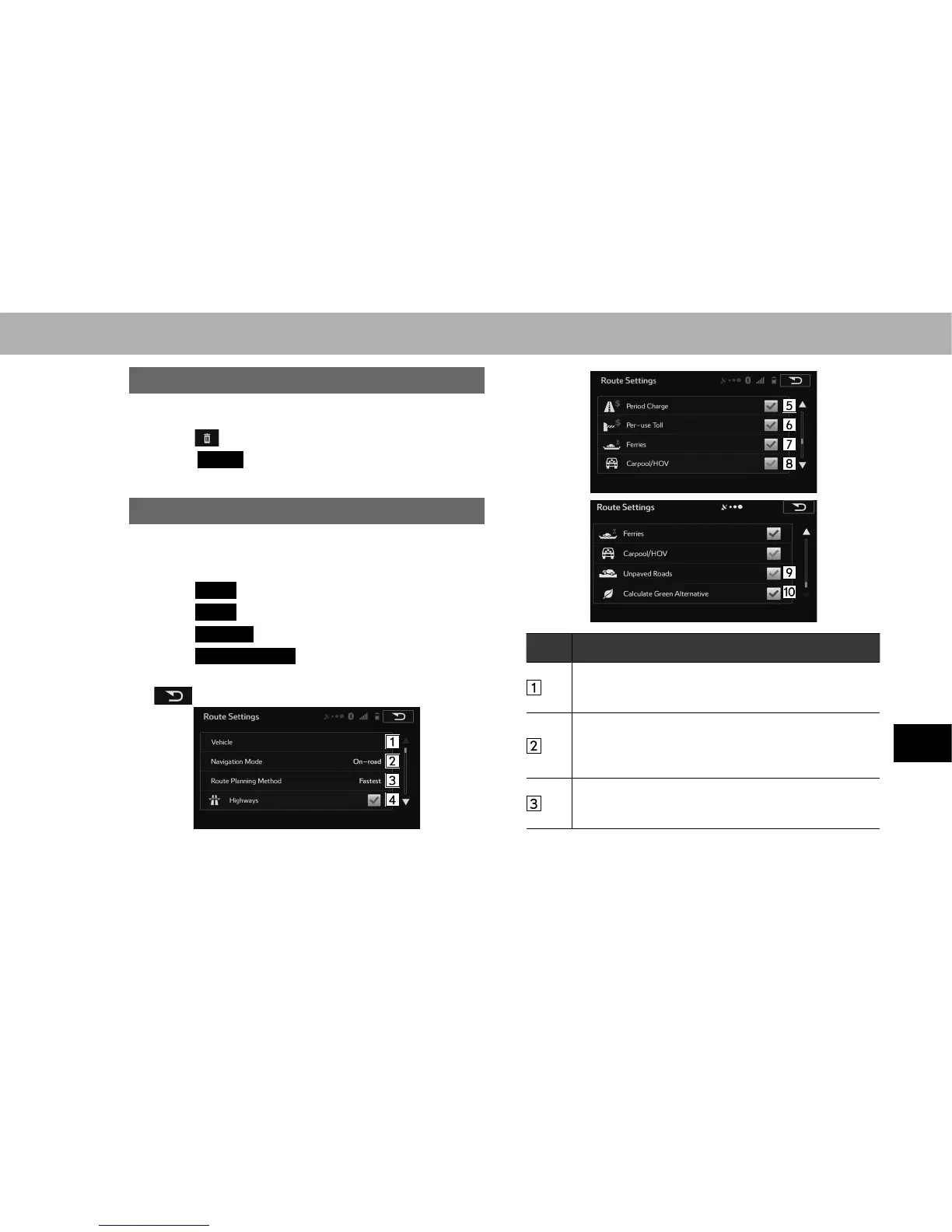
The conditions to determine the route can be selected from
various choices such as Highways, Toll Road, Ferries, etc.
1. Select
Menu
(Menu) on the map screen.
2. Select
More
(More).
3. Select
Settings
(Settings).
4. Select
Route Settings
(Route Settings).
5. Select the desired route preferences and then select
.
No. Function
Sets various factors to take into account when
performing a search, such as fuel consumption, fuel
costs, and maximum speed.
You can change between On-road and Off-road. Set to
On-road to perform normal navigation, or set to Off-road
to navigate using the straightest possible route to the
destination.
By changing the route search method, you can search
for the optimum route for a variety of situations and
types of vehicle.















 To Next Page