ROUTE GUIDANCE
227
NAVIGATION SYSTEM
8
SIGNS
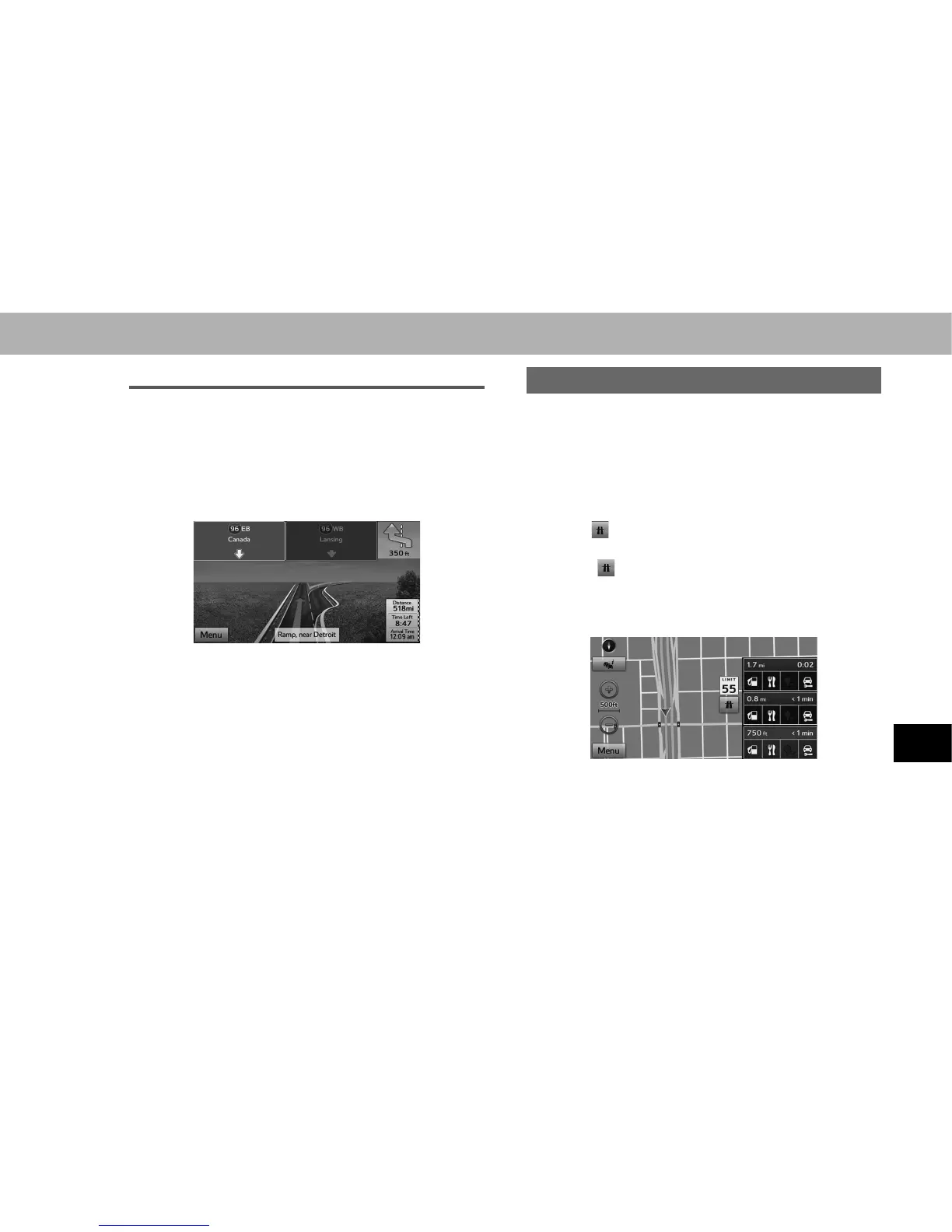
When detailed information is available, the arrows are
removed and signs are displayed. Signs are displayed
at the top of the map. The color and design of the signs is
the same as signs actually found at the side of the road or
overhead signs. These signs show the district and the route
number for the lane direction.
Ɣ All signs are displayed in the same manner even
when driving without using the navigation system.
During navigation, only the sign that shows the lane in
which you should drive is highlighted, the other signs
are toned down.
HIGHWAY SERVICES
When driving on the expressway, this displays information
on up to the next three highway service areas. By default,
“Gas Station (Gas Station)”, “Restaurant (Restaurant)”,
“Rest Area (Rest Area)”, and “Car Service (Car Service)” are
displayed. You can change the items displayed by setting
WKH³9LVXDO*XLGDQFH9LVXDO*XLGDQFH´ĺ3
1. Select on the map screen.
Ɣ When information is available for the highway service
area,
is displayed.
2. Check that the highway service area information
(distance, time needed, and services provided) is
displayed.
Ɣ The highway service area information display
disappears after 15 seconds.
3. Select the desired highway service area information.















 To Next Page