BASIC INFORMATION BEFORE OPERATION
44
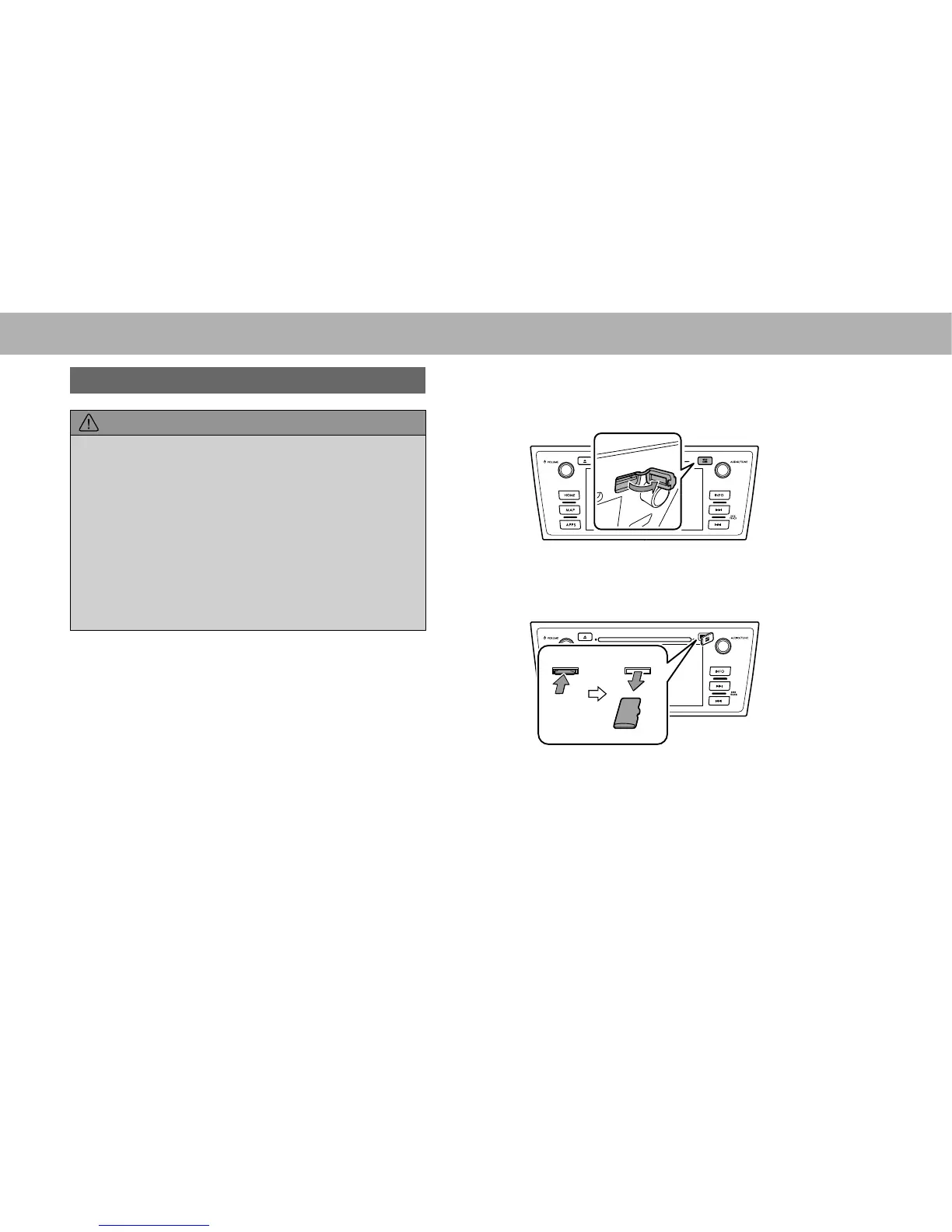
UNLOADING AN SD CARD
CAUTION
O When removing an SD card from the unit, pull it out
horizontally. Do not pull it out upward or downward with force.
Doing so may damage the SD card.
O Do not remove an SD card during playback. Doing so may
corrupt the data. Please understand that no compensation will
be given for corrupted data.
O Do not pull the SD card slot cover with force. By doing so, the
SD card slot cover may come off, or be damaged. If the SD
card slot cover comes off, it can be reattached by inserting the
cover clip into the hole.
O Avoid touching the SD card terminals to prevent
contamination. Doing so may cause card read failure.
NOTE
O The system is reset and the initial screen appears if the map SD
card is removed during use, however, this is not a malfunction.
The map screen appears again approximately 7 seconds after
reinserting the map SD card.
1. Turn the ignition switch to the “OFF” position.
2. Open the SD card slot cover.
3. Remove the SD card.
Ɣ Press in the SD card until you hear it “click”, let go of
the card, and then pull it straight out.
4. Close the SD card slot cover.















 To Next Page