BASIC OPERATION
58
Q SAVING THE SOUND QUALITY
You can save the adjusted sound quality settings.
1. Adjust the sound quality.
2. Select
EQ1
(EQ1) or
EQ2
(EQ2) for 2 seconds or
more.
Ɣ Values cannot be saved for
FLAT
(FLAT).
Q USING A PRESET SOUND QUALITY
1. Select
EQ1
(EQ1) or
EQ2
(EQ2) to activate the
corresponding preset sound quality.
Ɣ To reset the sound quality, select
FLAT
(FLAT).
Ɣ This function can also be used at the “EQ Settings
(EQ Settings)”.
Q RESETTING THE EQ CURVE
You can return the adjusted value for the currently stored
equalizer to its initial value.
1. Select and hold
FLAT
(FLAT) for 2 seconds or more.
Ɣ The adjusted values for the stored
EQ1
(EQ1) and
EQ2
(EQ2) are returned to their initial values.
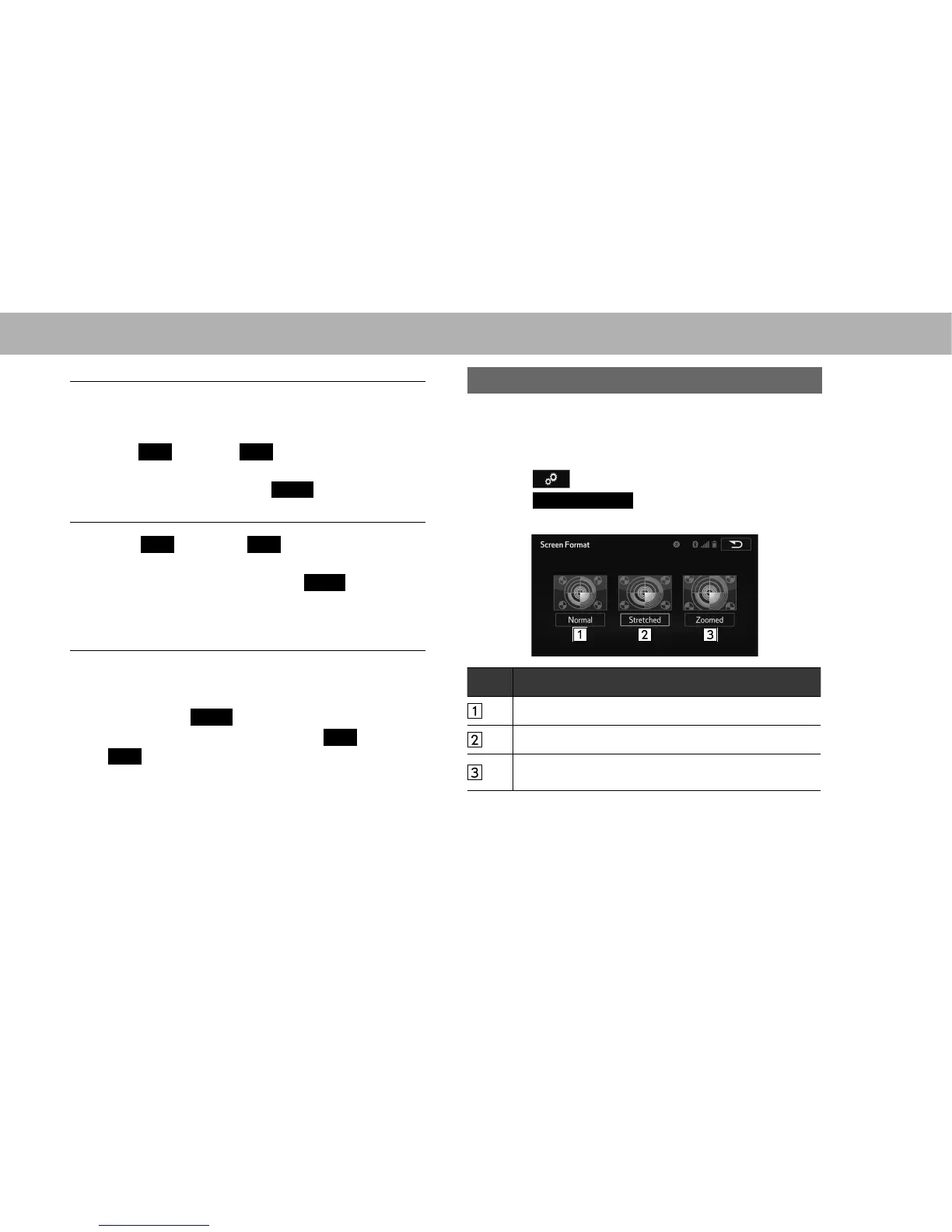
AUDIO SCREEN ADJUSTMENT
The screen size can be selected for each type of media.
XUSB video/SD video*
*: With navigation function
1. Select on the audio control screen.
2. Select
Screen Format
(Screen Format).
3. Select the desired item to be adjusted.
No. Function
Select to display a screen with either side in black.
Select to enlarge the image horizontally to full screen.
Select to enlarge the image by the same ratio
horizontally and vertically.















 To Next Page