USEFUL INFORMATION
170
ECO MONITOR
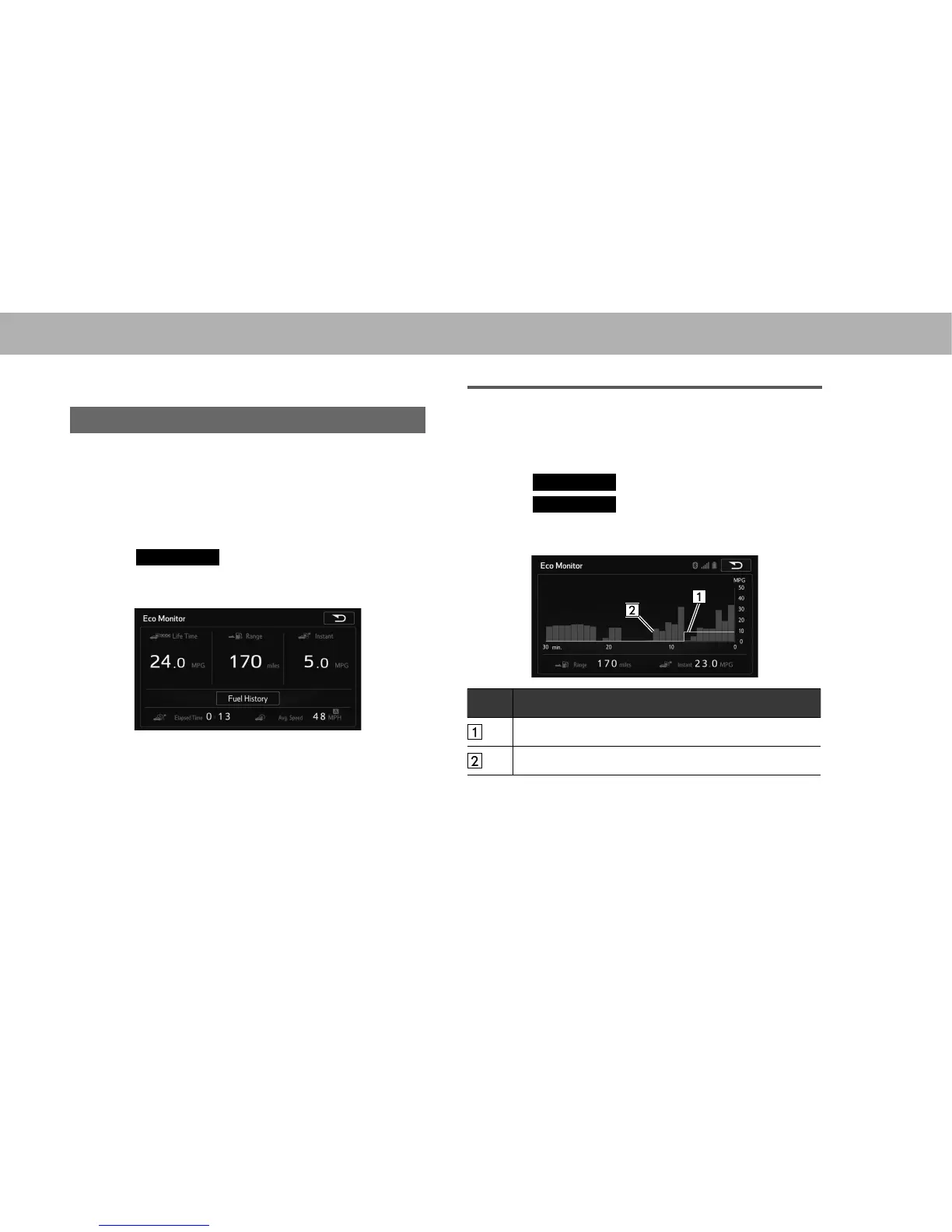
DISPLAYING ECO MONITOR
Three items of information can be displayed from remaining
travel distance (range), instantaneous fuel consumption,
average interval fuel consumption, and lifetime fuel
consumption.
1. 'LVSOD\WKH³,1)2,1)2´VFUHHQĺ3
2. Select
Eco Monitor
(Eco Monitor).
3. Check that the “Eco Monitor (Eco Monitor)” screen is
displayed.
Ɣ With navigation function: The system is reset if the
map SD card is removed during use, and the Elapsed
Time is also reset (0:00).
DISPLAYING FUEL HISTORY
The average fuel consumption and instantaneous fuel
consumption history can be displayed.
1. 'LVSOD\WKH³,1)2,1)2´VFUHHQĺ3
2. Select
Eco Monitor
(Eco Monitor).
3. Select
Fuel History
(Fuel History).
4. Check that the “Eco Monitor (Eco Monitor)” screen is
displayed.
No. Name
Average fuel consumption value
Average fuel consumption per unit time















 To Next Page