BASIC OPERATION
201
NAVIGATION SYSTEM
8
No. Name Information/Function Page
*
Highway
information
Select to display the
highway information.
227
Speed Limit
indicator
Displays the speed limit for
the road being driven on.
-
*: The default setting is not displayed, and can be displayed from “Display
RQ0DS'LVSOD\RQ0DS´LQ³0DS6HWWLQJV0DS6HWWLQJV´ĺ3
NOTE
O An “Unable to read the map SD data. Check the map SD. If
necessary, consult your dealer.” message appears if the map SD
card is not inserted, or if an SD card containing no map data is
inserted.
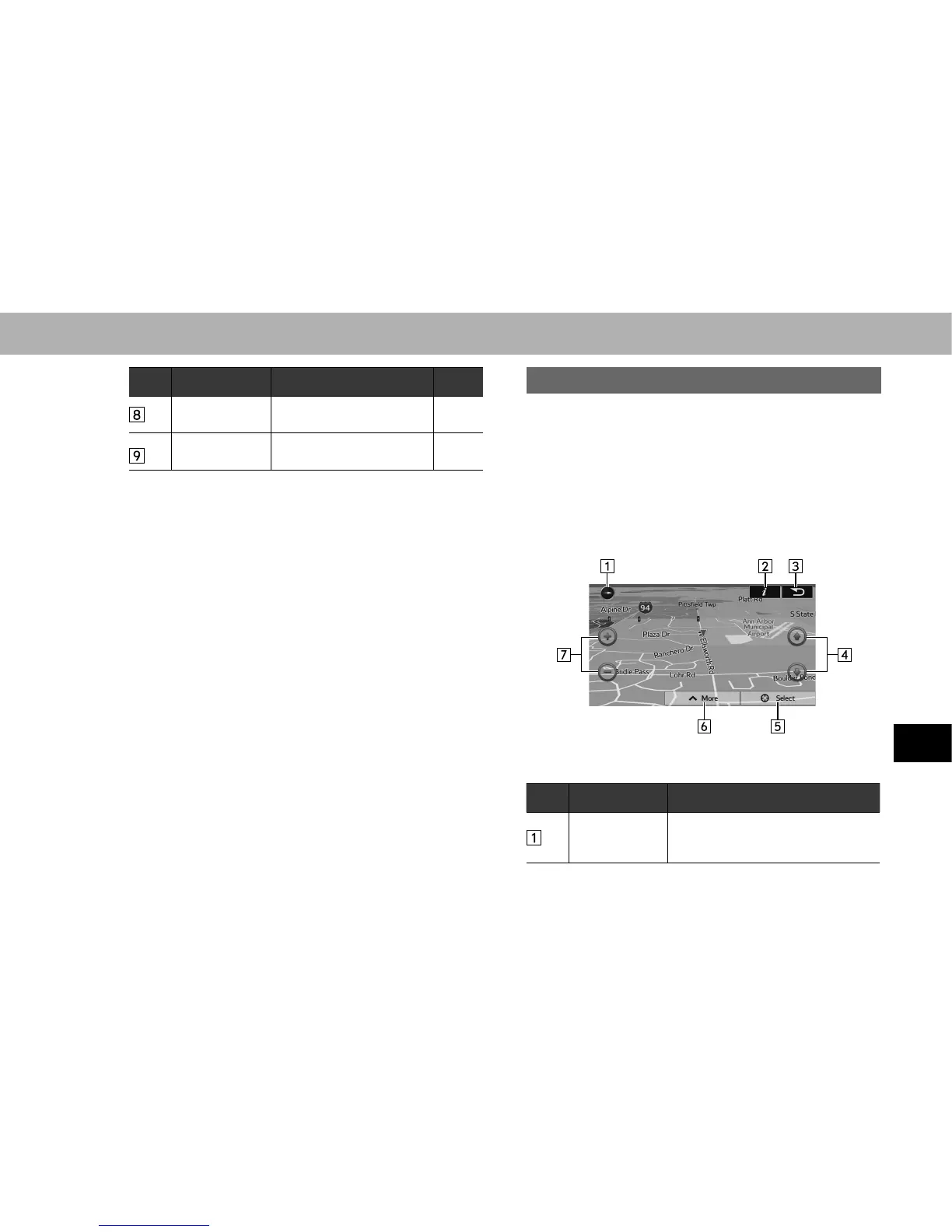
MAP OPERATIONS
You can touch a position on the map, and then check that
position during navigation. The map’s current position
tracking function stops (the car marker (a blue arrow by
GHIDXOW LV QRW ¿[HG LQ SRVLWLRQ RQ WKH VFUHHQ DQG WKH
control buttons are displayed allowing you to change the
map display.
No. Operation Function
2D or 3D
display
Select to change the map display
mode between 2D north-up, 2D
heading-up or 3D.















 To Next Page