BASIC OPERATION
206
Ɣ This map shows the current position (shown as the
vehicle marked as a blue arrow), recommended
routes (blue lines), and the immediate surrounding
area.
Ɣ When GPS positioning is not active, the vehicle
PDUNHU LV FOHDU 7KH ODWHVW FRQ¿UPHG SRVLWLRQ LV
displayed. When GPS positioning is active, the
vehicle marker is displayed in fullcolor, and the
current position is shown.
MAP SCALE
AUTO ZOOM
XWhile driving the route
When approaching an intersection, the screen is enlarged
and the viewpoint raised so that you can easily see which
way to drive at the next intersection. After navigating the
intersection, the screen is reduced and the angle lowered to
check the road in front.
XWhen driving without route navigation
The screen is enlarged as you slow down and reduced as
you speed up.
Ɣ This function is OFF by default, and can be turned
ON from “Auto Zoom (Auto Zoom)” in “Map Settings
0DS6HWWLQJV´ĺ3
MANUAL OPERATION
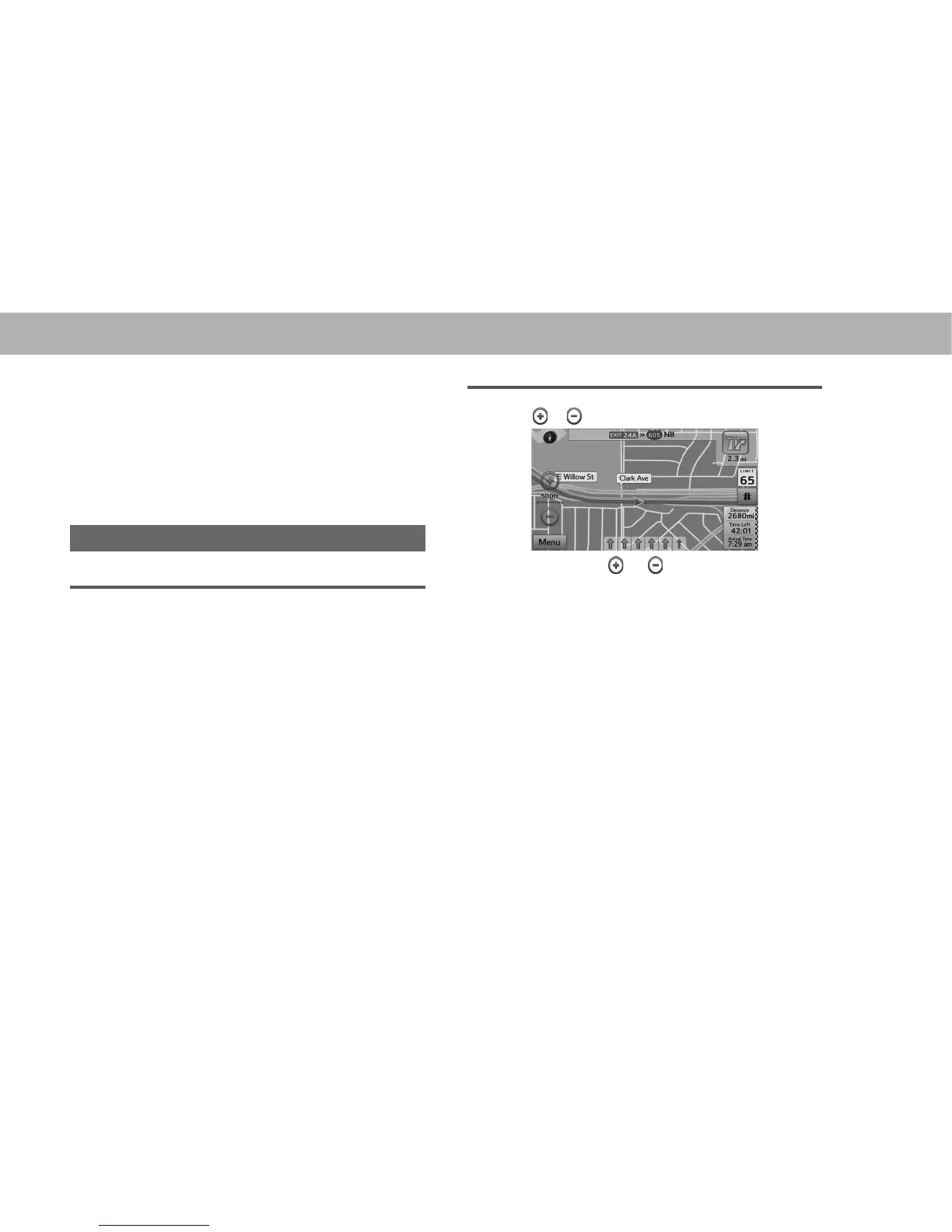
1. Select or to change the scale of the map screen.
Ɣ Select and hold or to continue changing the
scale of the map screen.
Ɣ You can also change the scale of the map screen by
VHOHFWLQJ GRXEOH WRXFK ĺ3 RU SLQFK RSHUDWLRQ
ĺ3
NOTE
O In 3D mode, the map cannot be reduced endlessly. The map
FKDQJHV WR ' PRGH LI \RX ]RRP RXW EH\RQG WKH GH¿QHG
amount.















 To Next Page