RADIO OPERATION
69
AUDIO
3
SiriusXM
®
Satellite Radio
OVERVIEW
Select
SiriusXM
(SiriusXM) on the “Select Audio Source
6HOHFW$XGLR6RXUFH´VFUHHQĺ3
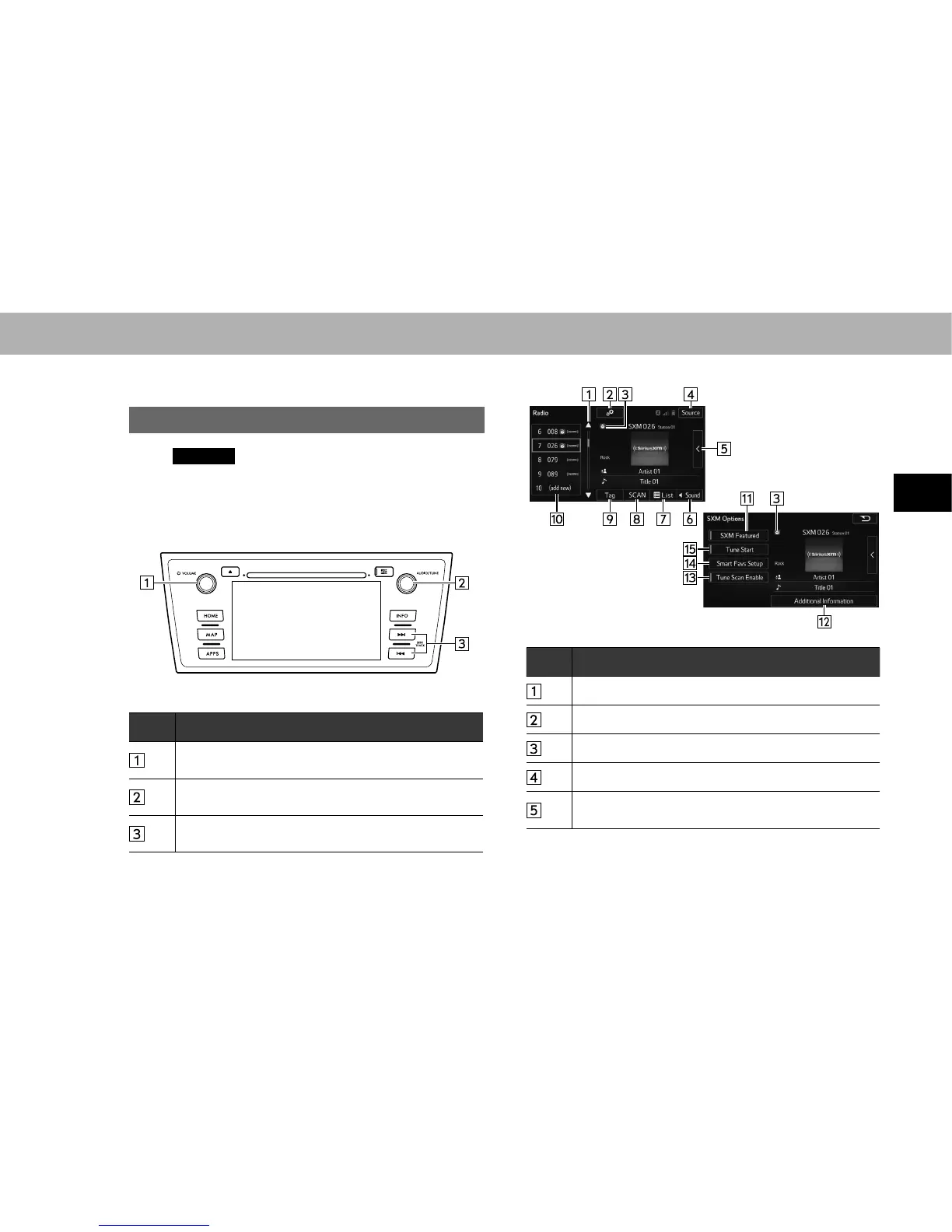
XControl panel
No. Function
Turn to adjust volume.
Press to turn the audio system on/off.
Turn to step up/down channels.
Press to select an audio mode.
Select to seek for a channel.
Select and hold for continuous seek.
XControl screen
<Top screen>
<Option screen>
No. Information/Function
Select to scroll the list of preset buttons.
Select to display the option screen.
Displayed when playing cached programs.
Select to display the audio source selection screen.
Select to display the cache radio operation buttons.
ĺ3















 To Next Page