EasyManua.ls Logo

Subaru Outback - Touch Screen Gestures

Subaru Outback
308 pages
Print Icon
To Next Page IconTo Next Page
To Previous Page IconTo Previous Page
Loading...
BASIC INFORMATION BEFORE OPERATION
45
BASIC FUNCTION
2
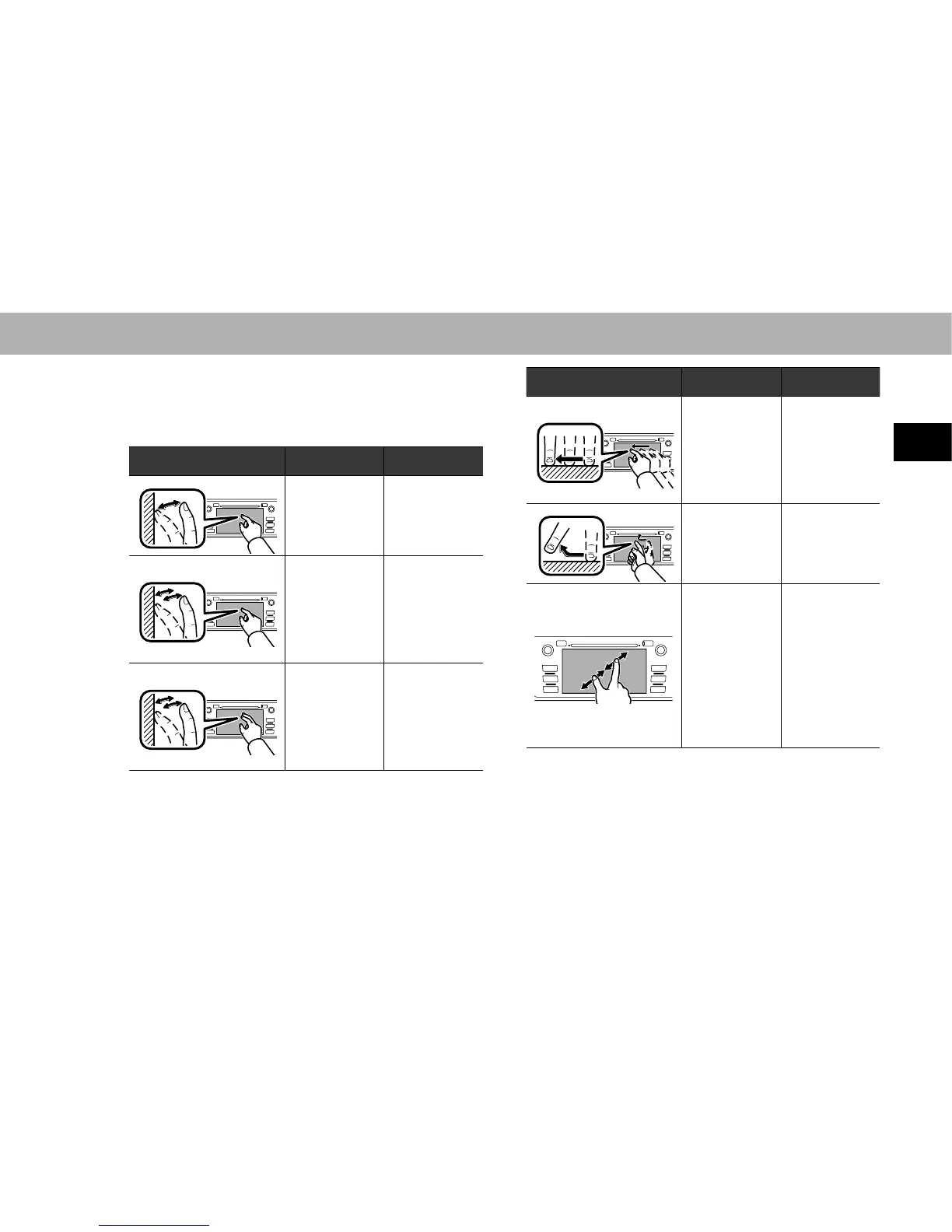
TOUCH SCREEN GESTURES
Operations are performed by touching the touch screen
GLUHFWO\ZLWK\RXU¿QJHU
Operation method Outline Main use
Touch
Quickly touch
and release
once.
Changing
and selecting
various settings
Double Touch
with one
¿QJHU*
1
Quickly touch
and release
twice with one
¿QJHU
Enlarging the
scale of the map
screen
Double Touch
with two
¿QJHUV*
1
Quickly touch
and release
twice with two
¿QJHUV
Reducing the
scale of the map
screen
Operation method Outline Main use
Drag*
2
Touch the
screen with
\RXU¿QJHU
and move the
screen to the
desired position.
Scrolling the
lists
Scrolling the
map screen*
1
Flick*
2
Quickly move
the screen by
ÀLFNLQJZLWK\RXU
¿QJHU
Scrolling the
main screen
page
Scrolling the
map screen*
1
Pinch*
1
Move your two
¿QJHUVIXUWKHU
apart (pinch-
out) to zoom in
the map. Move
\RXUWZR¿QJHUV
closer together
(pinch-in) to
zoom out the
map.
Changing the
scale of the map
screen

Table of Contents

Other manuals for Subaru Outback

Related product manuals