OTHER SETTINGS
196
MAINTENANCE
MAINTENANCE
When this system is turned on, the “Maintenance Reminder
(Maintenance Reminder)” screen displays when it is time to
UHSODFHDSDUWRUFHUWDLQFRPSRQHQWVĺ3
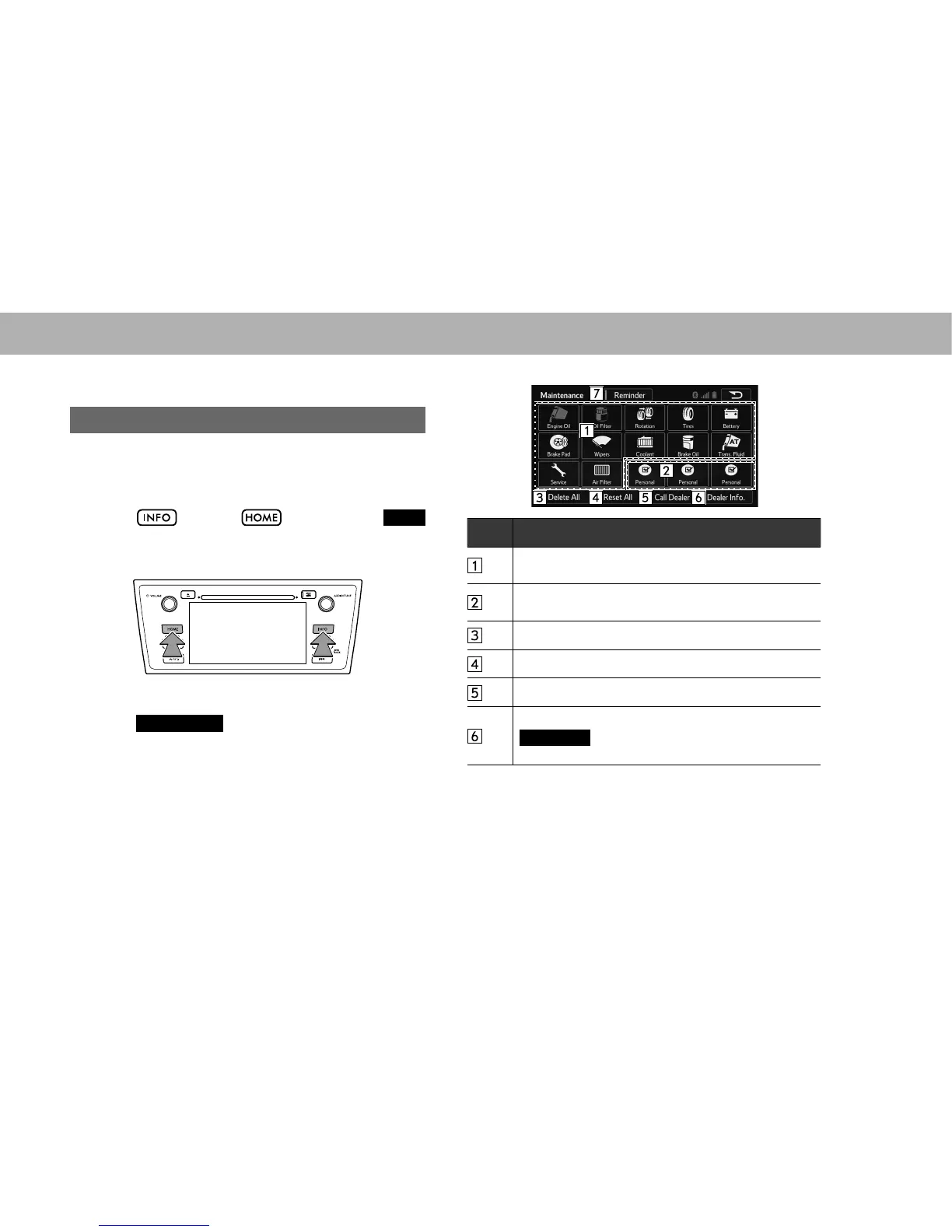
1. Select , or select and then select
INFO
(INFO).
2. Select
Maintenance
(Maintenance).
3. Select the desired item.
No. Function
Select to set the condition of parts or components.
ĺ3
Select to add new information items separately from
provided ones.
Select to cancel all conditions which have been entered.
Select to reset the item which have expired conditions.
Select to call the registered dealer.
6HOHFWWRUHJLVWHUHGLWGHDOHULQIRUPDWLRQĺ3
Set Dealer
(Set Dealer) appears if no dealer
information has been registered.















 To Next Page