OTHER SETTINGS
197
SETTINGS
7
No. Function
When set to on, the indicator will illuminate. The
system is set to give maintenance information with the
“Maintenance Reminder (Maintenance Reminder)”
VFUHHQĺ3
NOTE
O When the vehicle needs to be serviced, the screen button color
will change to orange.
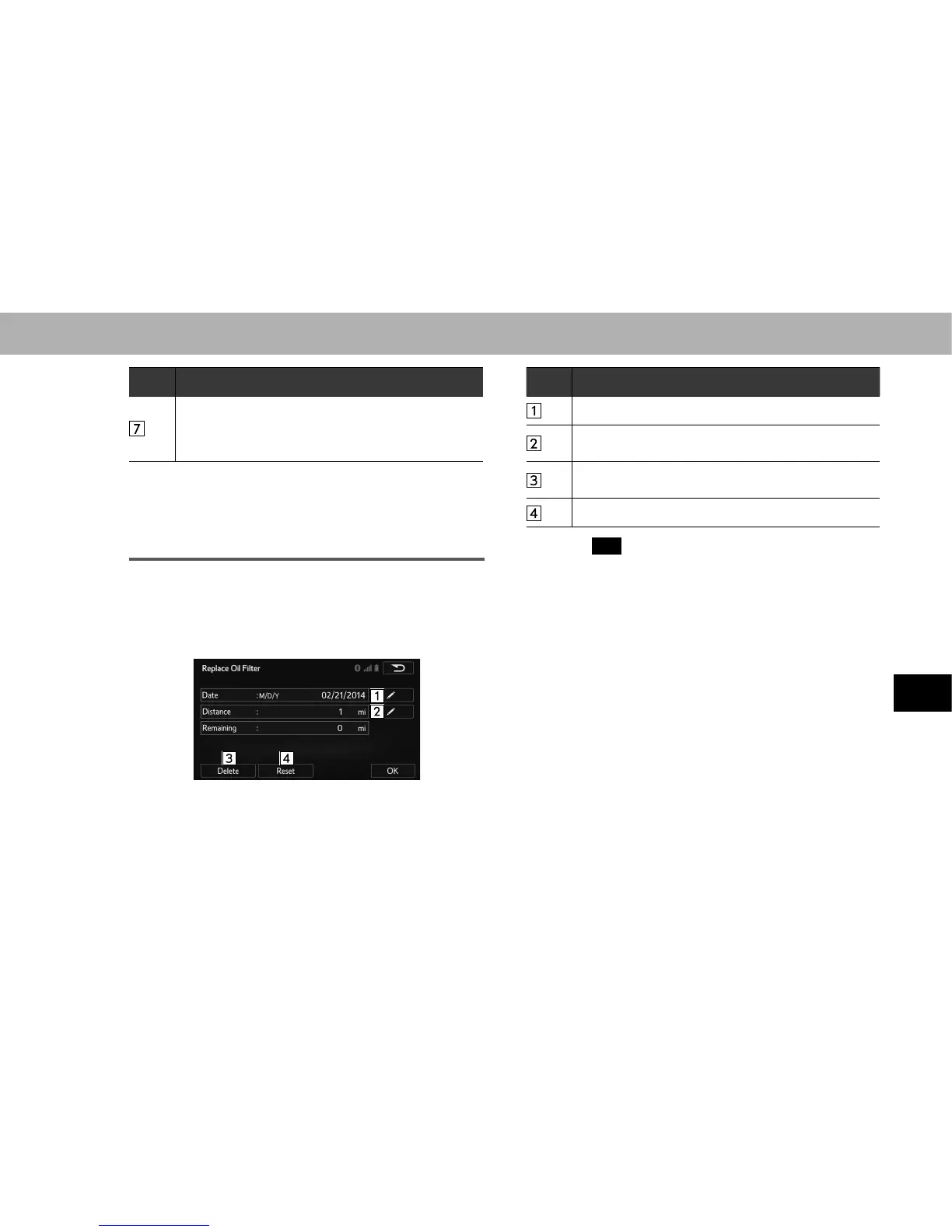
MAINTENANCE INFORMATION SETTING
1. Select the desired part or component screen button.
Ɣ When the vehicle needs to be serviced, the screen
button color will change to orange.
2. Set the conditions.
No. Function
Select to enter the next maintenance date.
Select to enter the driving distance until the next
maintenance check.
Select to cancel the conditions which have been
entered.
Select to reset the conditions which have expired.
3. Select
OK
(OK) after entering the conditions.
NOTE
O Depending on driving or road conditions, the actual date and
distance that maintenance should be performed may differ from
the stored date and distance in the system.
O Without navigation function: No reminder is given even if the
entered date has passed. A reminder is only given when the
entered distance is reached.















 To Next Page