AUDIO/VISUAL REMOTE CONTROLS
96
AUDIO/VISUAL REMOTE CONTROLS
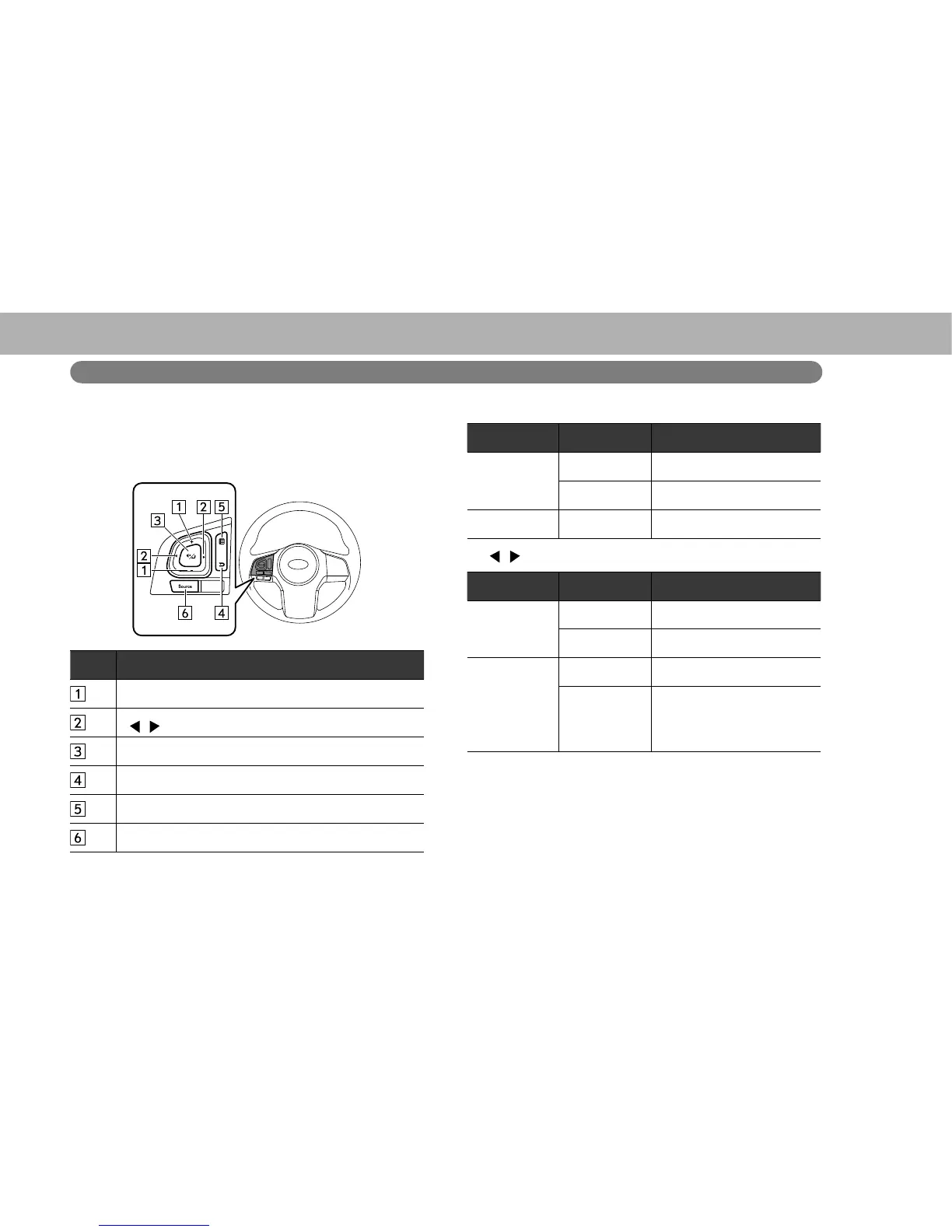
STEERING SWITCHES
Some parts of the audio/visual system can be adjusted
using the switches on the steering wheel.
No. Switch
“+/-” switch
“ / ” switch
Mute/enter switch
Back switch
List switch
“Source” switch
X“+/-” switch
Mode Operation Function
Volume
Press Volume up/down
Press and hold Volume up/down continuously
List screen Press Cursor up/down
X“ / ” switch
Mode Operation Function
AM/FM Radio,
SiriusXM
®
Press Preset channel up/down
Press and hold Seek up/down continuously
aha
Press Content up/down
Press and hold
Rewind the current content
item for 15 seconds/ Fast
forward the current content
item for 30 seconds















 To Next Page