BASIC OPERATION
204
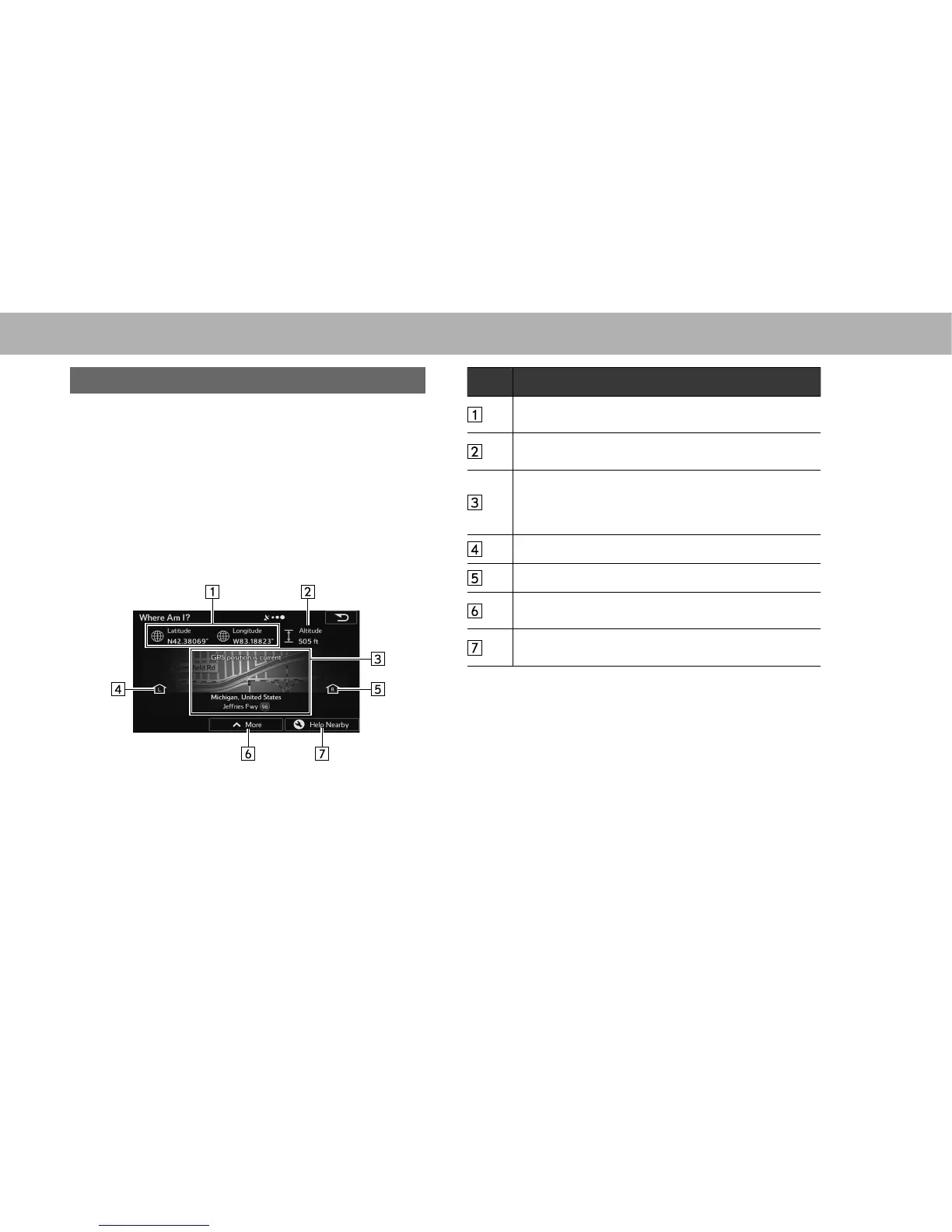
CHECK CURRENT POSITION
The button on this screen searches for information on the
current position (if there is no GPS reception it uses the last
FRQ¿UPHG SRVLWLRQ DQG UHFRPPHQGHG VSRWV LQ WKH DUHD
and displays them on the screen.
1. Select “street name” on the map screen.
2. Check that the “Where Am I? (Where Am I?)” screen is
displayed.
No. Information/Function
Latitude/Longitude (Current positional coordinates use
the WGS84 land survey system)
Altitude (Advanced information acquired by the GPS
receiver - may not be accurate)
The latest location information is displayed, or the time
after the latest information was acquired is displayed.
A detailed address (when available) for the current
position is displayed at the bottom of the screen.
Address of current position on left
Address of current position on right
Select to save the current position in the destination list.
ĺ3
Select to search for nearby help around the current
SRVLWLRQĺ3















 To Next Page