ROUTE GUIDANCE
236
4. 6HDUFKIRUDGHVWLQDWLRQĺ3
Ɣ Select the route’s destination using the same method
as described previously.
Ɣ After selecting a new destination, you are returned to
the list.
Ɣ To add another destination, select
at the point
where you want to add a new route point to the list,
and repeat the steps above.
ROUTE ALTERNATIVES
Change the Route settings to perform a new search for the
route being navigated using a different method. You can
even search again by comparing different routes.
1. Display the “Change Route (Change Route)” screen.
ĺ3
2. Select
More
(More).
3. Select
Route Alternatives
(Route Alternatives).
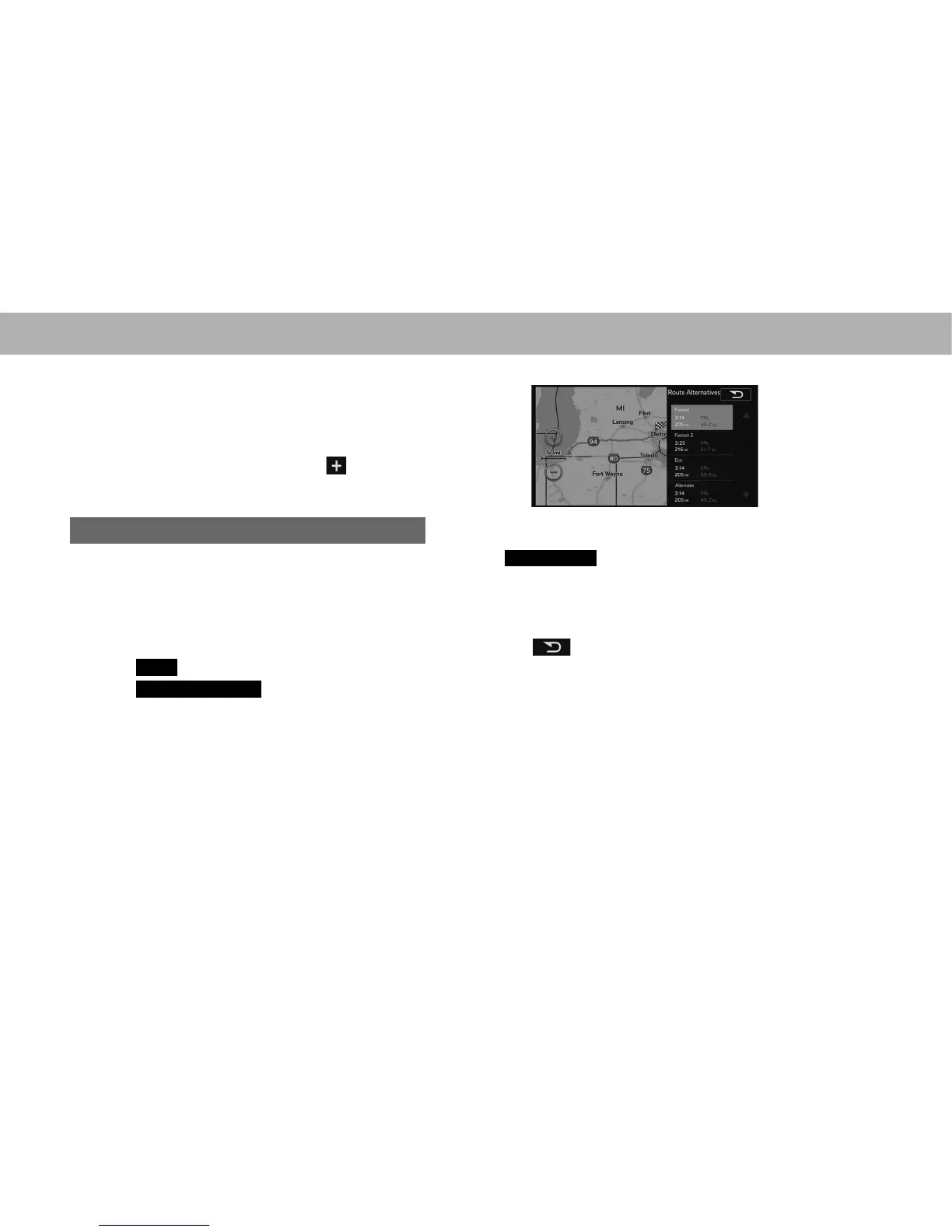
4. Select the desired route.
Ɣ Using the current search method, three routes are
displayed in order of recommendation.
Ɣ
More Results
(More Results): Select to search
using a different method. Also, if only a short distance
is being navigated or only a few search candidates
are found, each search method displays only one
route.
5. Select to return to the previous screen.
Ɣ The route is searched again using the selected
method. The new recommended route is indicated by
a blue line.















 To Next Page