DESTINATION SEARCH
218
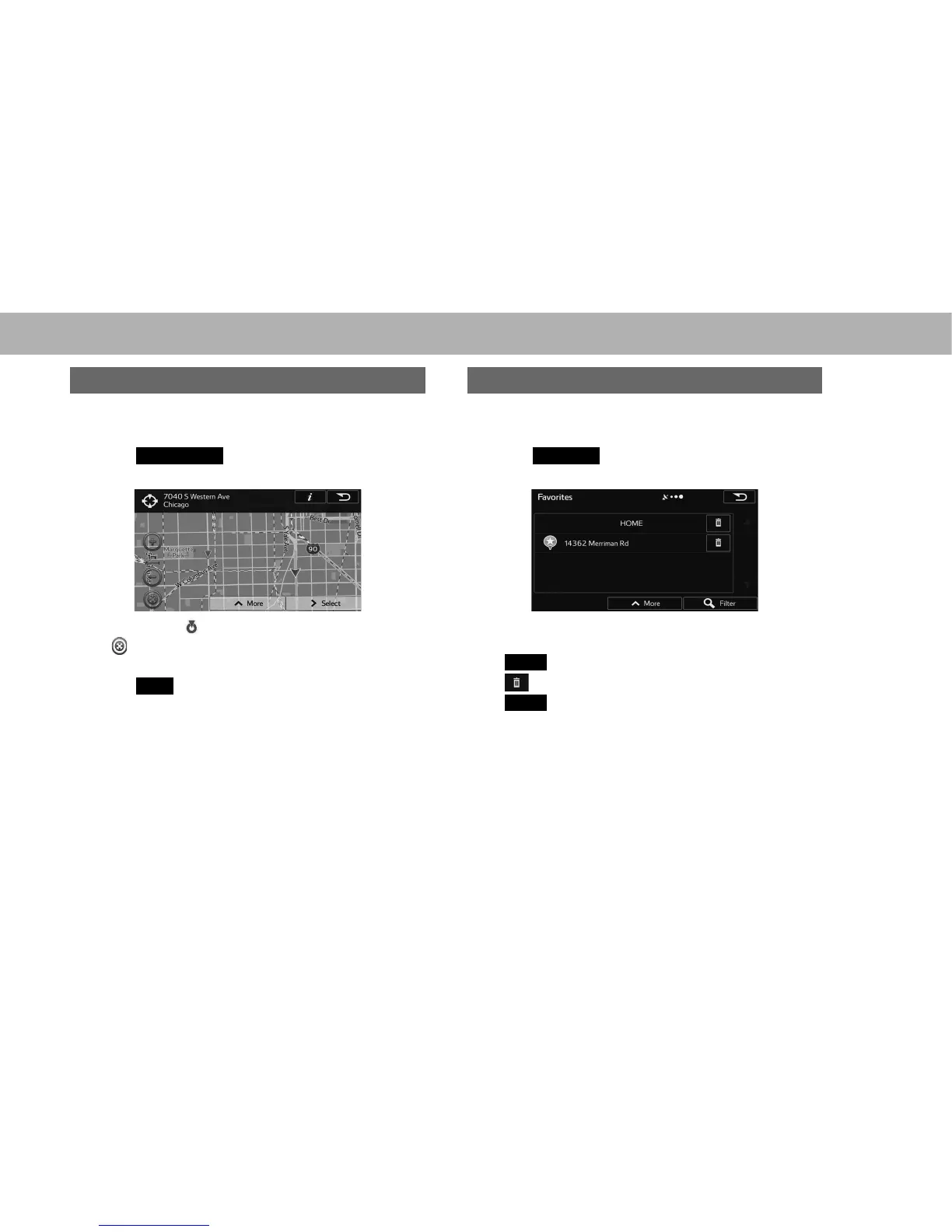
SEARCHING BY FIND ON MAP
1. Display the “Destination (Destination)” screen.
ĺ3
2. Select
Find on Map
(Find on Map).
3. Scroll the map to the desired point and touch.
Ɣ The cursor ( ) is displayed.
Ɣ
: Select to return to the previous location when the
map has been moved.
4. Select
Next
(Next).
SEARCHING BY FAVORITES
1. Display the “Destination (Destination)” screen.
ĺ3
2. Select
Favorites
(Favorites).
3. Select the desired destination.
Ɣ Refer to “SAVING DESTINATIONS” for information on
KRZWRVDYHWKHGHVWLQDWLRQĺ3
Ɣ
Filter
(Filter): Select to narrow down the list.
Ɣ
: Select to delete the favorites.
Ɣ
More
(More): Select to change the sort order of the
list, to display all listed spots on the map or to delete
all favorites on the list.















 To Next Page