USEFUL INFORMATION
168
DISPLAYING FUEL INFORMATION
(NOT AVAILABLE IN CANADA)
Fuel information can be received via the SiriusXM
®
Satellite
Radio Service.
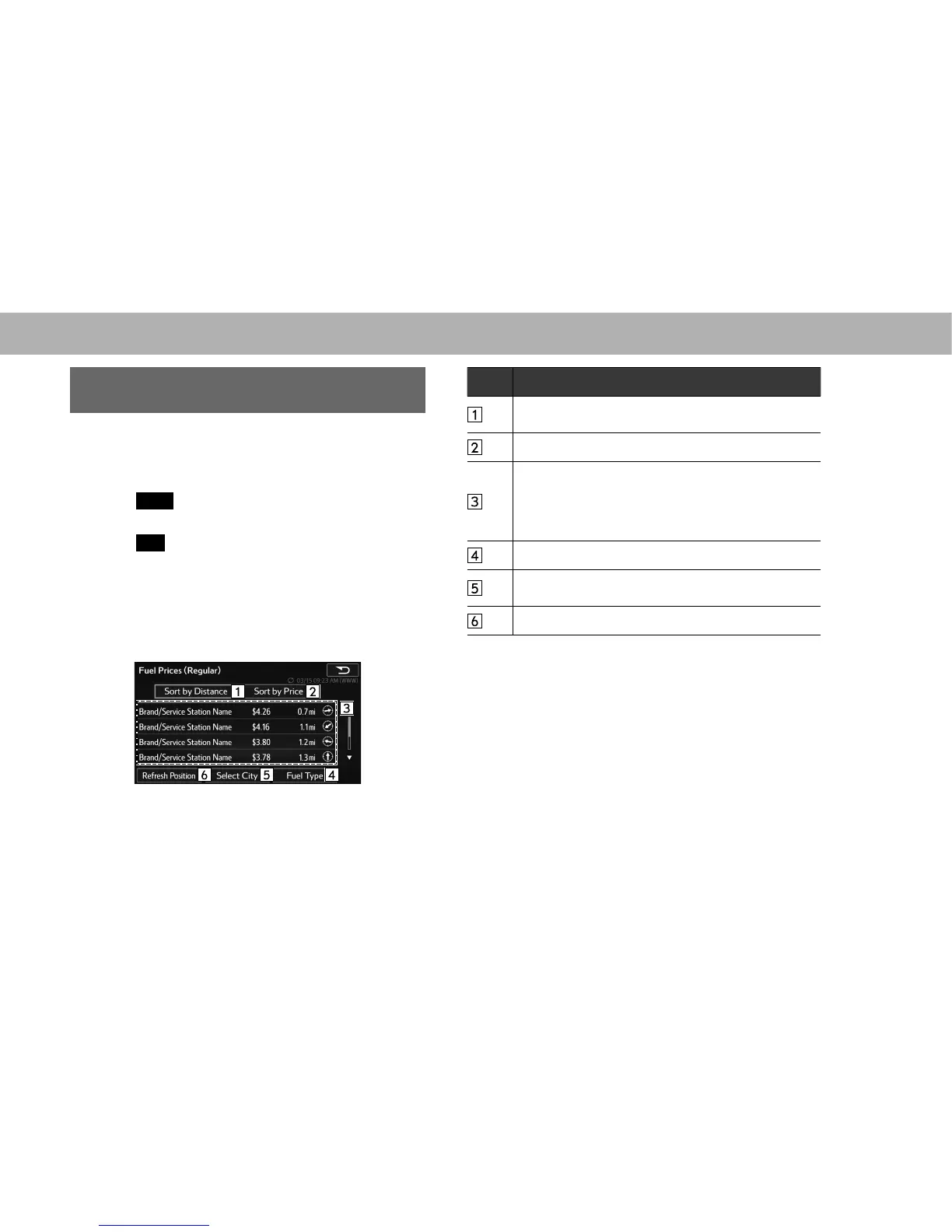
1. 'LVSOD\WKH³,1)2,1)2´VFUHHQĺ3
2. Select
Fuel
(Fuel).
XWithout navigation function
3. Select
OK
(OK).
4. Select the desired state name.
5. Select the desired city name.
6. Check that fuel information is displayed.
XWith navigation function
3. Check that fuel information is displayed.
No. Function
*
Select to sort gas station by Distance from the current
position.
Select to sort gas station by price.
Select to display information about the gas station and
WRVHWLWDVDGHVWLQDWLRQĺ3
The fuel price on the present day is displayed in white.
The fuel price one day ago is displayed in light gray and
two days ago is displayed in dark gray.
6HOHFWWRVHWWKHIXHOW\SHĺ3
Select to set the search region. Follow the steps in
“XWithout navigation function” from “STEP 4”.
*
Select to update the current position.
*: With navigation function
NOTE
O Up to 20 gas stations can be registered.
O The distance and direction from the current position are
displayed only when the system is equipped with the navigation
function.















 To Next Page