BASIC OPERATION
205
NAVIGATION SYSTEM
8
MAP SCREEN OPERATION
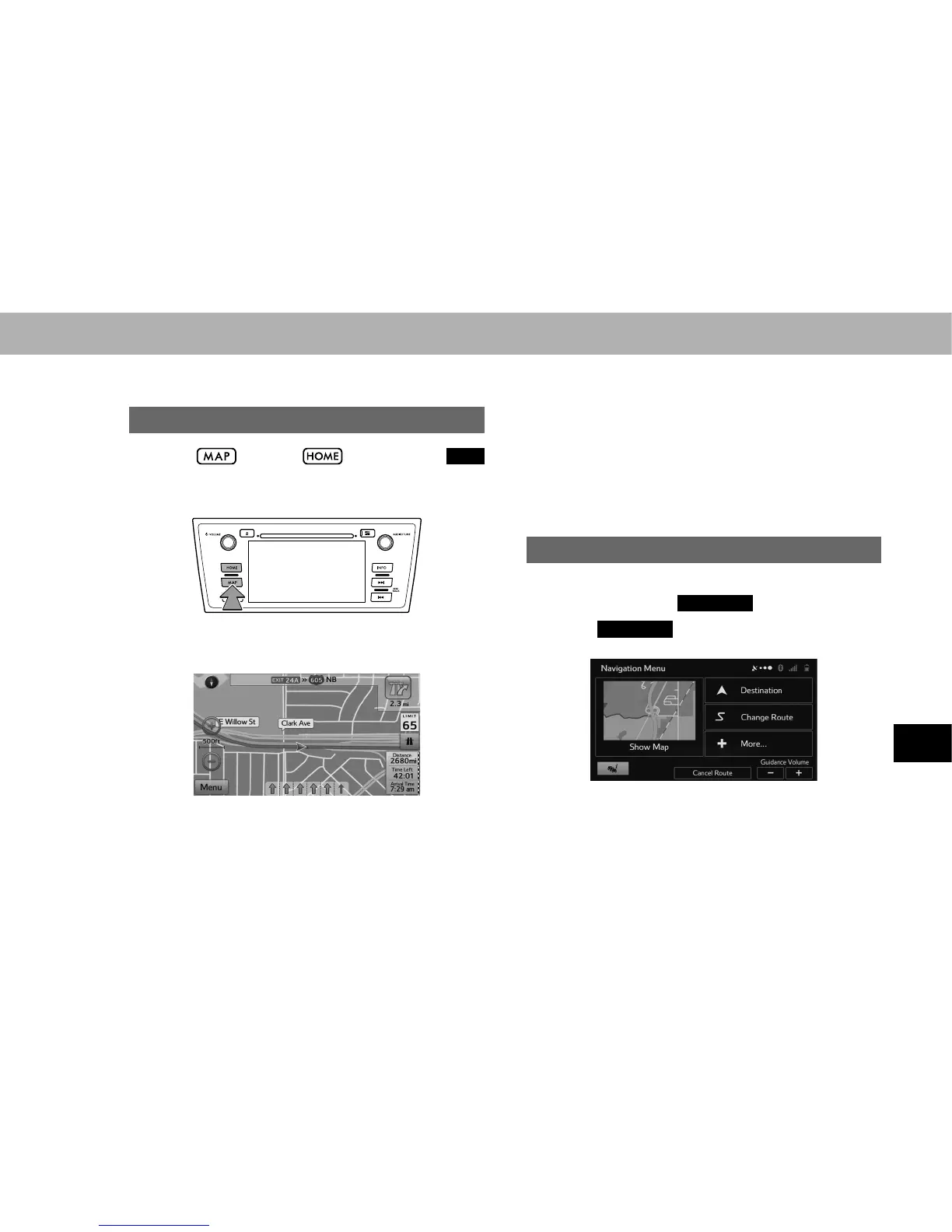
CURRENT POSITION DISPLAY
1. Select , or select and then select
MAP
(MAP).
2. Check that the current position map is displayed.
NOTE
O :KLOH GULYLQJ WKH FXUUHQW SRVLWLRQ PDUN LV ¿[HG RQ WKH VFUHHQ
and the map moves.
O The current position is automatically set as the vehicle receives
signals from the GPS (Global Positioning System). If the current
position is not correct, it is automatically corrected after the
vehicle receives signals from the GPS.
O After the battery disconnection, or on a new vehicle, the current
position may not be correct. As soon as the system receives
signals from the GPS, the correct current position is displayed.
SHOW MAP
In the navigation menu screen, the currently active map is
reduced and displayed in
Show Map
(Show Map).
1. Select
Show Map
(Show Map) on the navigation
menu screen.















 To Next Page