Bluetooth
®
SETTINGS
184
EDITING THE Bluetooth DEVICE
INFORMATION
The Bluetooth device’s information can be displayed on the
screen. The displayed information can be edited.
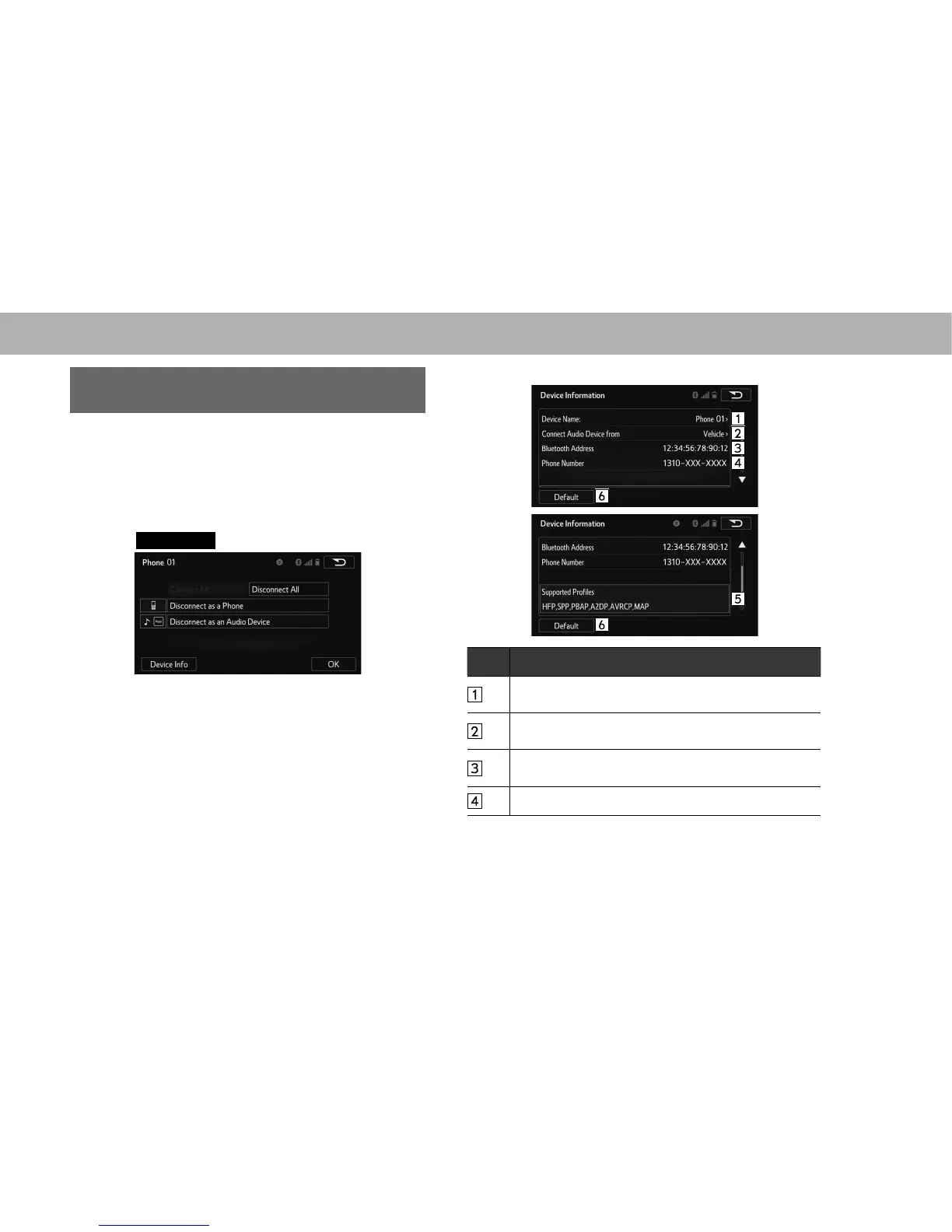
1. Display the “Bluetooth Settings (Bluetooth Settings)”
VFUHHQĺ3
2. Select the desired device to be edited.
3. Select
Device Info
(Device Info).
4. &RQ¿UPDQGFKDQJHWKH%OXHWRRWKGHYLFHLQIRUPDWLRQ
No. Information
The name of the Bluetooth device. Can be changed to a
GHVLUHGQDPHĺ3
Select to set the Bluetooth audio device connection
PHWKRGĺ3
Device address is unique to the device and cannot be
changed.
Phone number of the Bluetooth phone.















 To Next Page