BASIC INFORMATION BEFORE OPERATION
42
CONNECTING AND
DISCONNECTING A USB MEMORY/
PORTABLE DEVICE
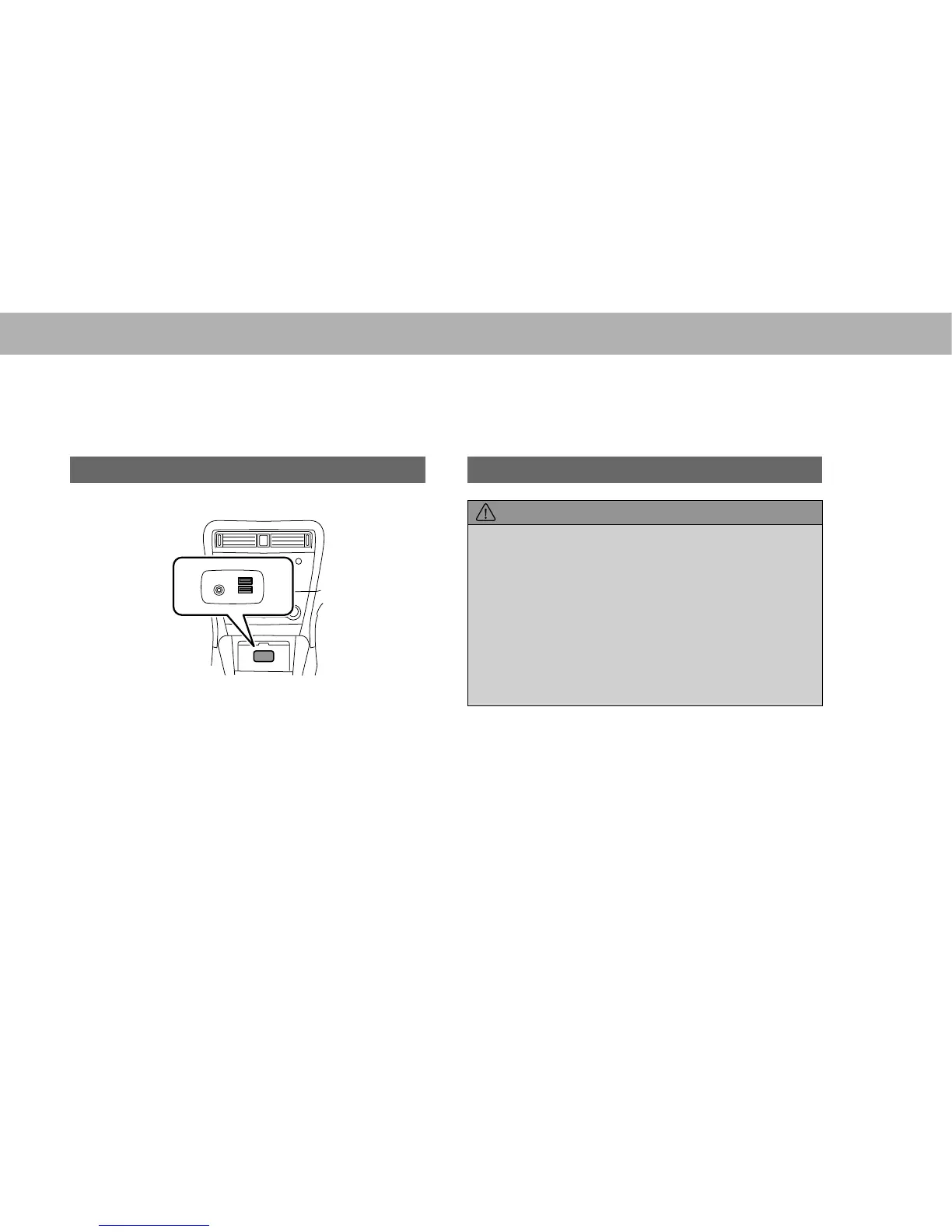
CONNECTING A DEVICE
1. Connect a device.
USB
AUX
Ɣ Turn on the power of the device if it is not turned on.
NOTE
O &RPSDWLEOH86%PHPRU\ĺ3
O &RPSDWLEOHL3RGĺ3
O This unit does not support commercially available USB hubs.
O By connecting a device such as a cellular phone, charging starts
depending on the device.
LOADING AND UNLOADING AN
SD CARD (WITH NAVIGATION
FUNCTION)
LOADING AN SD CARD
CAUTION
O 3RVLWLRQ WKH 6' FDUG ZLWK WKH ³Ÿ´ PDUN DW WKH IDU HQG DQG
insert it until it clicks into place. When contact is made with the
stopper inside, the card cannot be inserted any further. Do not
try to forcibly push the card.
O Do not insert anything other than an SD card into the slot.
O Do not pull the SD card slot cover with force. By doing so, the
SD card slot cover may come off, or be damaged. If the SD
card slot cover comes off, it can be reattached by inserting the
cover clip into the hole.
O Avoid touching the SD card terminals to prevent
contamination. Doing so may cause card read failure.















 To Next Page