DESTINATION SEARCH
220
OTHER SEARCH OPERATION
SEARCHING BY WHERE AM I?
You can search for the closest assistance service by using
the “Where Am I? (Where Am I?)” screen.
1. Display the “Where Am I? (Where Am I?)” screen.
ĺ3
2. Select
Help Nearby
(Help Nearby).
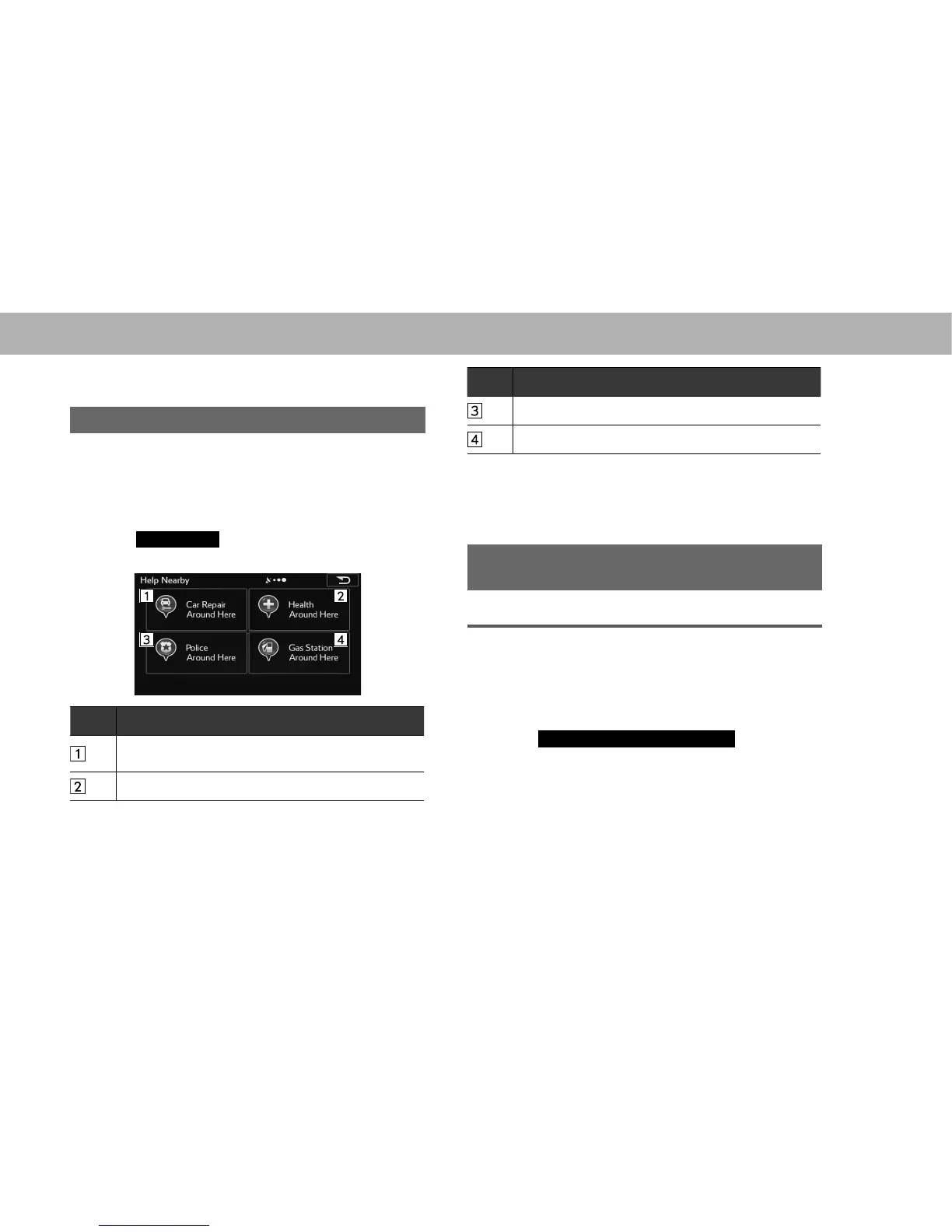
3. Select the desired search category.
No. Function
Select to search for vehicle repairs / road-side
assistance services.
Select to search for hospitals / emergency services.
No. Function
Select to search for police stations.
Select to search for gas stations.
Ɣ This button searches for everything around your
FXUUHQWSRVLWLRQRUWKHODWHVWFRQ¿UPHGSRVLWLRQLILWLV
unavailable).
4. Select the desired spot.
SEARCHING GAS STATION IN LOW FUEL
WARNING
LOW FUEL WARNING POP-UP
When the fuel level is low, a warning message will pop up
on the screen.
1. Display the “General Settings (General Settings)”
VFUHHQĺ3
2. Select
Low Fuel - Gas Station Search
(Low Fuel -
Gas Station Search).















 To Next Page