DESTINATION SEARCH
222
STARTING ROUTE GUIDANCE
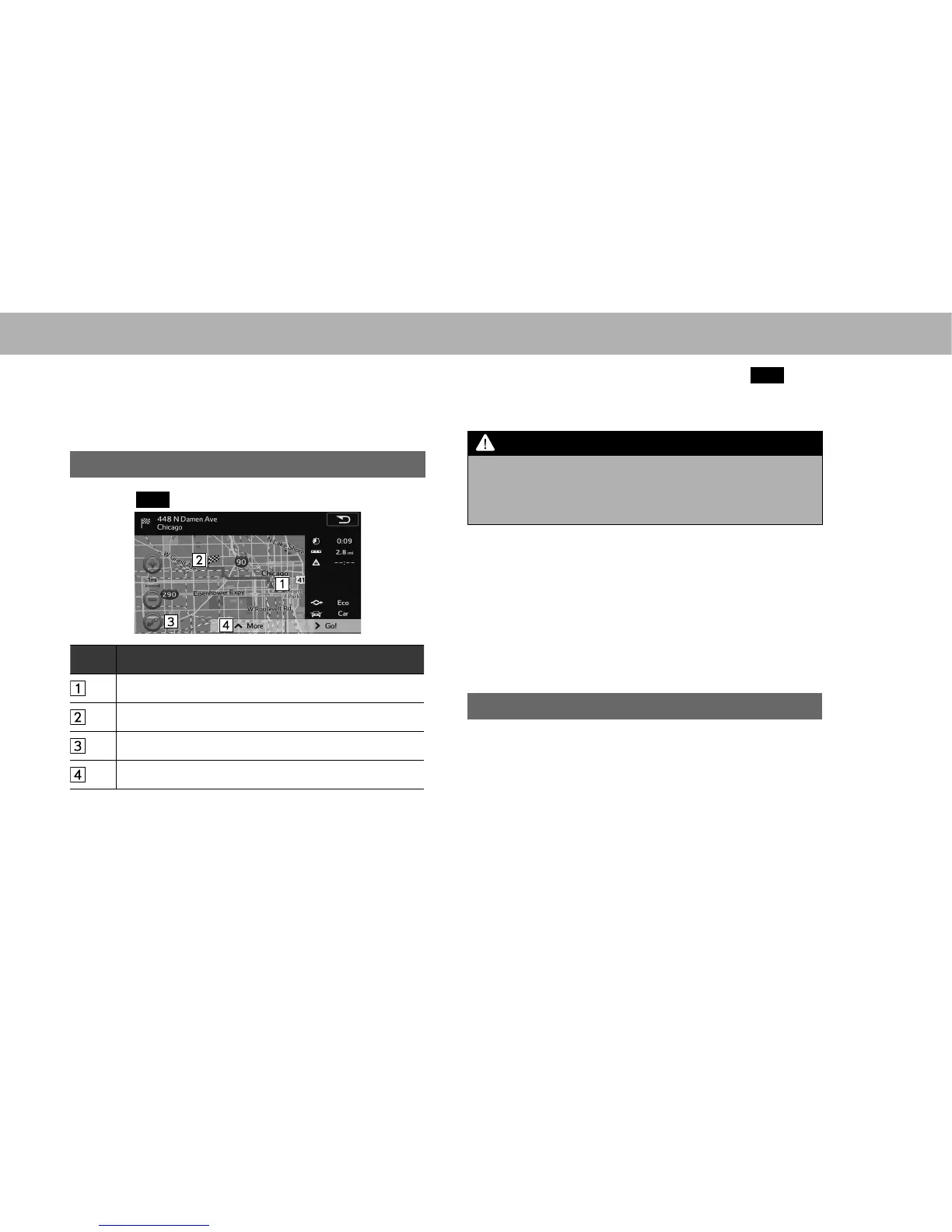
When the destination is set, the entire route map from the
current position to the destination is displayed.
STARTING ROUTE GUIDANCE
1. Select
Go!
(Go!) to start guidance.
No. Information/Function
Current position
Destination point
Select to display the map around the current position.
Select to display the route options list.
Ɣ When the countdown is displayed in the
Go!
(Go!),
guidance begins automatically after 10 seconds even
if you do not select the button.
WARNING
O %H VXUH WR REH\ WUDI¿F UHJXODWLRQV DQG NHHS URDG FRQGLWLRQV
LQ PLQG ZKLOH GULYLQJ ,I D WUDI¿F VLJQ RQ WKH URDG KDV EHHQ
changed, the route guidance may not indicate such changed
information.
NOTE
O The route for returning may not be the same as that for going.
O The route guidance to the destination may not be the shortest
URXWHRUDURXWHZLWKRXWWUDI¿FFRQJHVWLRQ
O Route guidance may not be available if there is no road data for
WKHVSHFL¿HGORFDWLRQ
O If a destination that is not located on a road is set, the vehicle will
be guided to the point on a road nearest to the destination. The
road nearest to the selected point is set as the destination.
DISPLAYING ROUTE SIMULATION
You can run a simulation of the route currently being
navigated.
1. Display the “Change Route (Change Route)” screen.
ĺ3















 To Next Page