EasyManua.ls Logo

Subaru Outback - Voice Recognition System Operation; VOICE RECOGNITION SYSTEM FUNCTION; USING VOICE RECOGNITION: STEERING SWITCH; MICROPHONE USAGE IN VOICE RECOGNITION

Subaru Outback
308 pages
Print Icon
To Next Page IconTo Next Page
To Previous Page IconTo Previous Page
Loading...
Siri
253
Siri/VOICE RECOGNITION SYSTEM
9
USING Siri
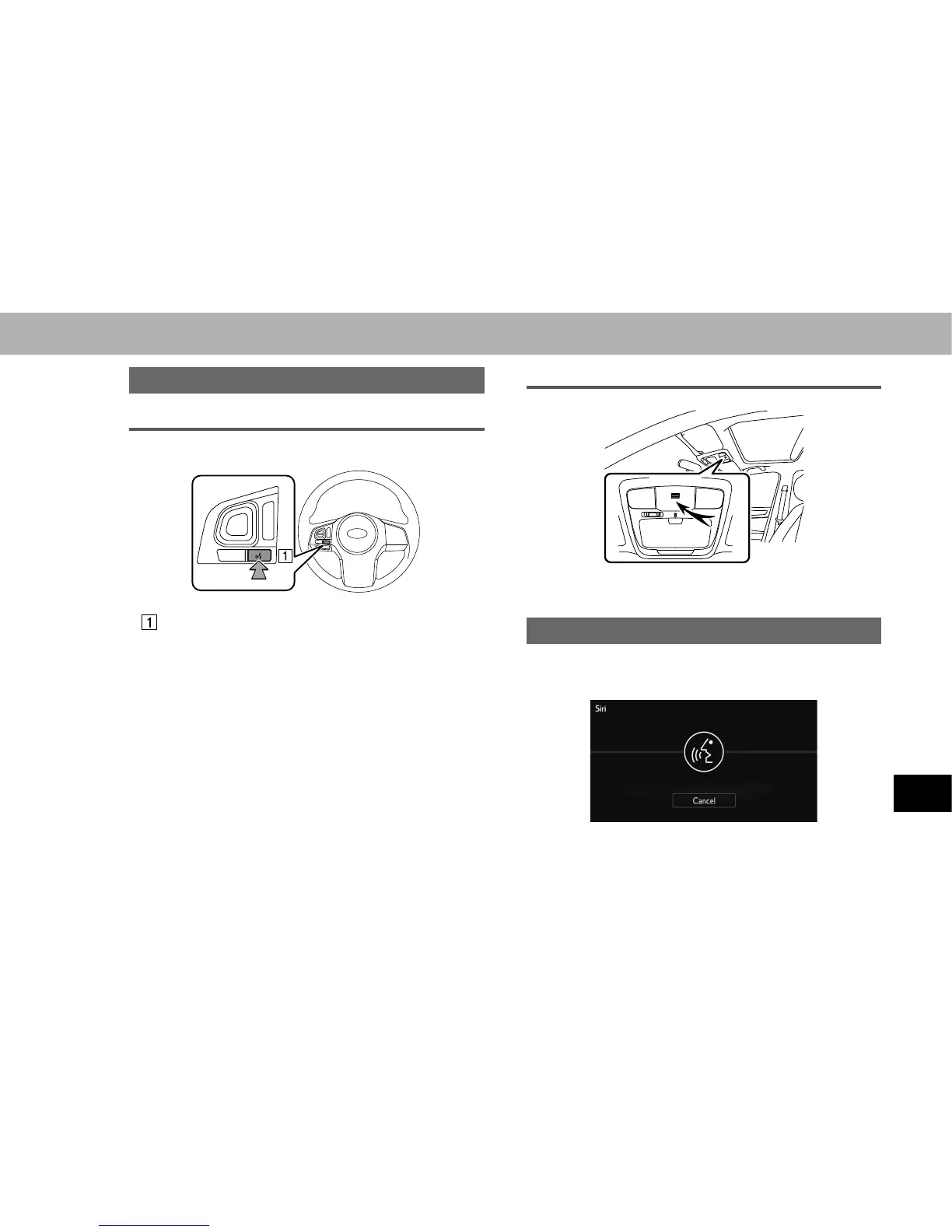
STEERING SWITCH
Talk switch
Ɣ Press and hold the talk switch to start Siri.
Ɣ To cancel Siri, press and hold the talk switch.
MICROPHONE
Ɣ It is unnecessary to speak directly into the
microphone when using Siri.
Siri OPERATION
1. Press and hold the talk switch.
2. Speak when you hear the beep sound.


Table of Contents

Other manuals for Subaru Outback

Related product manuals