DESTINATION SEARCH
211
NAVIGATION SYSTEM
8
SETTING HOME AS DESTINATION
To use this function, it is necessary to register a home
DGGUHVVĺ3
1. Display the “Destination (Destination)” screen.
ĺ3
2. Select
Go Home
(Go Home).
3. Select
Next
(Next) (when a route has been set) or
Go!
(Go!) (when no route has been set).
Ɣ The navigation system performs a search for
the route and the entire route map is displayed.
ĺ3
SEARCHING BY FIND ADDRESS
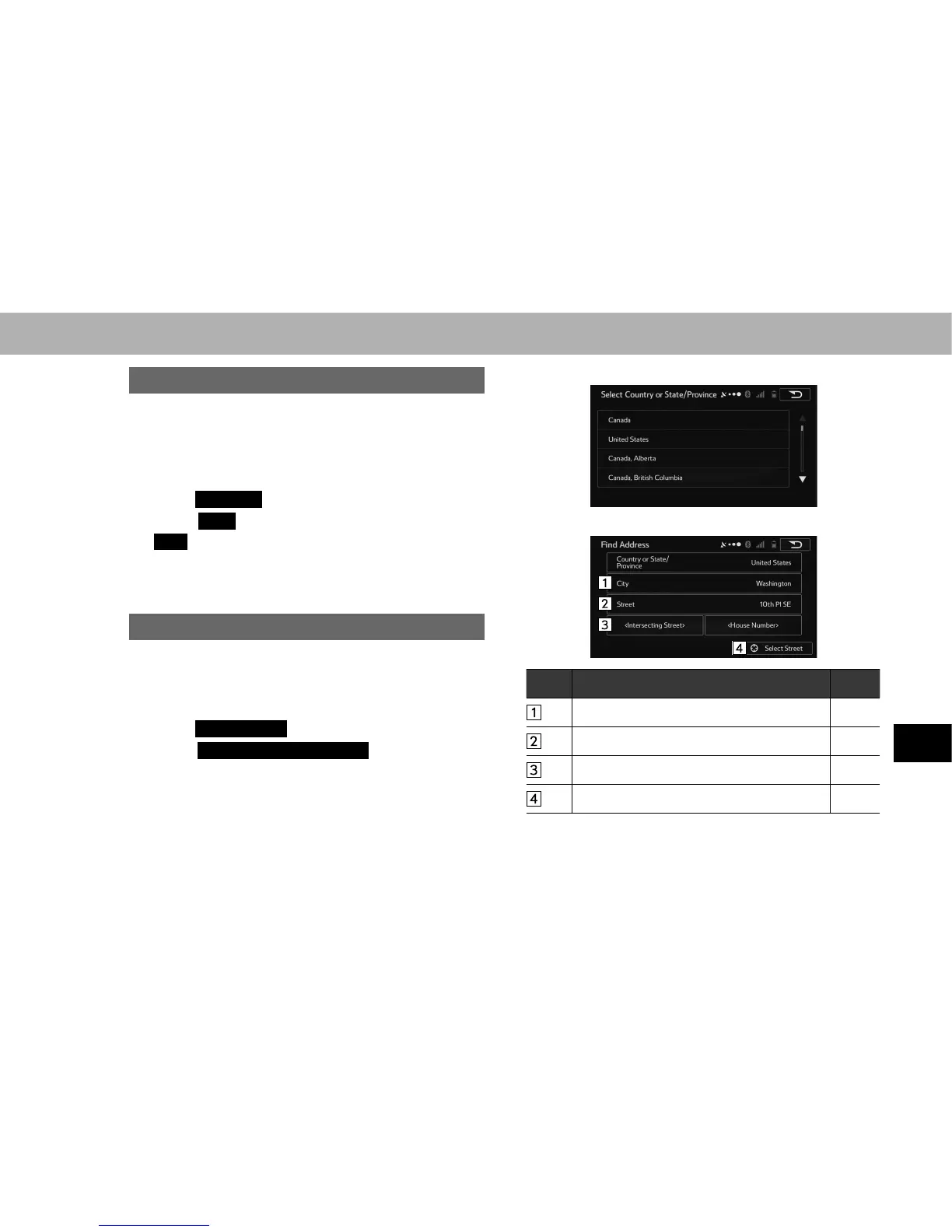
There are 4 methods to search for a destination by address.
1. Display the “Destination (Destination)” screen.
ĺ3
2. Select
Find Address
(Find Address).
3. Select
Country or State/Province
(Country or State/
Province).
Ɣ By default, the country and district for your current
position are displayed.
4. Select the desired country or state (province).
5. Select the desired search method.
No. Function Page
Select to search by city. 212
Select to search by street. 212
Select to search by intersection. 213
Select to search by city/town center. 212















 To Next Page