BASIC FUNCTION
20
BASIC FUNCTION
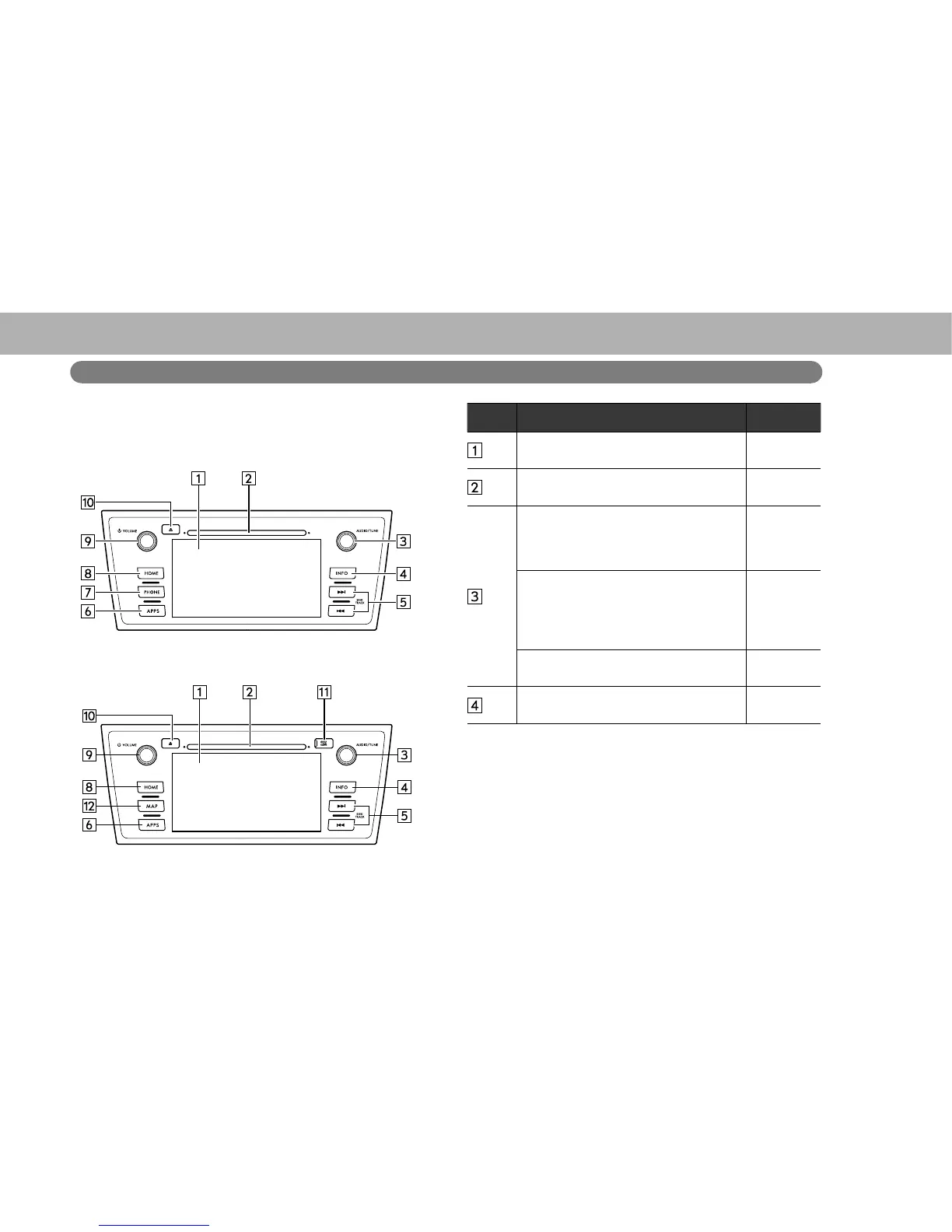
OVERVIEW BUTTONS
XWithout navigation function
XWith navigation function
No. Function Page
%\WRXFKLQJWKHVFUHHQZLWK\RXU¿QJHU
you can control the selected functions.
45, 46
Insert a disc into this slot. The CD player
turns on immediately.
41
Turn the “AUDIO/TUNE” knob to select
a radio station or skip to the next or
SUHYLRXVWUDFN¿OH
60, 69,
78, 81,
84, 87,
91, 152
Press the “AUDIO/TUNE” knob to
access the audio/visual screen. The
audio/visual system displays the “Select
Audio Source (Select Audio Source)”
screen or the last mode used.
55
Press and hold the “AUDIO/TUNE” knob
to display the split screen.
25
Select to display the “INFO (INFO)”
screen.
24















 To Next Page