QUICK REFERENCE
28
QUICK REFERENCE
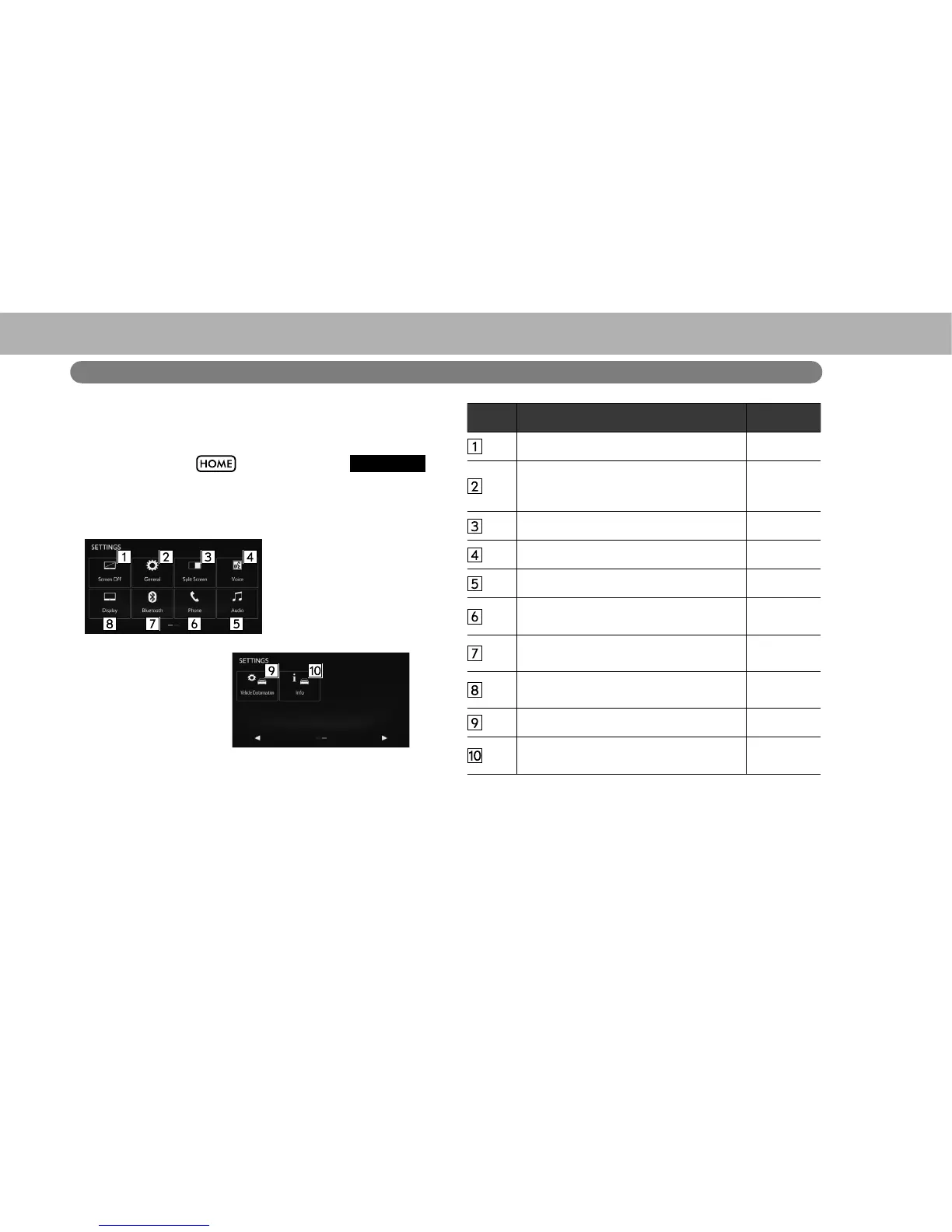
“SETTINGS (SETTINGS)” SCREEN
The items shown on the “SETTINGS (SETTINGS)” screen
can be set. Select
and then select
SETTINGS
(SETTINGS) to display the “SETTINGS (SETTINGS)”
screen.
No. Function Page
Select to turn the screen off. -
Select to change the selected language,
operation sound, automatic screen
change settings, etc.
188
Select to customize the split screen. 48
Select to specify voice settings. 193
Select to specify audio settings. 98
Select to specify phone sound, contacts,
message settings, etc.
133
Select to set Bluetooth phones and
Bluetooth audio devices.
179
Select to adjust the brightness, contrast,
tone and color of the screens.
51
Select to set vehicle customization. 194
Select to specify vehicle information
settings.
171, 171,
172















 To Next Page