BASIC FUNCTION
24
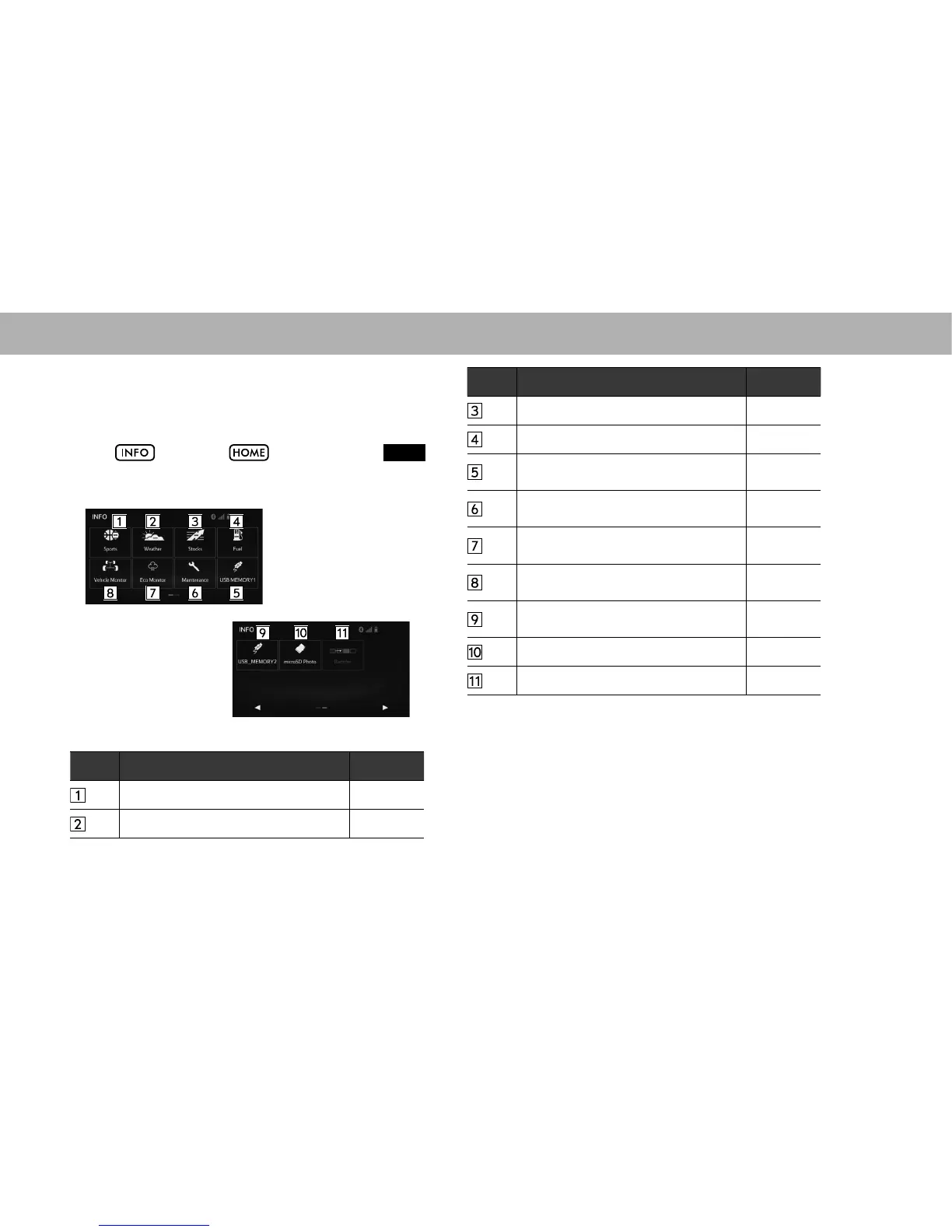
“INFO (INFO)” SCREEN
This screen can be used to specify vehicle maintenance
settings, display photos, etc.
Select
, or select and then select
INFO
(INFO), to display the “INFO (INFO)” screen.
No. Function Page
Select to display sports information. 162
Select to display weather information. 163
No. Function Page
Select to display stocks information. 167
*
1
Select to display fuel information. 168
Select to view pictures in the USB
memory connected to USB port 1.
81
Select to display the “Maintenance
(Maintenance)” screen.
196
Select to display the “Eco Monitor (Eco
Monitor)” screen.
170
Select to display the “Vehicle Monitor
(Vehicle Monitor)” screen.
169
Select to view pictures in the USB
memory connected to USB port 2.
81
*
2
Select to view pictures in the SD card. 87
Select to reorder the menu icons. 47
*
1
: Service is not available in Canada.
*
2
: With navigation function















 To Next Page