ROUTE GUIDANCE
233
NAVIGATION SYSTEM
8
AVOIDANCES SETTING
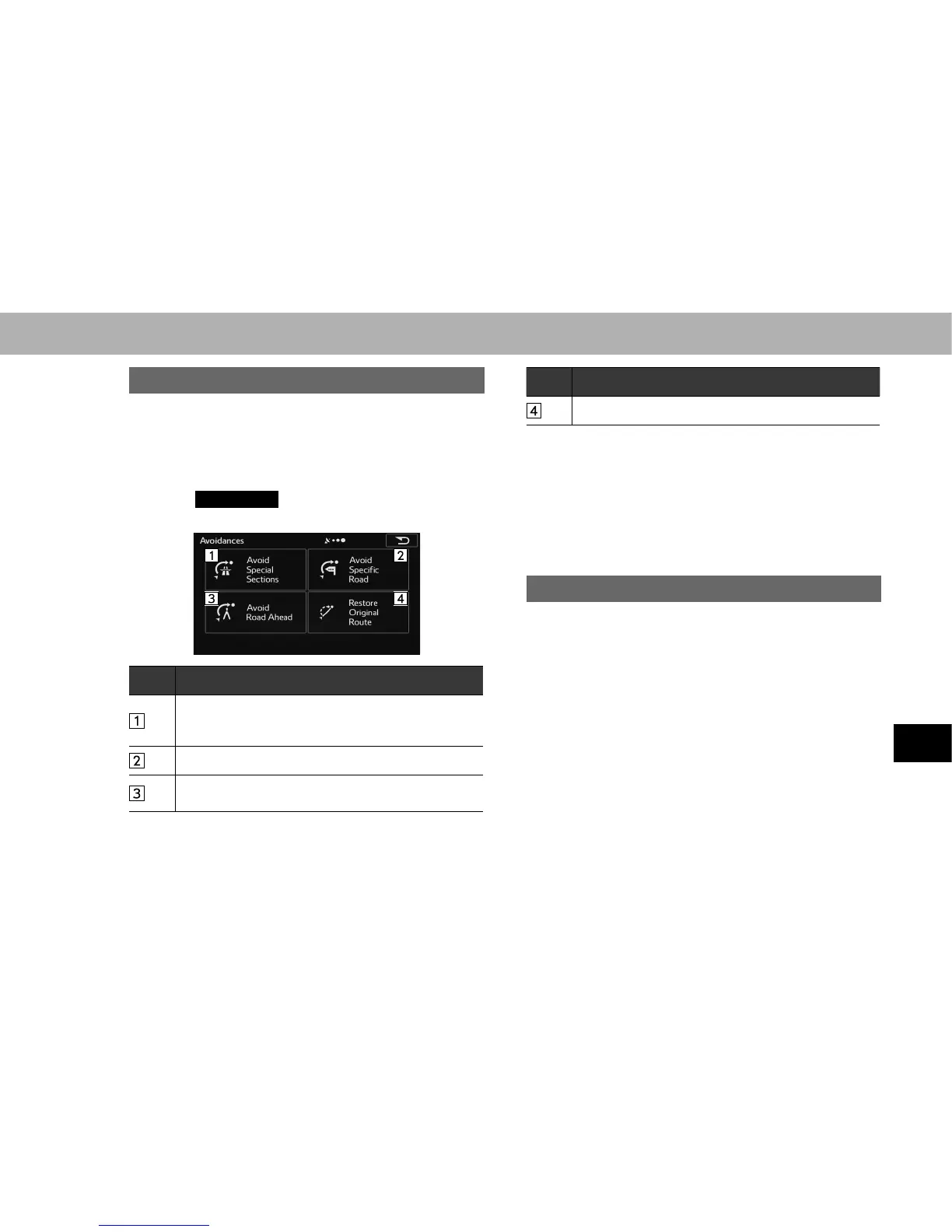
The avoidances feature allows you to remove any of the
roads or special sections on the planned route.
1. Display the “Change Route (Change Route)” screen.
ĺ3
2. Select
Avoidances
(Avoidances).
3. Select the item to be set.
No. Function
Select to remove any special road types (e.g. highways
or ferries) from your route. This feature is only available
if there are special sections along the planned route.
6HOHFWWRVNLSDVSHFL¿FURDGIURP\RXUFDOFXODWHGURXWH
6HOHFWWRVNLSDSUHGH¿QHGOHQJWKRIWKHSODQQHGURXWH
(500m, 1000m, etc.) right ahead of the current position.
No. Function
Select to delete the avoid route being navigated.
Ɣ In each case, the result of the selected avoidance is
shown on the map with an indication of additional or
saved time and distance. The user can review and
FRQ¿UPWKHDYRLGDQFHRQWKLVVFUHHQ
NOTE
O Avoidances are not permanent. They are only applied for the
active route.
CHANGING ROUTE
When navigation has already begun, you can change
the route being navigated by using one of the following
methods.
If a recommended route is already available, and a new
destination has been selected using the method described
in the previous section, the start new route, add a new
waypoint (midway point), and add the destination you
VHOHFWHGDVWKH¿QDOGHVWLQDWLRQEXWWRQVDUHGLVSOD\HG















 To Next Page