DESTINATION SEARCH
209
NAVIGATION SYSTEM
8
DESTINATION SEARCH
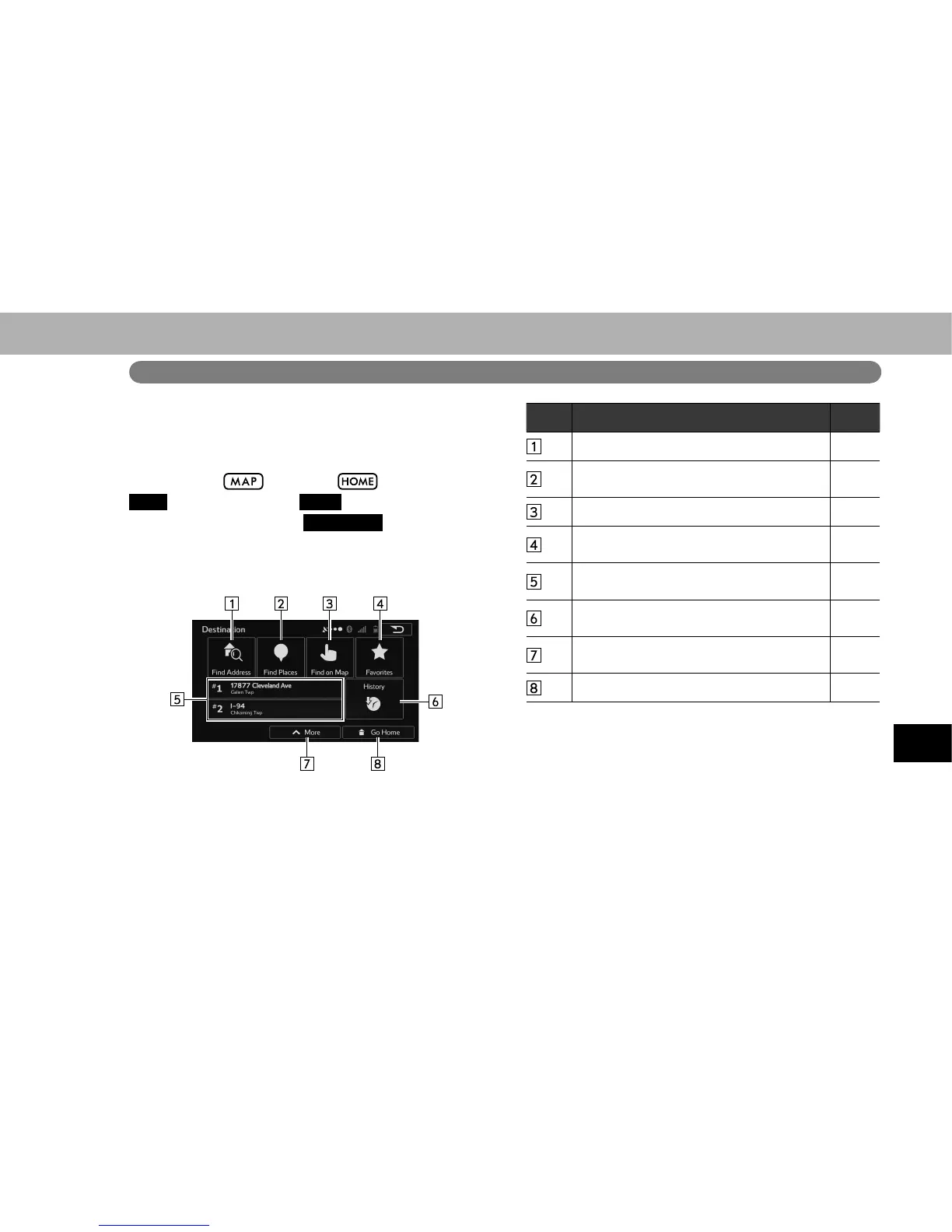
DESTINATION SEARCH SCREEN
The “Destination (Destination)” screen enables to search
for a destination. To display the “Destination (Destination)”
screen, select
, or select and then select
MAP
(MAP), and select
Menu
(Menu) on the “MAP
(MAP)” screen. Then select
Destination
(Destination) on
the navigation menu screen.
No. Function Page
Select to search for a destination by address. 211
Select to search for a destination by point of
interest.
214
Select to search for a destination by the map. 218
Select to search for a destination from
destination list.
218
Select to search for a destination from
frequently used destination.
219
Select to search for a destination from
previously set destinations.
219
Select to search for a destination by
coordinates.
219
Select to set a destination by home. 211















 To Next Page