Bluetooth
®
SETTINGS
186
“System Settings (System Settings)”
SCREEN
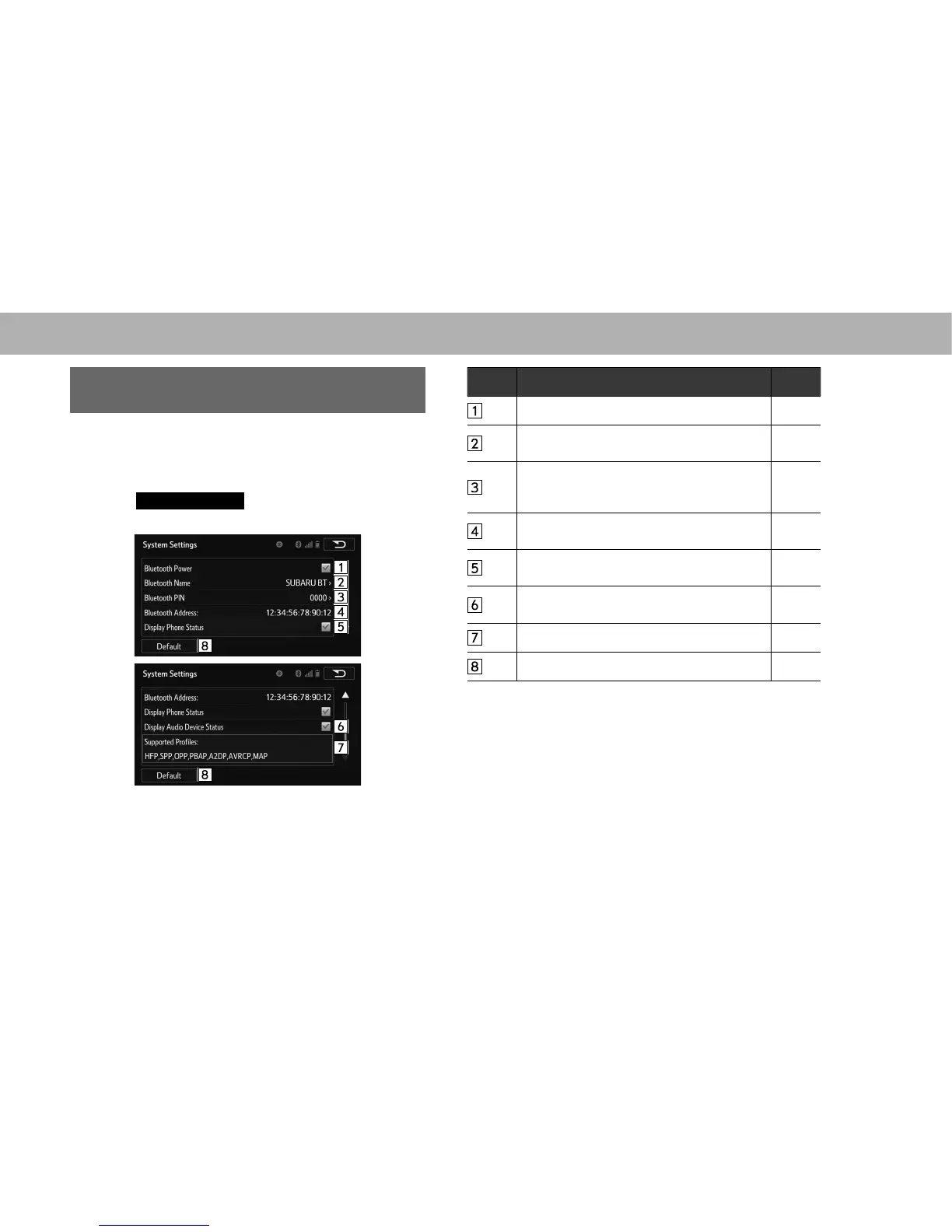
7KH%OXHWRRWKVHWWLQJVFDQEHFRQ¿UPHGDQGFKDQJHG
1. Display the “Bluetooth Settings (Bluetooth Settings)”
VFUHHQĺ3
2. Select
System Settings
(System Settings).
3. Select the desired item to be set.
No. Information Page
Select to set Bluetooth connection on/off. 187
Displays system name. Can be changed to a
desired name.
187
PIN-code used when the Bluetooth device
was registered. Can be changed to a desired
code.
187
Device address is unique to the device and
cannot be changed.
-
Select to set the phone connection status
display on/off.
-
Select to set the connection status display of
the audio device on/off.
-
&RPSDWLELOLW\SUR¿OHRIWKHV\VWHPGHYLFH -
Select to reset all setup items. -















 To Next Page