RADIO OPERATION
73
AUDIO
3
NOTE
O SiriusXM
®
Satellite Radio Service is solely responsible for the
quality, availability and content of the satellite radio services
provided, which are subject to the terms and conditions of the
SiriusXM Satellite Radio customer service agreement.
O Customers should have their radio ID ready; the radio ID can
be found by tuning to “Ch 000” on the radio. For details, see
“DISPLAYING THE RADIO ID” below.
O All fees and programming are the responsibility of SiriusXM
®
Satellite Radio Services and are subject to change.
DISPLAYING THE RADIO ID
(DFK 6LULXV;0 WXQHU LV LGHQWL¿HG ZLWK D XQLTXH UDGLR ,'
The radio ID is required when activating SiriusXM Satellite
Services or when reporting a problem.
Ɣ If “Ch 000” is selected using the “AUDIO/TUNE”
knob, the ID code, which is 8 alphanumeric
characters, will be displayed. If another channel is
selected, the ID code will no longer be displayed. The
channel (000) alternates between displaying the radio
,'DQGWKHVSHFL¿FUDGLRFRGH
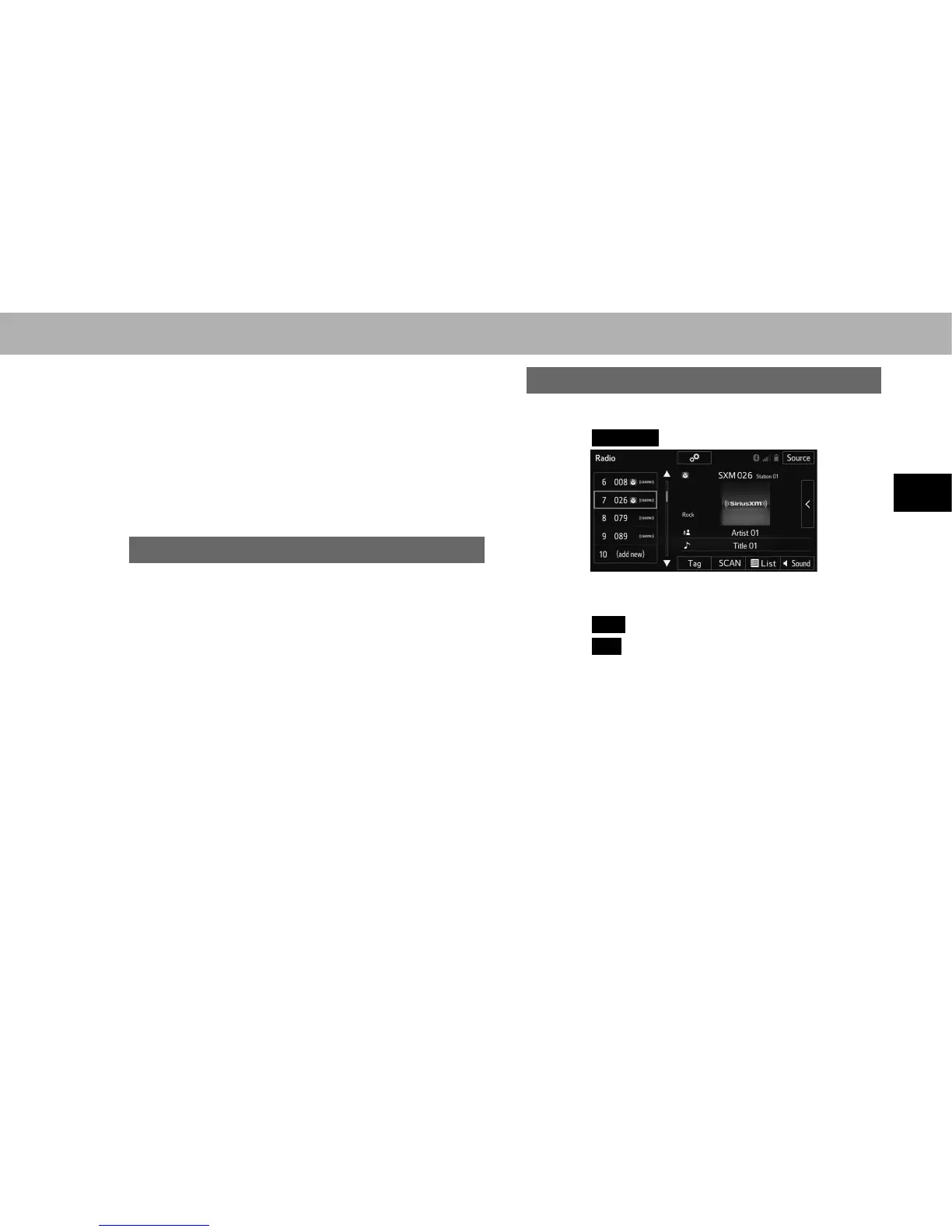
PRESETTING A CHANNEL
1. Tune in the desired channel.
2. Select
(add new)
((add new)).
Ɣ To change the preset channel to a different one,
select and hold the preset channel.
3. Select
Yes
<HVRQWKHFRQ¿UPDWLRQVFUHHQ
4. Select
OK
(OK) after setting the new preset channel.















 To Next Page