DESTINATION SEARCH
217
NAVIGATION SYSTEM
8
SEARCHING BY PRESET CATEGORY
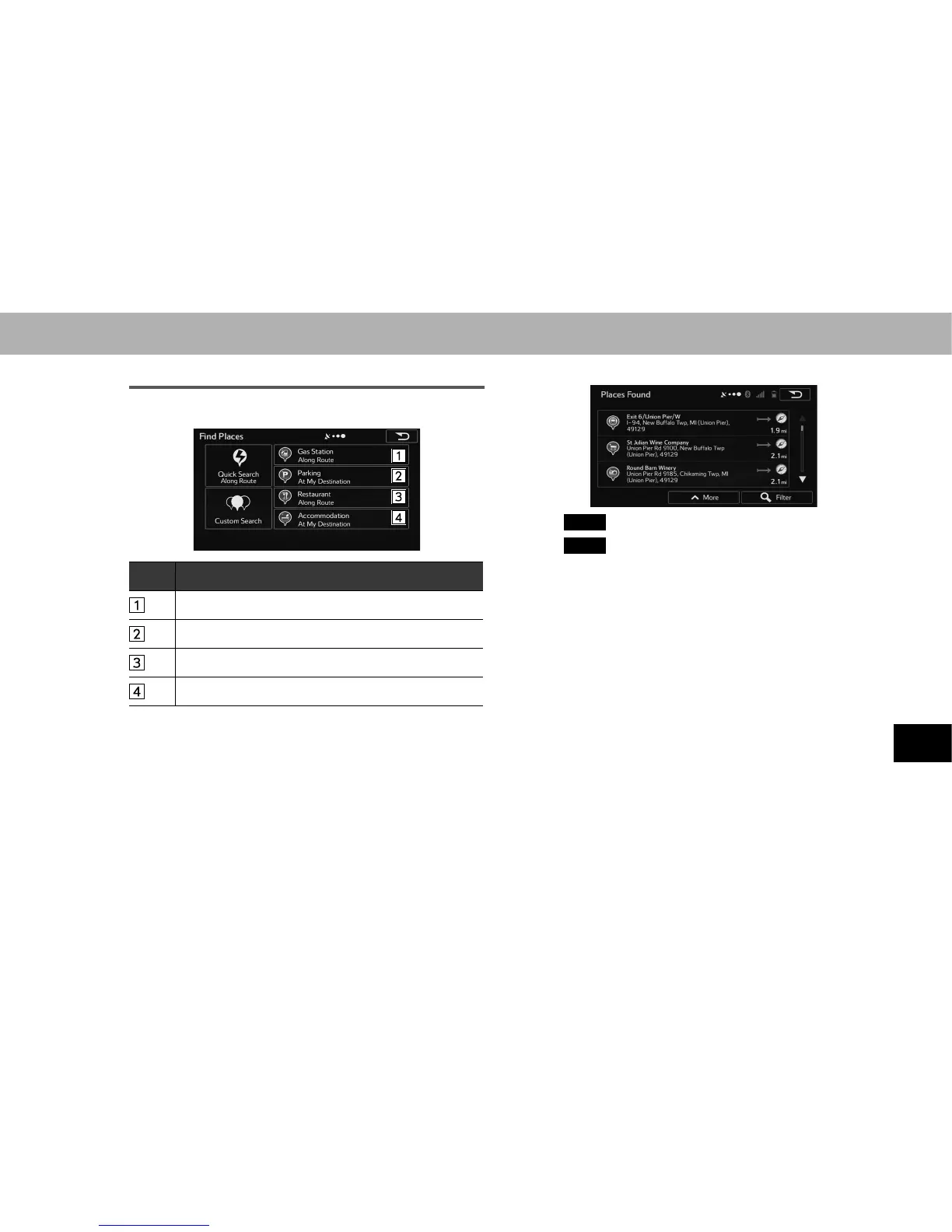
1. Select the desired search category.
No. Function
Select to search for gas stations along the set route.
Select to search for parking lots at the destination.
Select to search for restaurant along the set route.
Select to search for accommodation at the destination.
Ɣ Searches around the current position if navigation is
not being performed (if no destination is set).
Ɣ 6HDUFKHVWKHDUHDDURXQGWKHODVWFRQ¿UPHGSRVLWLRQ
if the current position is unavailable (no GPS signal).
2. Select the desired spot.
Ɣ
Filter
(Filter): Select to narrow down the list.
Ɣ
More
(More): Select to change the sort order of the
list or to display all listed spots on the map.















 To Next Page