OTHER SETTINGS
198
DEALER SETTING
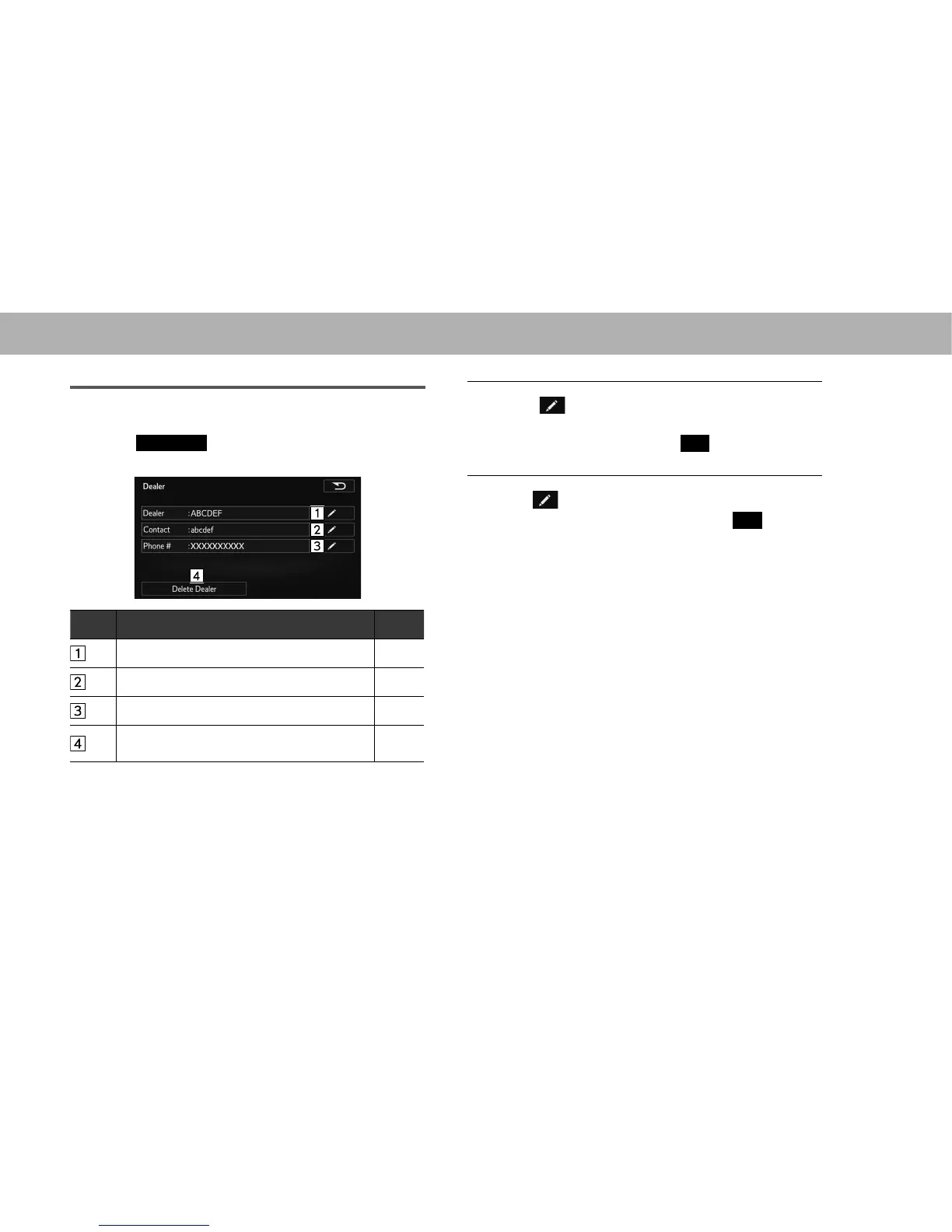
Dealer information can be registered in the system.
1. Select
Set Dealer
(Set Dealer).
2. Select the items to be edited.
No. Function Page
Select to enter the name of a dealer. 198
Select to enter the name of a dealer member. 198
Select to enter the phone number. 198
Select to delete the dealer information
displayed on the screen.
-
Q EDITING DEALER OR CONTACT NAME
1. Select next to “Dealer (Dealer)” or “Contact
(Contact)”.
2. Enter the name and then select
OK
(OK).
Q EDITING PHONE NUMBER
1. Select next to “Phone # (Phone #)”.
2. Enter the phone number and then select
OK
(OK).















 To Next Page