SETUP
240
SCREENS FOR NAVIGATION SETTINGS
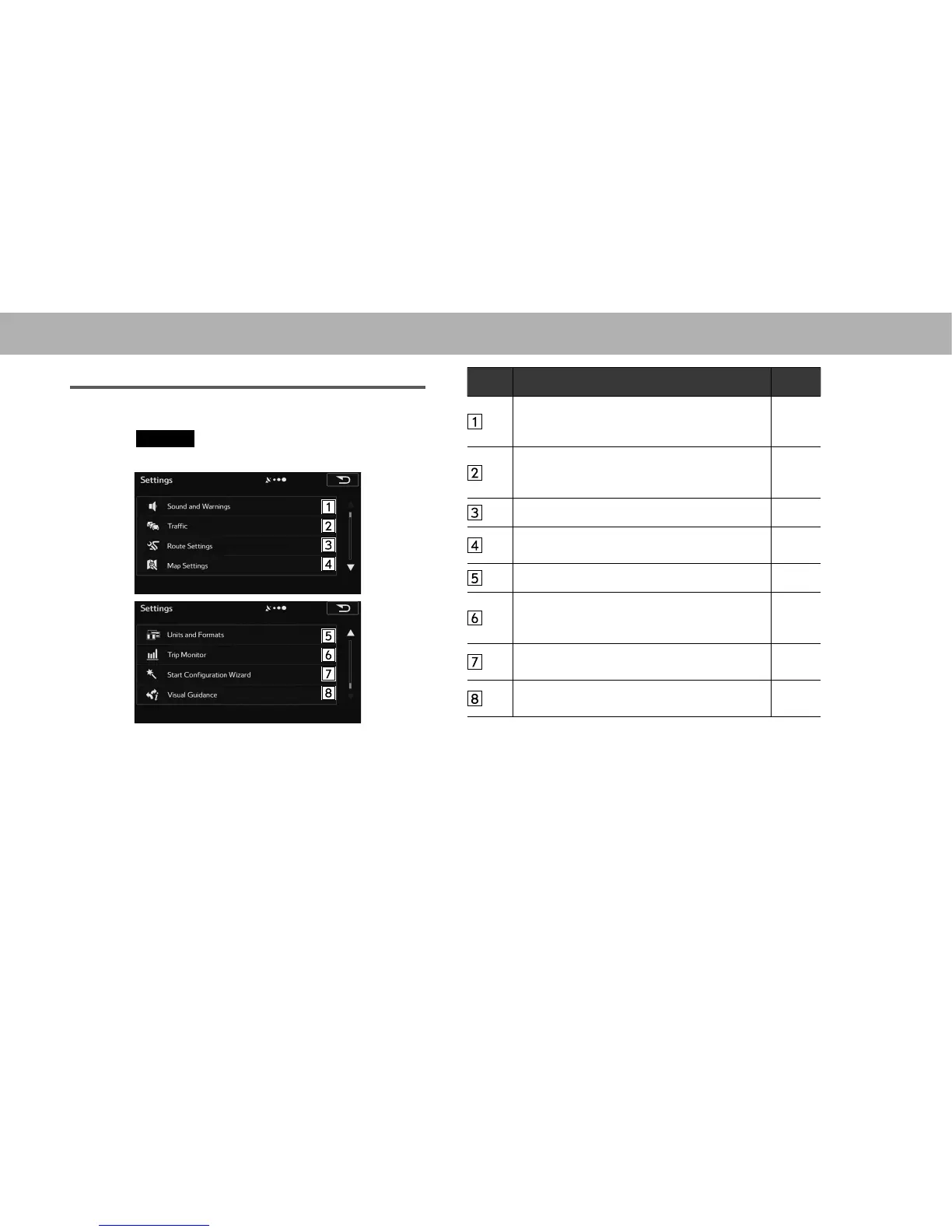
1. 'LVSOD\WKH³0RUH0RUH´VFUHHQĺ3
2. Select
Settings
(Settings).
3. Select the items to be set.
No. Function Page
Select to change the voice guidance language.
Select to specify various warnings and warning
settings.
241
6HOHFWWRVHW2Q2IIRIWUDI¿FLQIRUPDWLRQ
display and the method to use the received
UHDOWLPHWUDI¿FLQIRUPDWLRQRQURXWHVHDUFK
242
Select to set the route search method. 231
6HOHFWWR¿QHWXQHWKHPDSVFUHHQ
appearance.
243
Select to set display units and the date display. 244
Select to save trip logs automatically by turning
this setting on, or save them manually when
arriving at a destination.
245
6HOHFWWRFKDQJHEDVLFVRIWZDUHFRQ¿JXUDWLRQV
set during the initial setup process.
38
Select to change settings related to map
screen guidance.
245















 To Next Page