SETUP
242
TRAFFIC
1. 'LVSOD\WKH³6HWWLQJV6HWWLQJV´VFUHHQĺ3
2. Select
Traffic
7UDI¿F
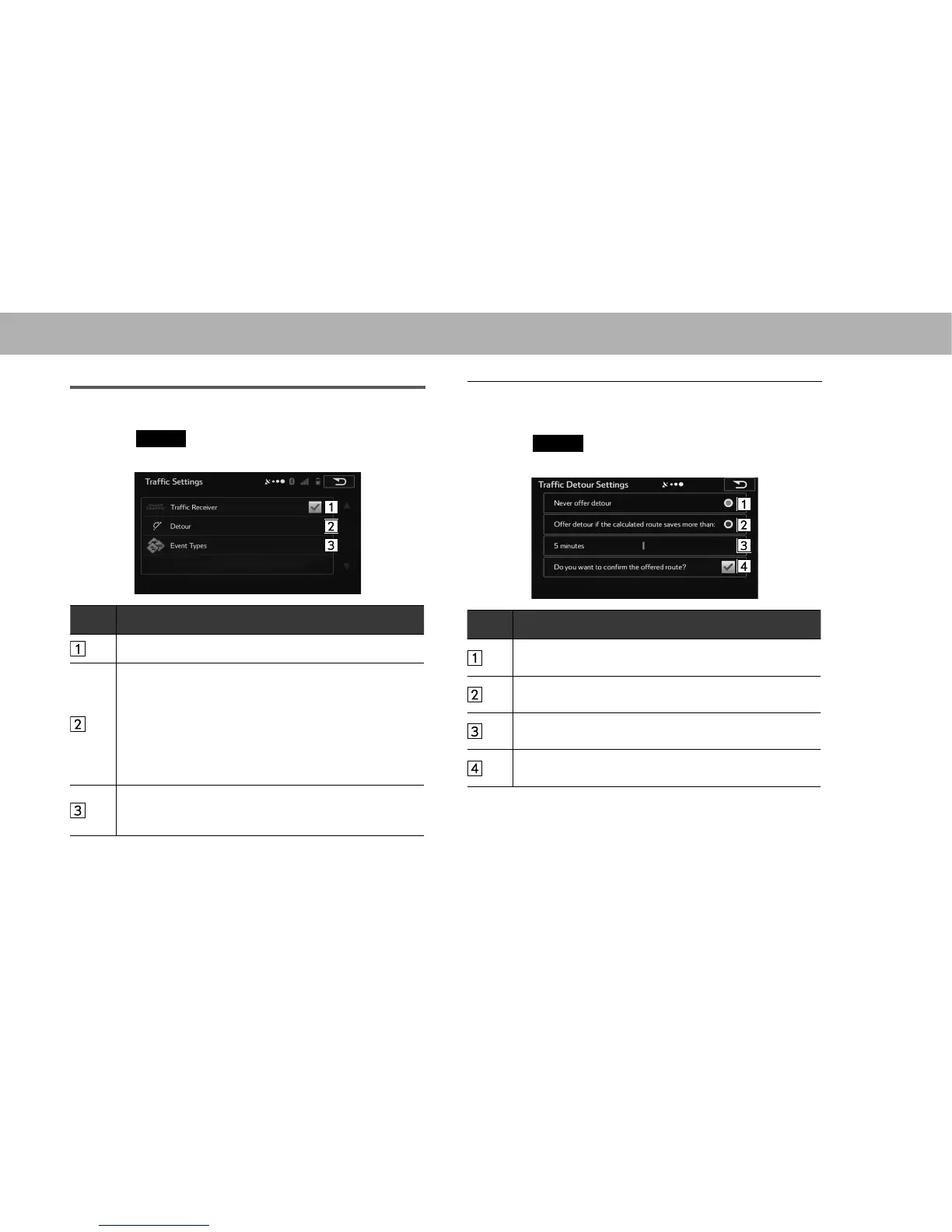
3. Select the items to be set.
No. Function
6HOHFWWRWXUQRQRURIIWKHWUDI¿FLQIRUPDWLRQGLVSOD\
6HOHFWWRVHWWRXVHUHDOWLPHWUDI¿FLQIRUPDWLRQZKHQ
searching for a route. When searching for a new route,
or when it is necessary to search again based on the
WUDI¿FLQIRUPDWLRQUHFHLYHGLWVHDUFKHVIRUPHULWVWR
DYRLGLQJWKHFXUUHQWWUDI¿FFRQGLWLRQV
6HWVRWKDWFRQ¿UPDWLRQLVQHHGHGHYHU\WLPH\RX
perform another search by delaying the timing when the
search is remade.
6HOHFWWRRSHQDOLVWRIW\SHVRIWUDI¿FFRQGLWLRQVDQG
select the events to take into consideration when
searching for a route.
Q DETOUR SETTINGS
1. 'LVSOD\ WKH ³7UDI¿F 6HWWLQJV 7UDI¿F 6HWWLQJV´ VFUHHQ
ĺ3
2. Select
Detour
(Detour).
3. Select the items to be set.
No. Function
When this button is selected, routes that do not satisfy
WUDI¿FFRQGLWLRQVDUHQRWVHDUFKHG
:KHQWKLVEXWWRQLVVHOHFWHGURXWHVWKDWVDWLVI\WUDI¿F
conditions are searched.
Adjust the timing before starting another route search.
(You can set 0 to 60 every 5 minutes)
6HOHFWWRWXUQWKHURXWHFRQ¿UPDWLRQGLVSOD\RQRURIIIRU
each new search.















 To Next Page