SETUP
245
NAVIGATION SYSTEM
8
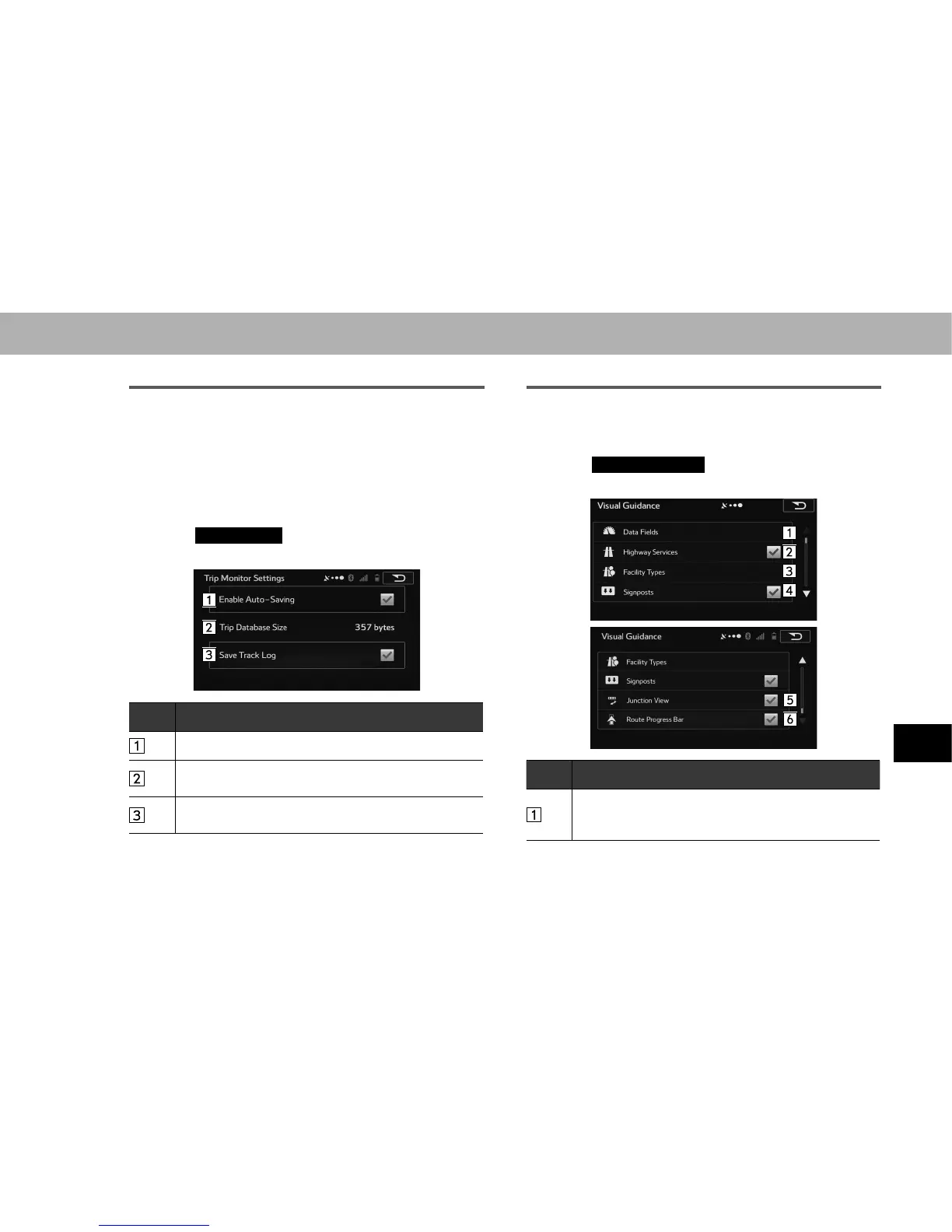
TRIP MONITOR
Contains useful information on the user’s distance moved
in the trip logs and path logs. You can save trip logs
automatically by turning this setting on, or save them
manually when arriving at a destination. You can view all
logs on the trip monitor.
1. 'LVSOD\WKH³6HWWLQJV6HWWLQJV´VFUHHQĺ3
2. Select
Trip Monitor
(Trip Monitor).
3. Select the items to be set.
No. Function
Select to save a log automatically.
This line indicates the current size of the trip database.
This shows the total for all saved trip logs and path logs.
Select to save path logs (positional order acquired from
GPS receiver) in the trip log.
VISUAL GUIDANCE
Changes settings related to map screen guidance.
1. 'LVSOD\WKH³6HWWLQJV6HWWLQJV´VFUHHQĺ3
2. Select
Visual Guidance
(Visual Guidance).
3. Select the items to be set.
No. Function
6HOHFWWRVHWWKHGDWD¿HOGV6HOHFWWKHJXLGDQFH\RX
want to display. You can select route data related to the
¿QDOGHVWLQDWLRQRUWKHQH[WZD\SRLQWRQWKHURXWH















 To Next Page