MEDIA OPERATION
80
No. Function
XAudio CD
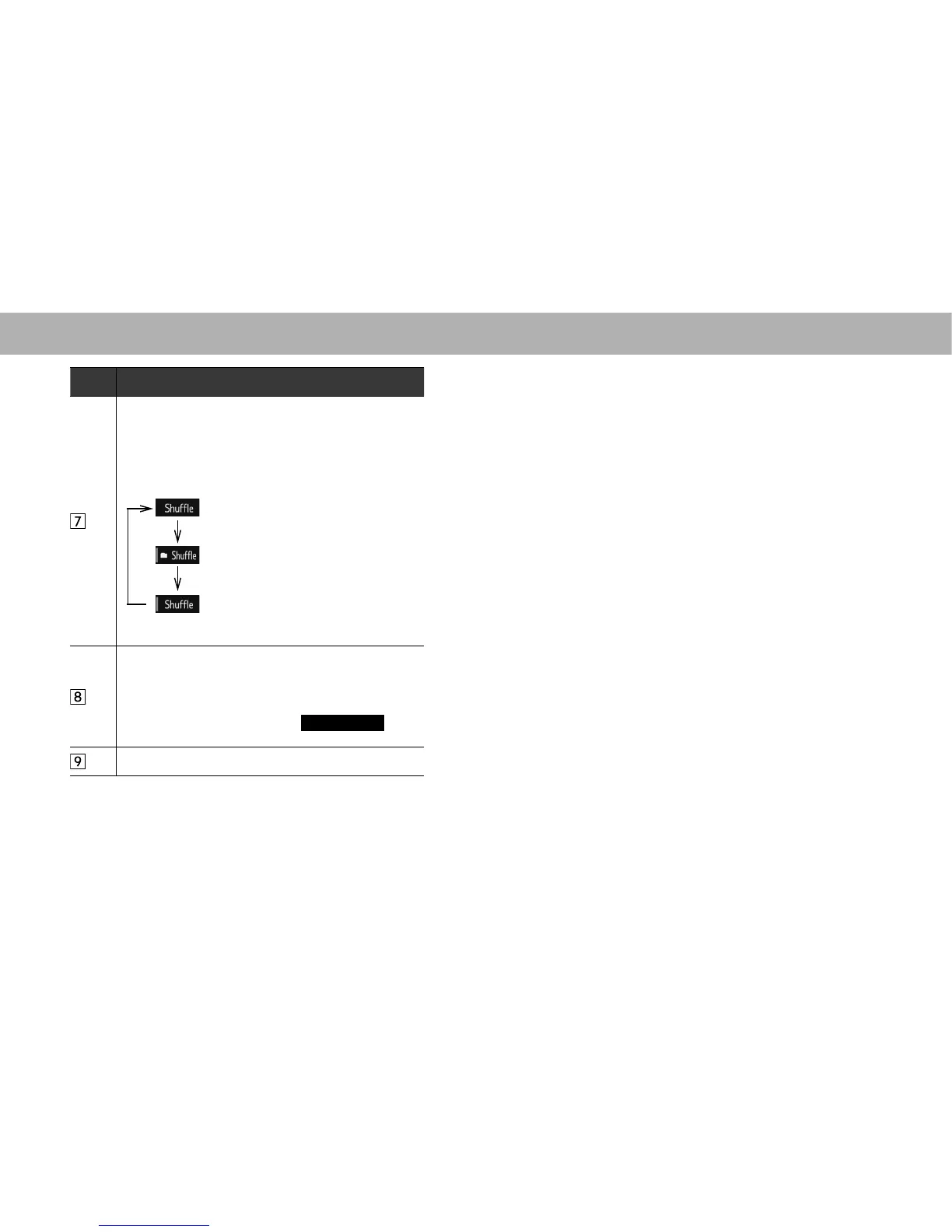
Select to enable/disable random playback for the tracks
currently playing on the CD.
XMP3/WMA/AAC disc
The random playback method changes as shown below
HDFKWLPHWKHVKXIÀHEXWWRQLVVHOHFWHG
: The files contained within the folder
currently playing will be played in
random order.
: The files contained on the disc
currently playing will be played in
random order.
: Random playback is disabled.
XAudio CD
Select to display a track list.
XMP3/WMA/AAC disc
6HOHFWWRGLVSOD\DIROGHU¿OHOLVW
To return to the top screen, select
Now Playing
(Now
Playing) on the list screen.
Select to choose a folder.
NOTE
O ,IDGLVFFRQWDLQV&''$¿OHVDQG03:0$$$&¿OHVRQO\WKH
&''$¿OHVFDQEHSOD\HGEDFN
O If a CD-TEXT disc is inserted, the title of the disc and track will
be displayed. Up to 32 characters can be displayed.
O If the disc contains no CD-TEXT, only the track number would be
displayed on the screen.















 To Next Page