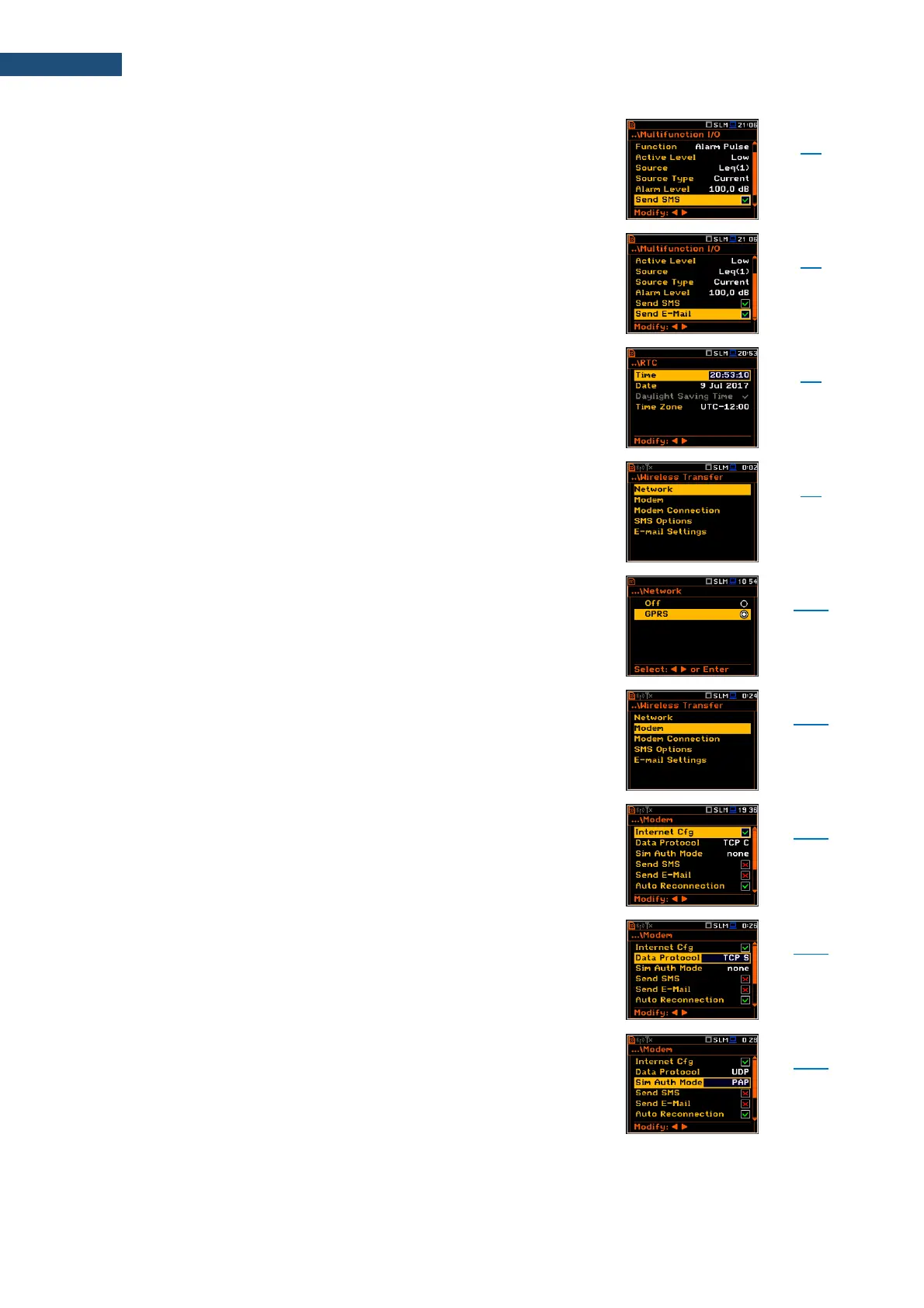
Activation of alarm SMS sending via Wireless Transfer
when Alarm Pulse is selected as a function of the
Digital Out I/O mode.
Activation of alarm e-mail sending via Wireless Transfer
when Alarm Pulse is selected as a function of the
Digital Out I/O mode.
Screen that enables programming the instrument's real-
time clock. This clock is displayed in the upper right
corner of the display.
Screen that enables configuring data transfer control via
external modem supporting 3G connection through
additional screens: Network, Modem, Modem
Connection, SMS Options and E-mail Settings.
Screen that enables selecting the wireless network
option: Off or GPRS.
Screen that enables configuring the modem basic
settings: Internet Cfg, Data Protocol, Sim Auth Mode,
Send SMS, Send E-Mail, Auto Reconnection,
Reconnection Delay, TCP IRT and TCP Max. Ret.
Parameter of the Modem screen enabling automatic
modem configuration after switching the instrument on.
Parameter of the Modem screen defining the connection
type for data exchange: TCP S (server mode), TCP C
(client mode) or UDP.
Parameter of the Modem screen defining the method of
user verification by SIM card. Depending on the SIM
card, several options are possible, some of them are
recognized by the modem: none – no verification
required, PAP, CHAP, MsChap.



 To Next Page