RUN NOW Excite +: Technical Service guide - rev. 6.2
Page 7.3
7.2. DISASSEMBLING BOARDS AND COMPONENTS
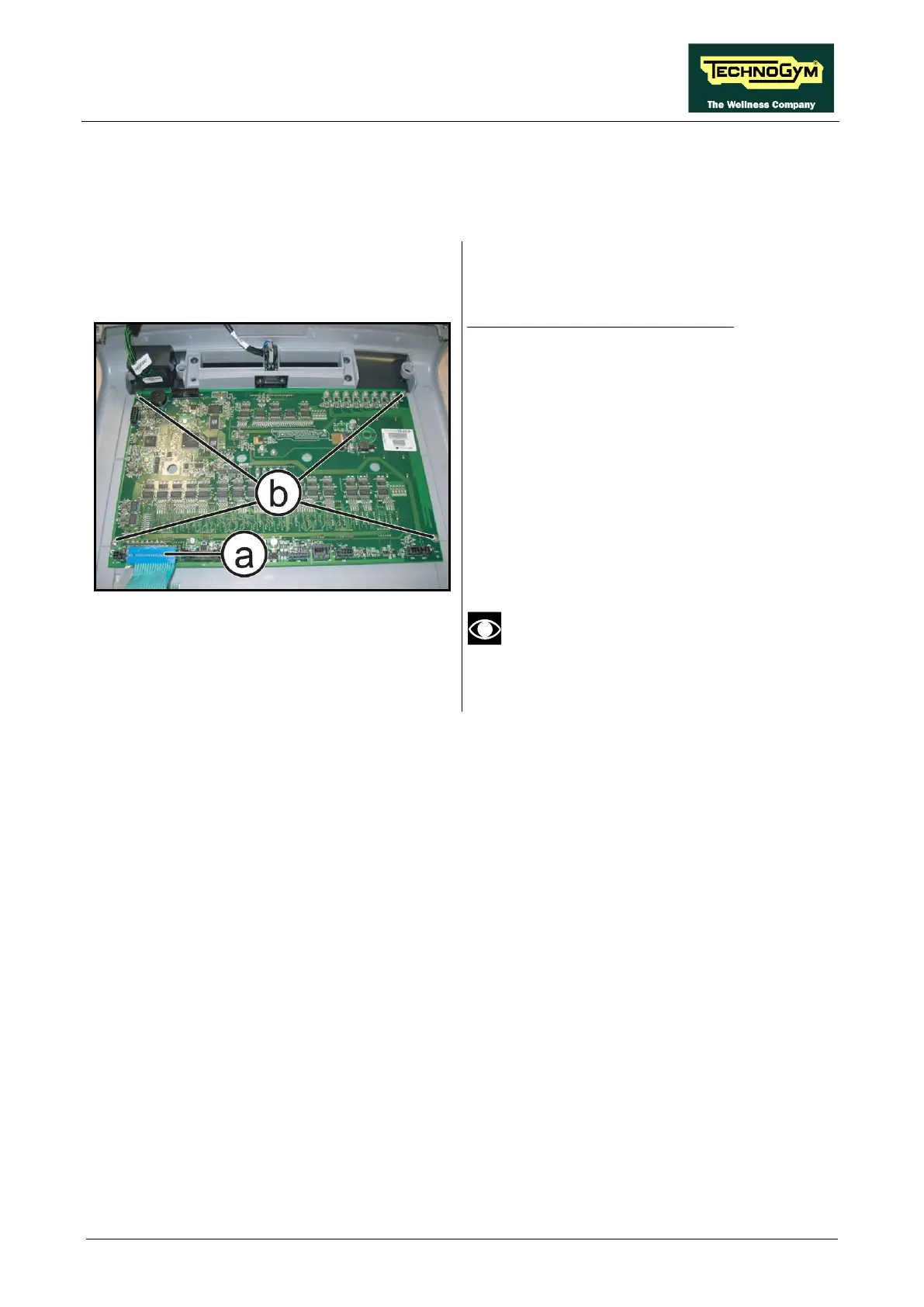
7.2.1. LED DISPLAY (ARM BOARD)
Figure 7-5
Carry out the procedure described in paragraph:
7.1.1. “LED Display”.
Place the Display on a work bench:
1. Disconnect the connector (a).
2. Back off the 4 screws (b) using
Phillips screwdriver.
3. Remove the ARM Board.
To reassembly the ARM Board, follows the
above steps in the reverse order.
After the reassembling of the Board,
remember to fix the keyboard connector
(a) using a drop of hot glue.









 To Next Page