RUN NOW Excite +: Technical Service guide - rev. 6.2
Page 7.11
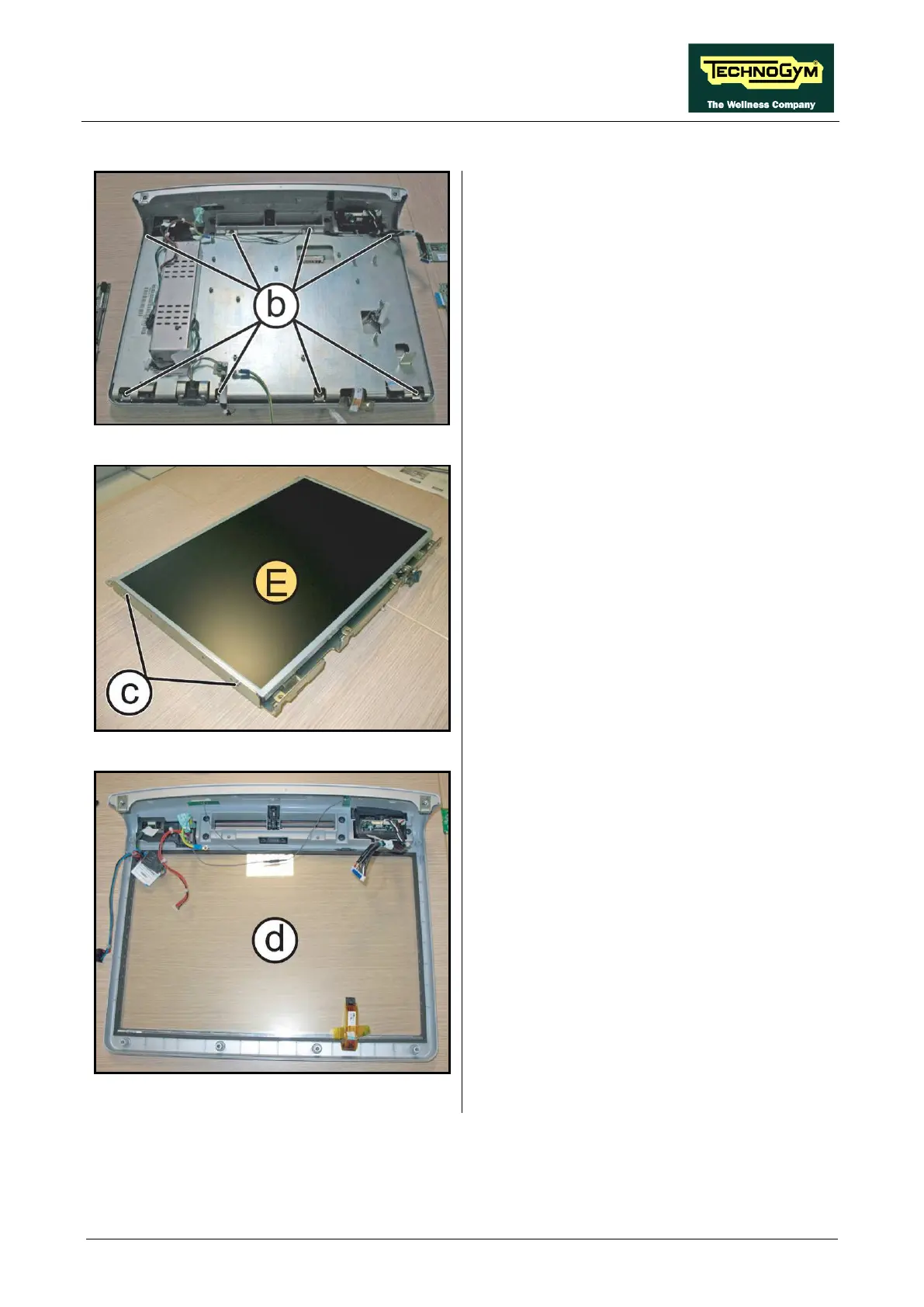
7.2.2.6. LCD (E) + Touch Screen
Figure 7-18
Carry out the procedure described in paragraph:
7.2.2.4 “LCD Inverter (C)” e 7.2.2.5 “CPU
Board (D)”.
1. Back off the 6 screws (b)
Phillips screwdriver.
2. Remove the LCD group.
Figure 7-19
3. Carefully overturn the LCD group.
4. Back off the 2 screws (c) on both sides, using
a medium Phillips screwdriver.
5. Remove the LCD (E) from its support plate.
Figure 7-20
6. Carefully remove the Touch Screen (d) and
replace if it is necessary.
To reassembly the LCD and Touch Screen,
follows the above steps in the reverse order.









 To Next Page