RUN NOW Excite +: Technical Service guide - rev. 6.2
Page 7.18
7.4. DISASSEMBLING THE KEYBOARD / TOUCH SCREEN
7.4.1. LED KEYBOARD
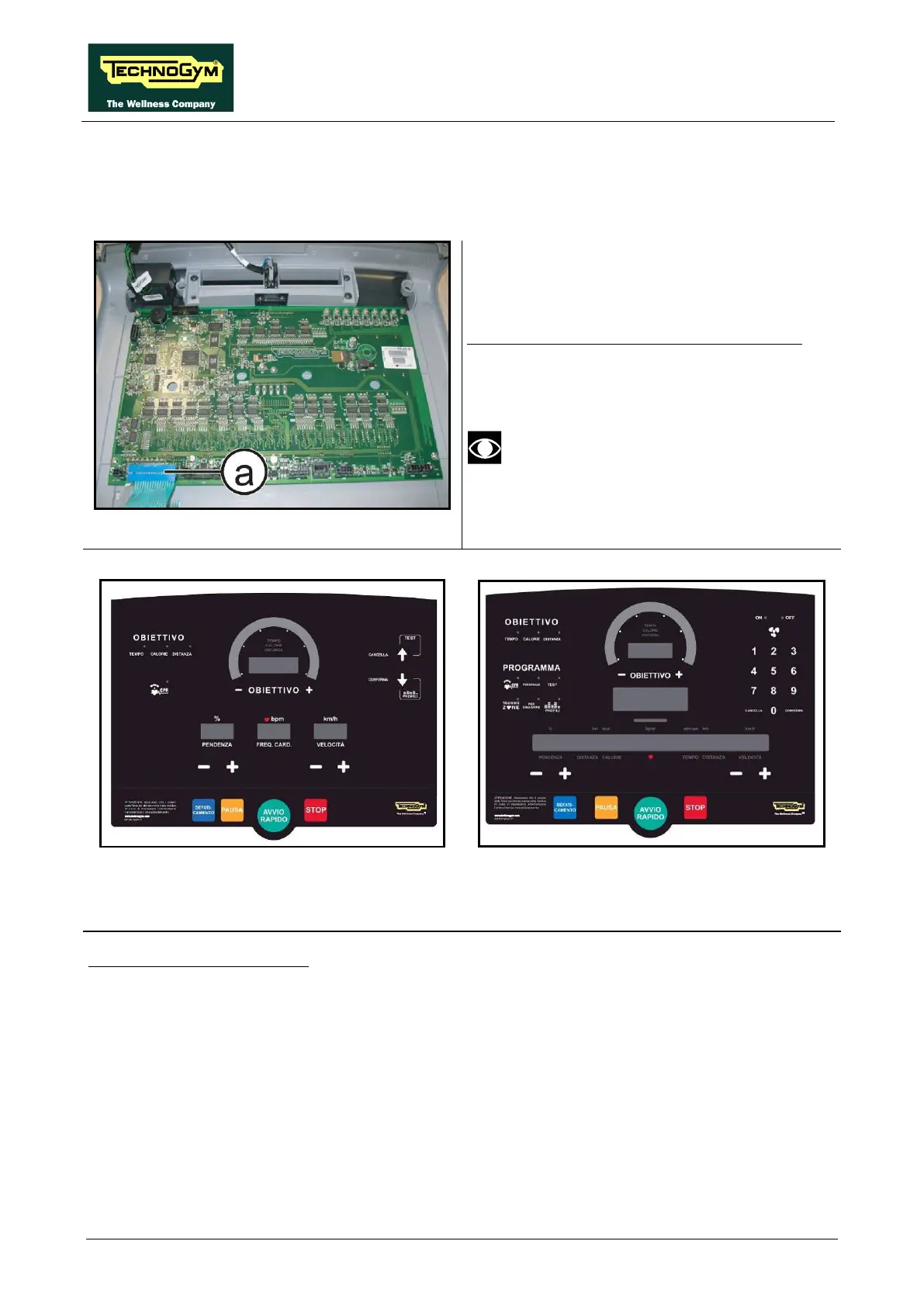
Figure 7-31
Carry out the procedure described in paragraph:
7.1. “Disassembling the display”.
Place the display assembly on a work bench:
1. Unplug the connector (a).
After the reassembling of the board,
remember to fix the keyboard connector
using a drop of hot glue.
Figure 7-32
Figure 7-33
2. Use a sharp tool to lift up and detach a corner of the keyboard then remove the keyboard.
To assemble a new keyboard:
1. Remove the backing film which protects the adhesive.
2. Insert the connector in the special slot on the display and connect it to the ARM Board.
3. Apply the adhesive part, starting from the left and working toward the right, without bending the
keyboard.
4. Remove the protective film.
Continued on following page…
→









 To Next Page