RUN NOW Excite +: Technical Service guide - rev. 6.2
Page 7.17
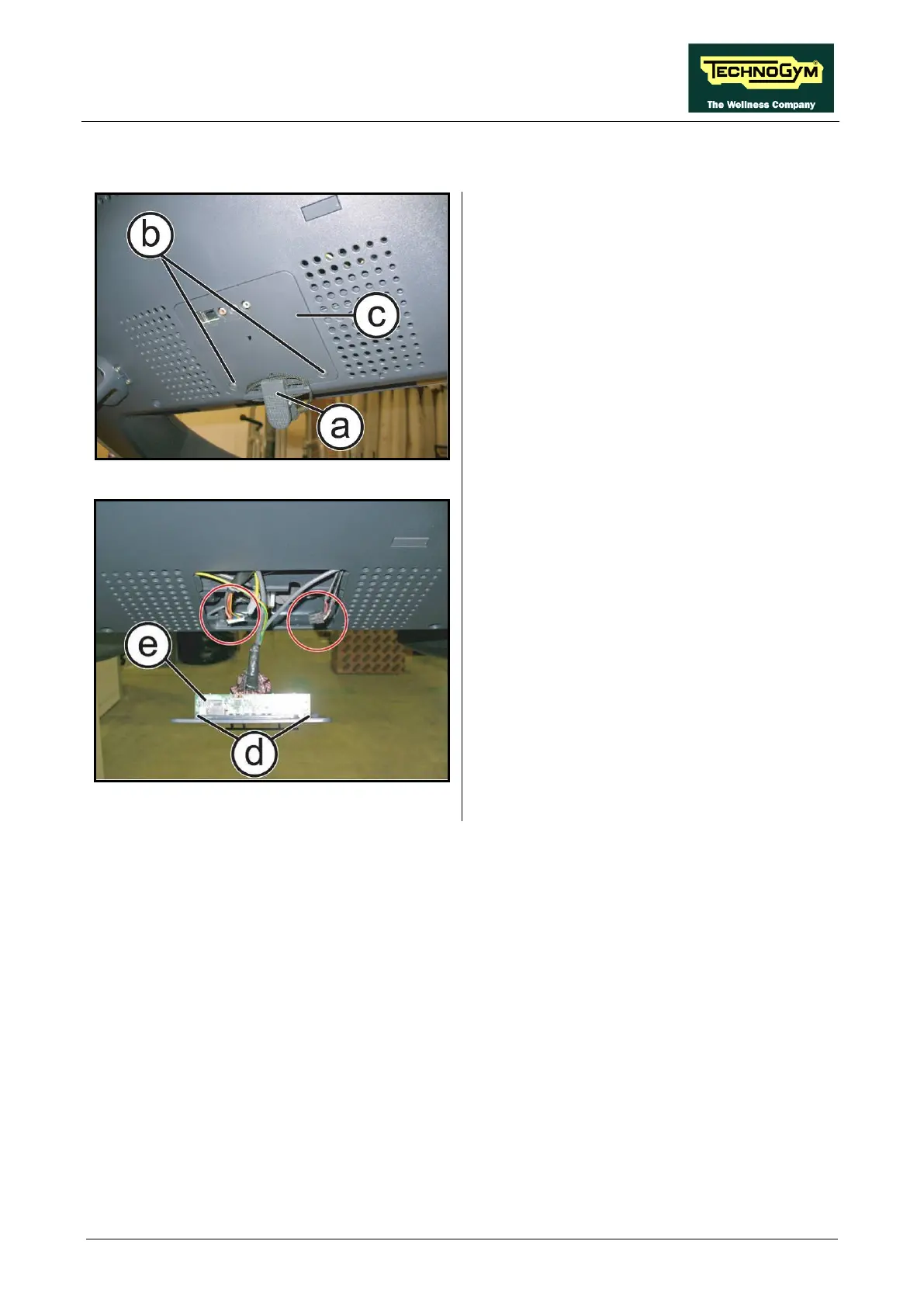
7.3. AUDIO / VIDEO EXTERNAL CONNECTORS BOARD
Figure 7-29
1. Release the emergency cable (a)
housing.
2. Back off the 2 screws (b) us
Phillips screwdriver.
3. Remove the inspection plug (c).
Figure 7-30
4.
Disconnect the connectors highlighted in the
figure.
5. Back off the 2 screws (d)
Phillips screwdriver.
6. Remove the Connectors Board (e).
To reassembly the Connectors Board, follows the
above steps in the reverse order.









 To Next Page