RUN NOW Excite +: Technical Service guide - rev. 6.2
Page 3.29
3.25.3. UNITY + ALEWIN (WITH FINAL CABLES)
3.25.3.1. The control
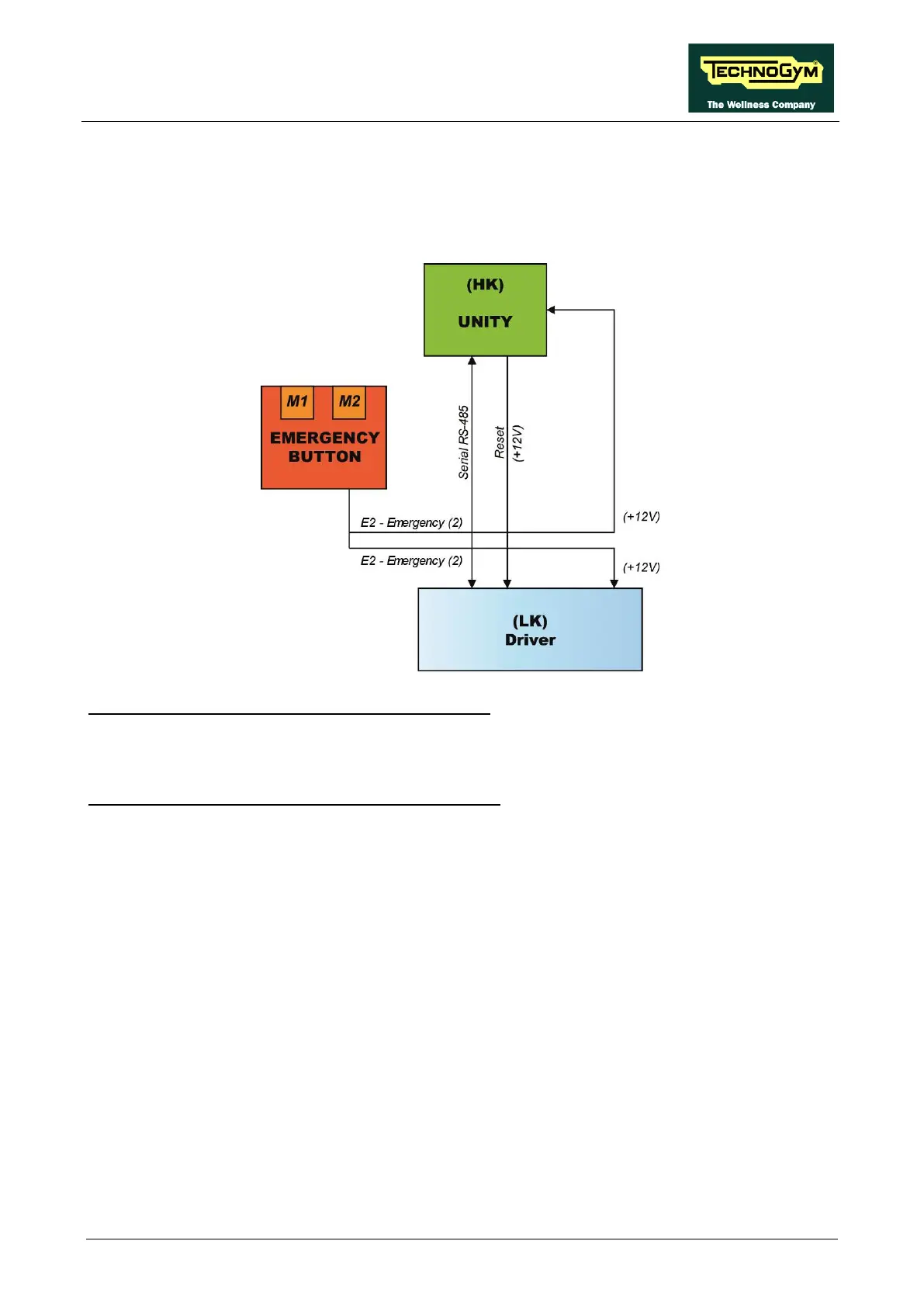
The control block diagram is as follows:
E2 = UNITY (HK) receives the Emergency 2 signal.
• When the system is NOT in emergency the signal is +12V.
• When you press the EMERGENCY signal goes to GND.
E2 = ALEWin (LK) receives the Emergency 1 signal.
• When the system is NOT in emergency the signal is +12V (pin 8).
• W When you press the EMERGENCY signal goes to GND.
The two signals are handled at the same time:
• The EMERGENCY signal generated: is sent to the LK to immediately block it, while the HK
only reads the status of the LK.
To restore operation of the equipment, the user must press any key on the KEYBOARD or on the
Touch Screen.
Pressing a key causes the Driver unlocking procedure to start, and the Driver receives the reset
signal from the Main Board (HK). Following this, the Driver performs the reset procedure. If the
serial communication cannot be successfully established, the equipment will make several attempts
to reset. Every failed connection attempt is recorded in the COM FAULT parameter which can be
displayed as indicated in the paragraph regarding the Service menu. After about 30 seconds it will
interrupt and display the error message on the Display.









 To Next Page