RUN NOW Excite +: Technical Service guide - rev. 6.2
Page 7.13
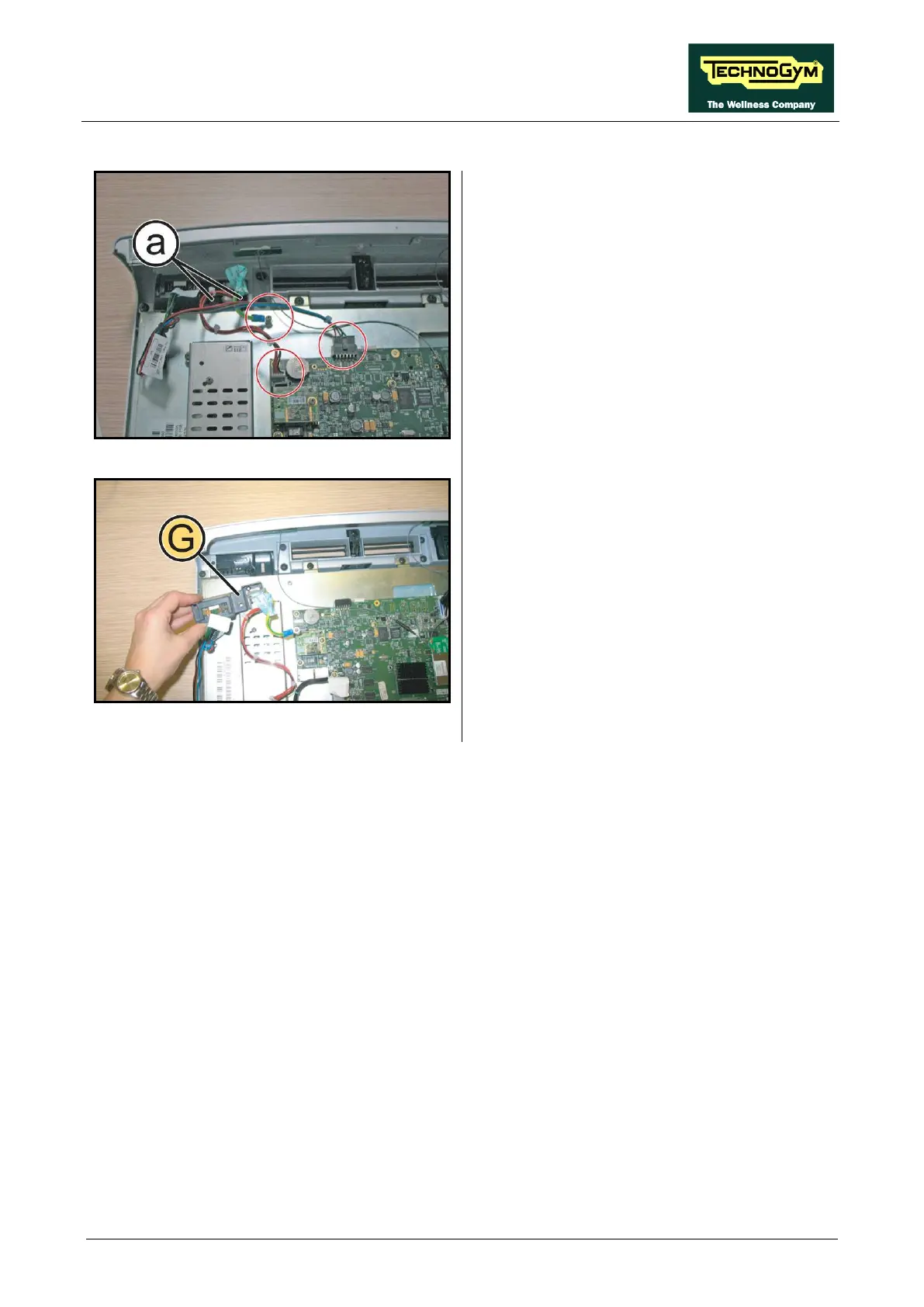
7.2.2.8. Dual TGS Reader + USB port (G)
Figure 7-22
1. Unplug the cables highlighted in the figure.
2. Back off the 2 screws (a)
Phillips screwdriver.
Figure 7-23
3. Remove the TGS group and the USB port, as
shown in the figure at the side.
To reassembly the Dual TGS Reader and the
USB port, follows the above steps in the reverse
order.









 To Next Page