Activities 752
Running a Tutorial Script Using the Text Editor
Running a Tutorial Script Using the Text EditorRunning a Tutorial Script Using the Text Editor
Running a Tutorial Script Using the Text Editor
This activity shows you how to use the Text Editor to run a tutorial script.
Running a Tutorial Script
Running a Tutorial Script Running a Tutorial Script
Running a Tutorial Script
Perform the following steps to write a script using the
Text Editor, test each line, and
observe the results in the history area on the Home screen.
Note: The command symbol C is accessed from the „ 1:Command toolbar menu.
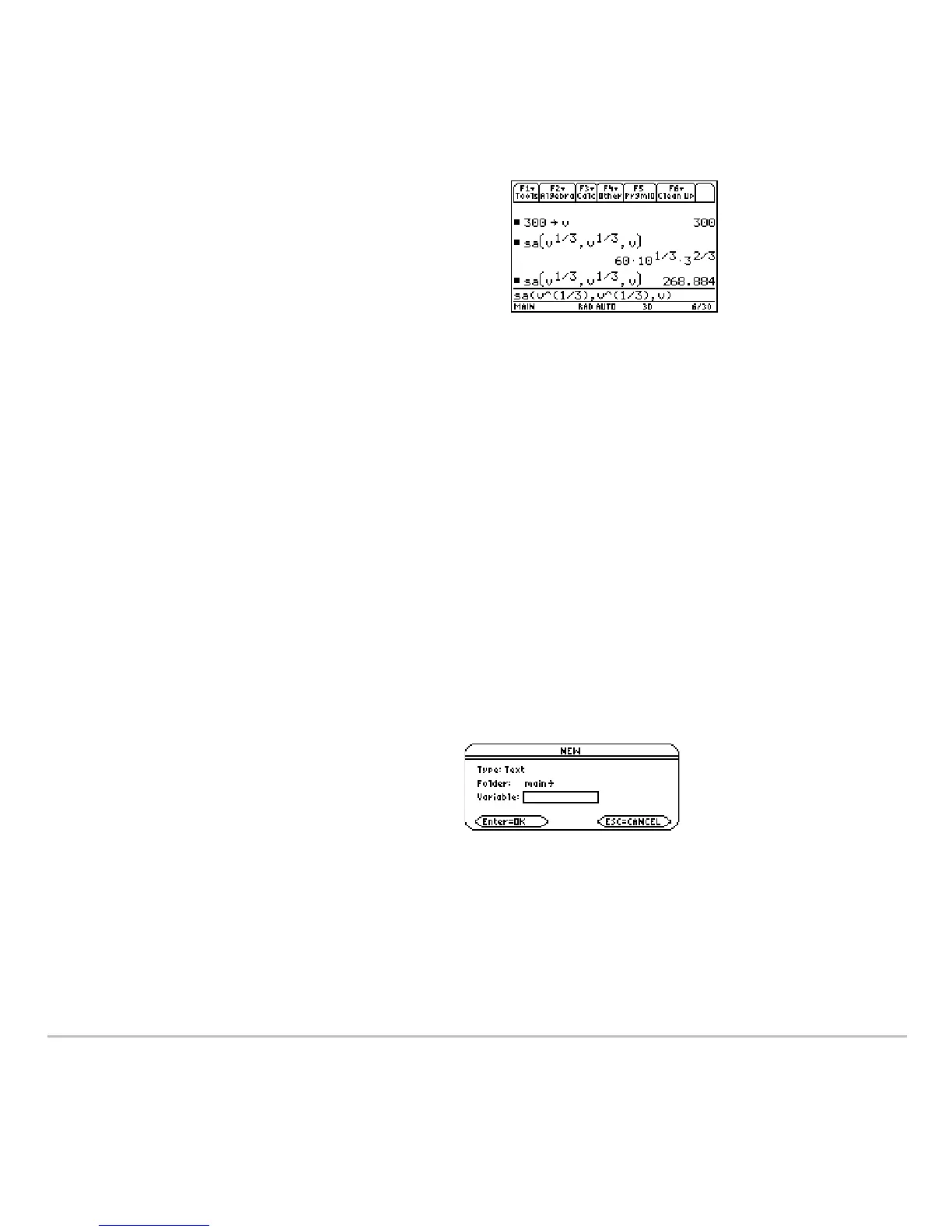
2. Find the minimum surface area when the
value of
v equals 300.
Enter:
300!v
Enter:
sa(v^(1/3), v^(1/3),v)
Note:
Press ¸ to obtain the exact
result in symbolic form. Press 8¸ to
obtain the approximate result in decimal
form.
1. Open the
Text Editor, and create a
new variable named
demo1.













 To Next Page