Previews 141
Archiving a variable
Archiving a variableArchiving a variable
Archiving a variable
Steps and keystrokes Display
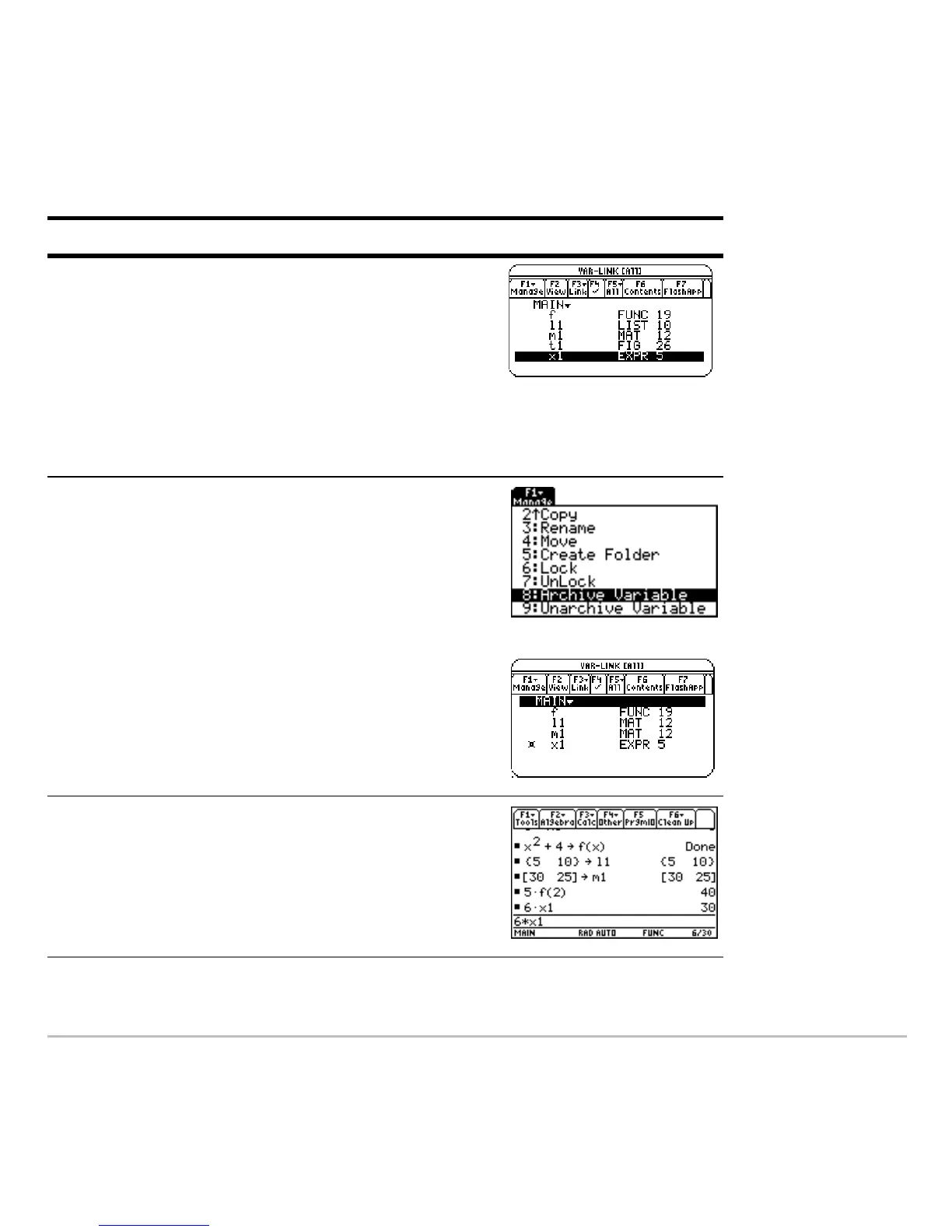
1. Redisplay VAR-LINK, and highlight the
variable you want to archive.
The previous change in view is no longer
in effect. The screen lists all defined
variables.
Press 2 ° (use D to highlight
x1)
2. Use the ,
Manage toolbar menu to
archive the variable.
û indicates the variable is archived.
Press , 8
3. Return to the Home screen and use the
archived variable in a calculation.
Press " 6 p X1 ¸













 To Next Page