Trango Systems, Inc. GigaPlus User Manual Rev 3.1 24
Gore
TM
Air Vent – The air vent is present to provide pressure equalization at high
altitudes while preventing moisture from entering the unit. No operator interaction is
necessary.
DO NOT TAMPER with the Air Vent. It should not be twisted or removed. Tampering
with or damaging the Protective Vent will void the factory warranty.
RSSI Voltage BNC-F Connector – This connector is provided to allow easy antenna
alignment when used with a multi-meter and the CBLDAT-RSSI cable. The Voltage
present on the connector is directly proportional to the Received Signal Strength in the
receiver section of the GigaPlus.
Mounting Latches – Four latches are provided to allow easy attachment of the GigaPlus
to the standard antennas, combiners and remote mounts. Two of the latches have
keyholes to allow locking the unit to deter theft and/or secure the unit.
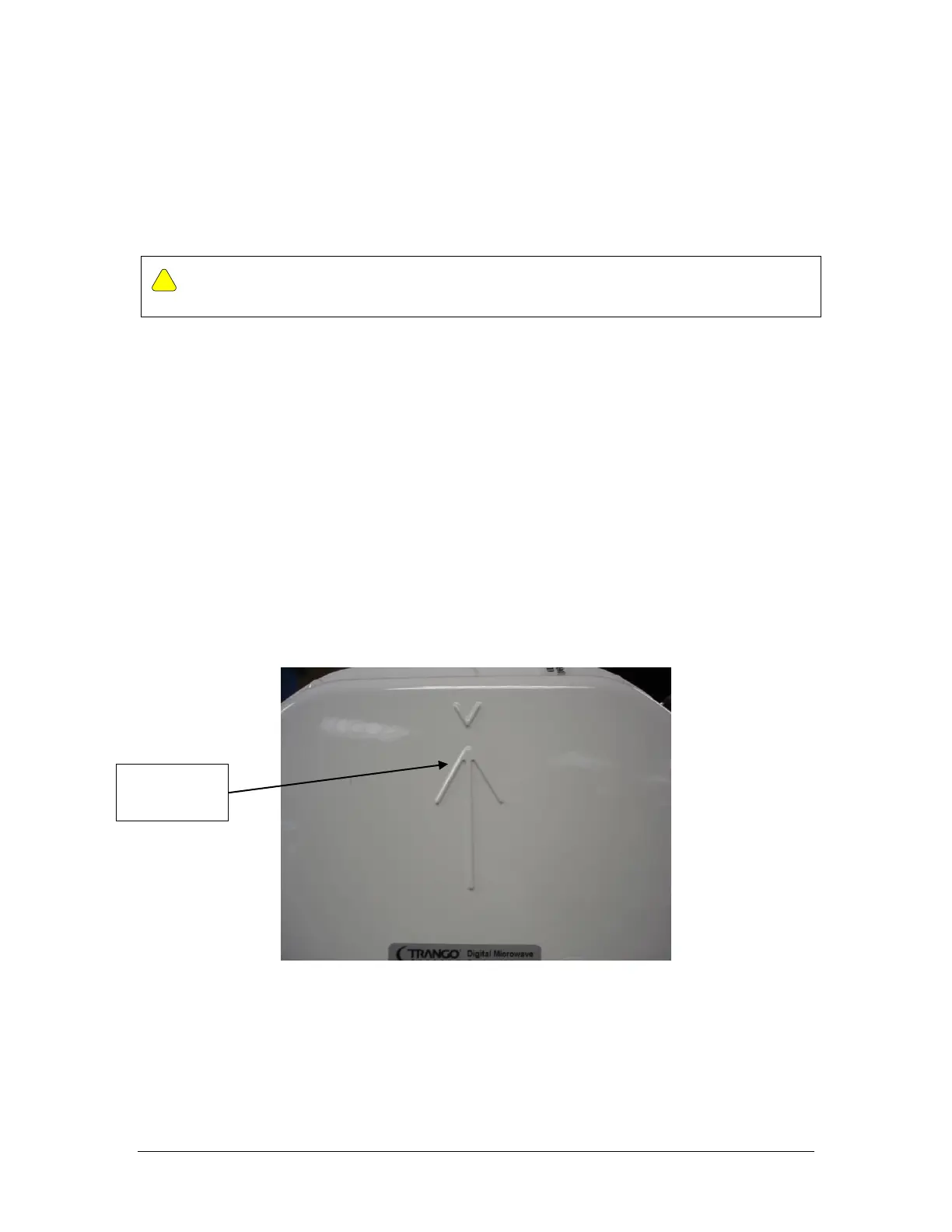
Polarization Indicators – The letter V and an arrow are die cast on the ODU housing
perimeter to assist in mounting the ODU to the antenna in the correct polarization. If
the arrow is pointed up (as shown) or down the ODU is aligned for vertical polarization.
If the arrow is pointed left or right then horizontal polarization is being used.
Figure 6 Polarization Indicator
Grounding Lug – ODU - The ground lug provided on the ODU should be connected to
the tower/structure leg per the grounding section recommendations.



 To Next Page