Trango Systems, Inc. GigaPlus User Manual Rev 3.1 84
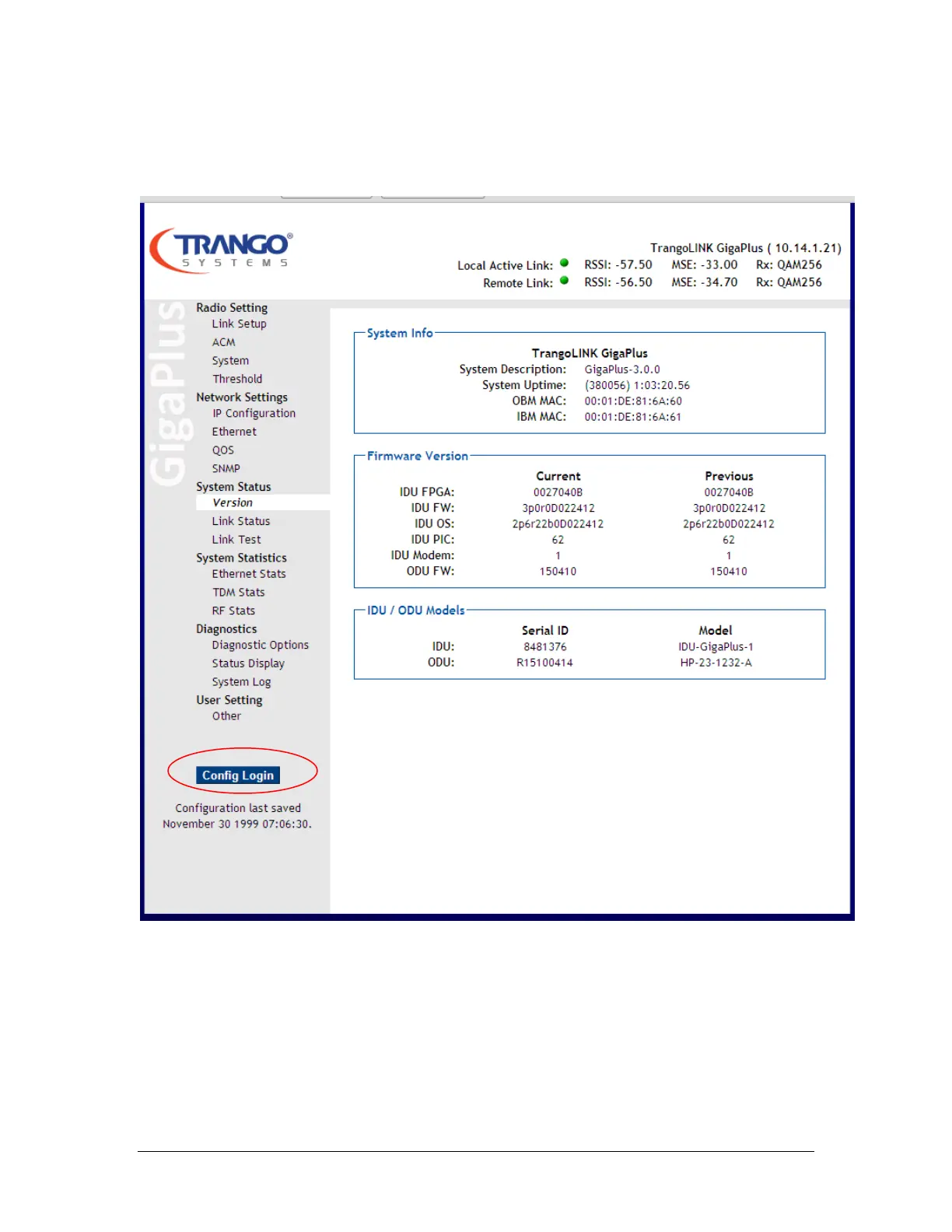
Once the user name and password are authenticated, the System Info page (in View
mode) will be displayed as shown below:
Figure 33 System Information Page (View Mode)
This is the view mode of the web. No changes can be made in this mode. To make
changes, the user must log into the config mode using the button highlighted in the
figure above. To login, enter user: config, password: trango. This display format will
change to that shown below.



 To Next Page