Trango Systems, Inc. GigaPlus User Manual Rev 3.1 86
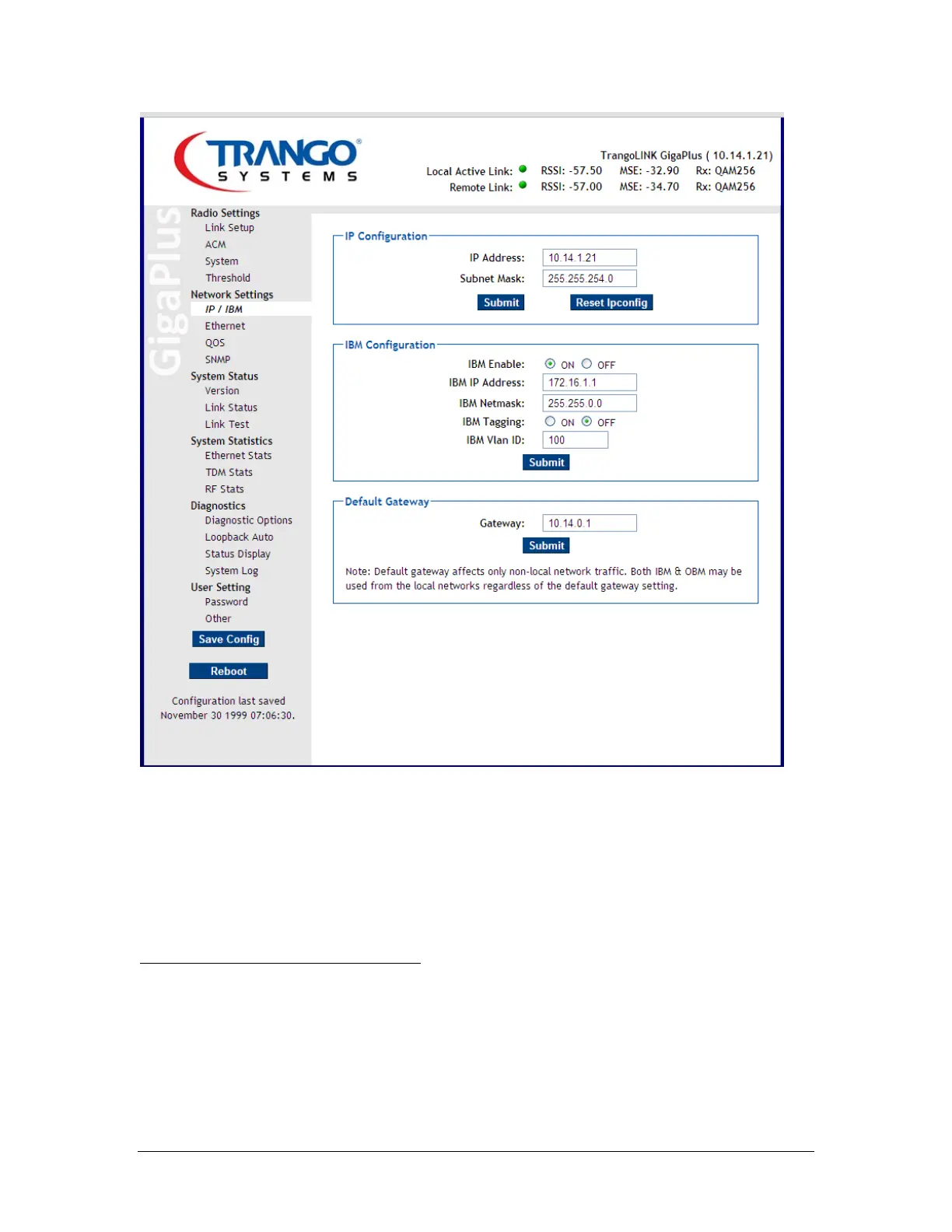
Figure 35 IP Configuration Page
b. Set the IP address, Subnet, netmask, Tagging (if desired) values, then click
the enable. The IBM will now be active and the radio can be managed
from the same port as the data input.
Step 3: Set the Radio link parameters
All the parameters should match those submitted and approved by the licensing agency.
c. Set the Odupower to “On” if it is not already on.
d. Turn the Opmode to “Off” if it is not already off.



 To Next Page