Trango Systems, Inc. GigaPlus User Manual Rev 3.1 76
HP ODU Installation on Antenna
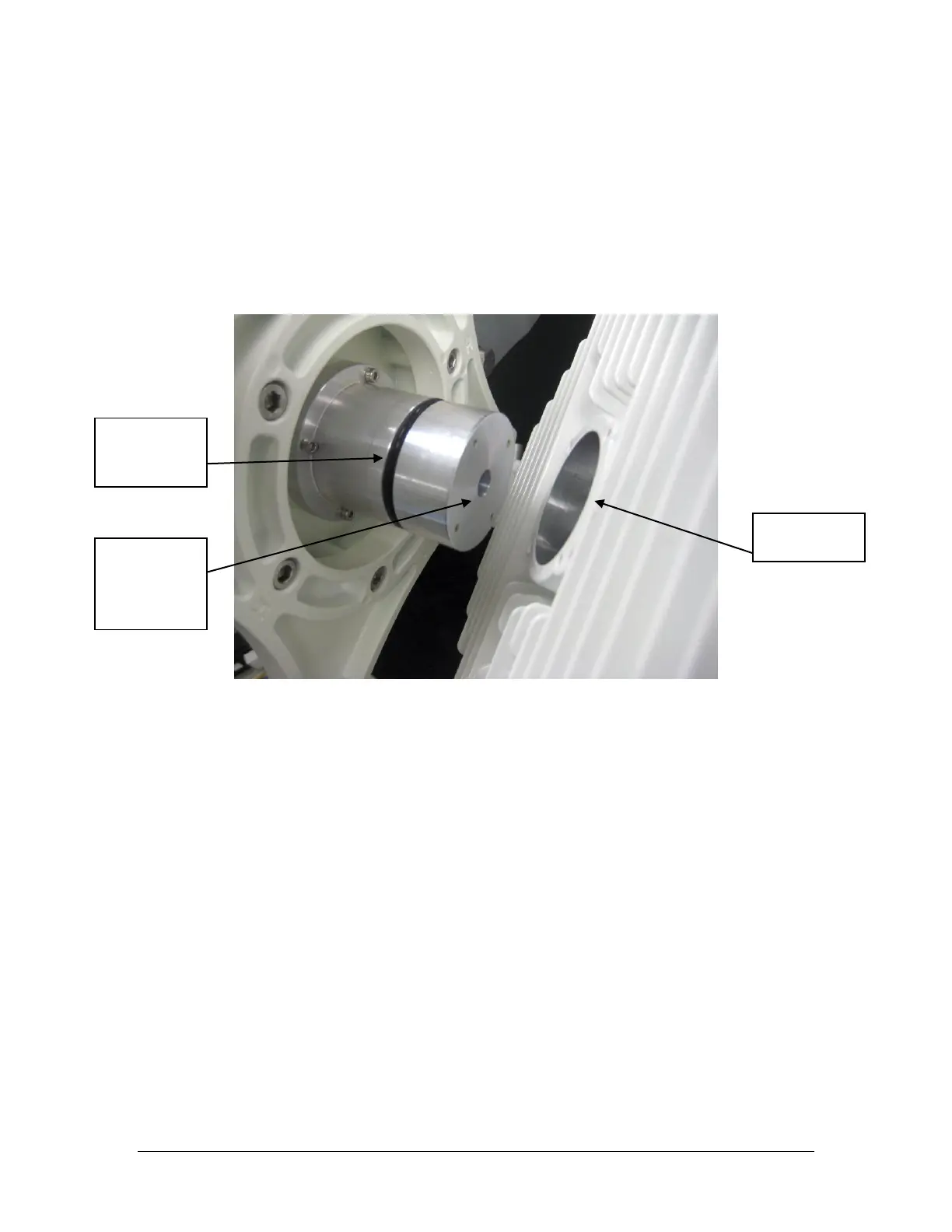
The ODU portion of the GigaPlus utilizes a slip fit connection that makes installation
simple. The ODUs are all designed to mount to a circular waveguide antenna or
combiner with the exception of the 6 GHz models.
For 7 to 40 GHz models, simply rotating the ODU will change the antenna polarization
being used.
Figure 24 Antenna to HP ODU Slip Fit Waveguide connection
After installing and securing the antenna the HP ODU can be installed directly on the
back of the unit. First, determine which Antenna polarization will be used and ensure
that the polarization indicator is at the top of the unit.
Polarization Indicators – The letter “V” is die cast on the ODU housing perimeter to
assist in mounting the ODU to the antenna in the correct polarization.
For vertical polarization the “V” should be at the top of the unit as shown in the Figure
below, and for horizontal polarization the “V” should be at the side of the unit. The IF
connector should be positioned towards the lower right for vertical and lower left for
horizontal polarization.



 To Next Page